…it’sallabout listening
9.1Lastlistened
WhenInternetradiomoderestarts,thelast‐listenedstationisselected.Toselectanother
recenlyusedstation,selectMenu>Lastlistenedthenoneofthestationslisted.Most
recentstationsappearatthetopofthelist.
9.2Presets
Presetsarestoredintheradioandcannotbeaccessedfromotherradios.Tostorean
Internetradiopreset,pressandholdPresetuntilthedisplayshowstheSavepreset
screen.Selectoneofthe10presetstosavethecurrentlyplayingstation.
Toselectapres et,pressPresetbriefly,thenselectoneofthelistedpresetstations.
Whenapresetstationisplaying,itshowsPn(P1,P2etc)inthebottomofthescreen.
Note: Operationofpreset sisidenticalforInternetradioandDAB.
9.3Favourites
FavouritesarestoredwiththeInternetradioportal,andareavailablethroughallInternet
radiosregisteredonthesameaccount.Beforefavouritescanbeused,theradiohastobe
registeredwiththeInternetradioportal(seepage16).
Tostoreaplayingstationasafavouritefrom
H2
,simplypress
button.The
selected
stationappearsinthedefaultfavouriteslistStations.
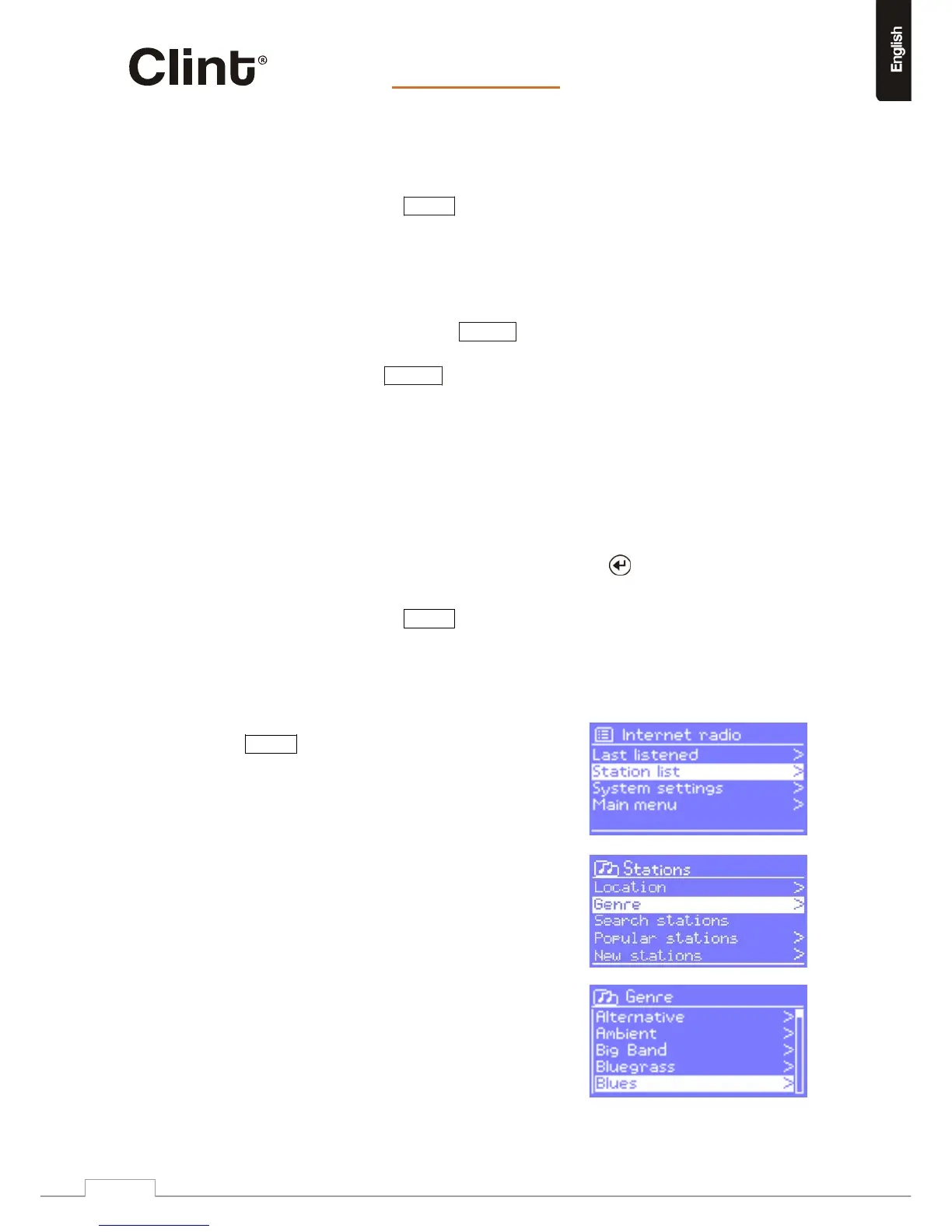
Toselectafavourite,selectMenu>Stationlist>Myfavourites>[Favouriteslist]>
[Station].
9.4Browse
TobrowseInternetbroadcasts,select
www.clintdigital.com
19



 To Next Page