…it’sallabout listening
www.clintdigital.com
7
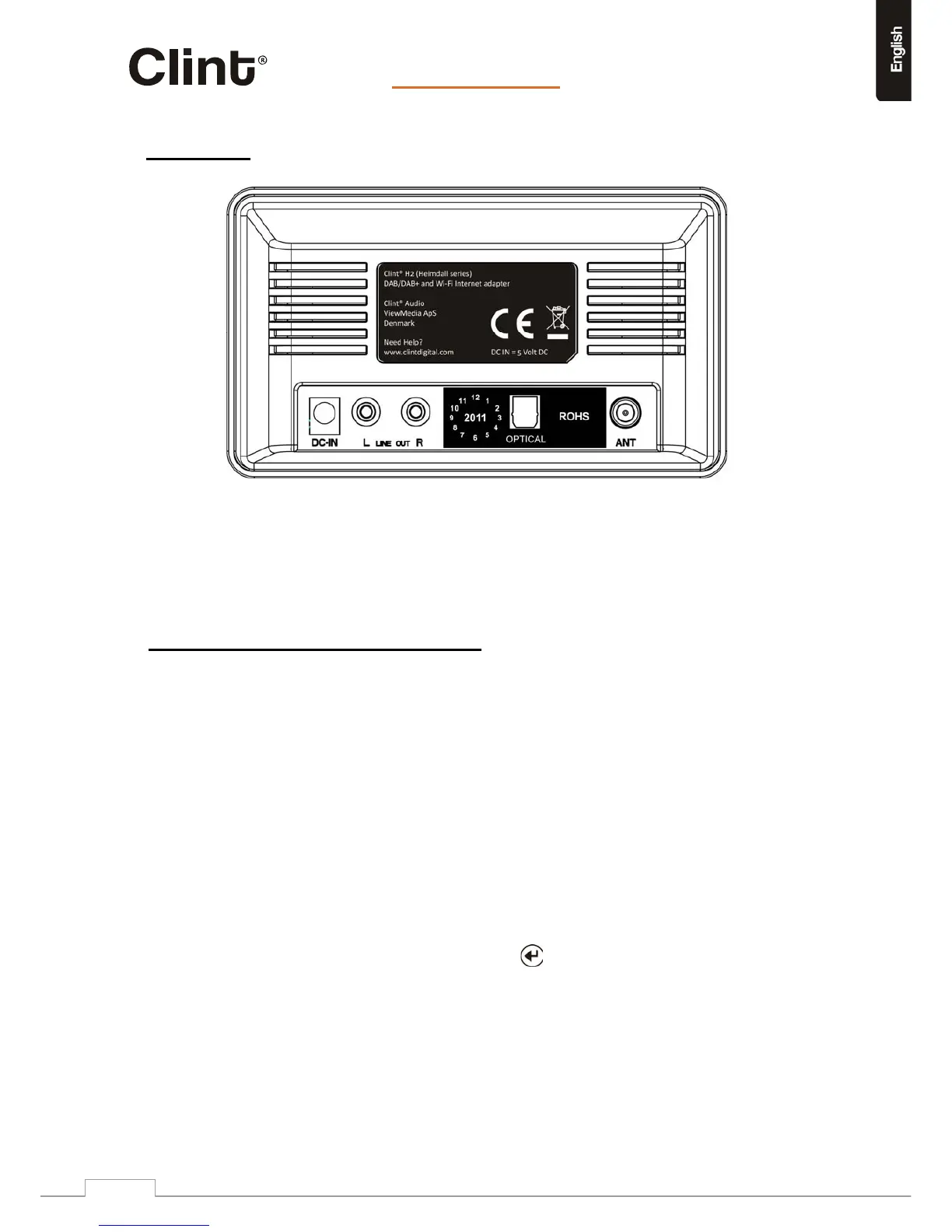
3.3BackPanel
Connectors:2xStereoRCA,Opticalandpowerconnector.
ConnectRCAcablestoyourexistingaudiosystem.
Orconnectopticalcableifyourreceiverhasthisinput.
ConnectpowersupplytoDCinport.
4.Generalmenunavigation/MenuStructure
The Wi-Fi radio features three types of menu. These are:
z TheMainmenu
Thisisthetoplevelmenuwhichallowsuserstoenterthedifferentmodes,setuptheradio,andview
informationabouttheradio(forexamplesoftwareversion,productID).
z TheInternetRadioStationListmenu
Thisisthemenuthatallowsuserstoaccessthedifferentinternetradioservices.Thismenucomes
directfromtheInternetRadioportal.
z TheModemenusforthevariousmodes
Themodemenusarecalledsobecausetheyshowthefunctionsavailablewithinthecontextofeach
ofthemodes.PressingtheMENUbuttonanytimewilltakeyoutothemodemenuoftherelevantmode
theradioiscurrentlyin.Eachcontextmenuprovidesanentrycalledmainmenuwhichtakesyouback
totheMAINmenu.
TonavigatetothedifferentmenusyoumustusetheARROWbuttonsontheremotecontrol.Usearrow
keystofindthemenuyouwishtonavigateto,thenpressthe
buttontoselect.Thisisgeneralforall
menunavigation.


 To Next Page