…it’sallabout listening
8.3Connectingtoanetwork
ForInternetradioandMusicplayermodes,youneedanetworkconnection.Toconnect
H2toyournetwork,youneedaWi‐Fiwirelessrouter,
together
withpasswordkeyifset.
ForInternetradio,Internetsoftwareandautomatictime/dateupdates,theroutermusthave
abroadbandInternetconnection.
WhenyouselectInternetradioorMusicplayermode,H2triestoconnecttoanetwork.Ifthis
isthefirsttimeithastriedtoconnect,orifthestorednetworksarenotaccessible,the
Networkwizardstarts.ToruntheNetworkwizardmanually,selectMenu>Systemsetti ngs
>Network
>
Networkwizard.
Oncethewizardstarts,enterthefollowinginformation:
o Ifnotalreadyset,WLANregion(selectcountry/regionfromlist),
o Networkname(selectyournetworkfromthelist),
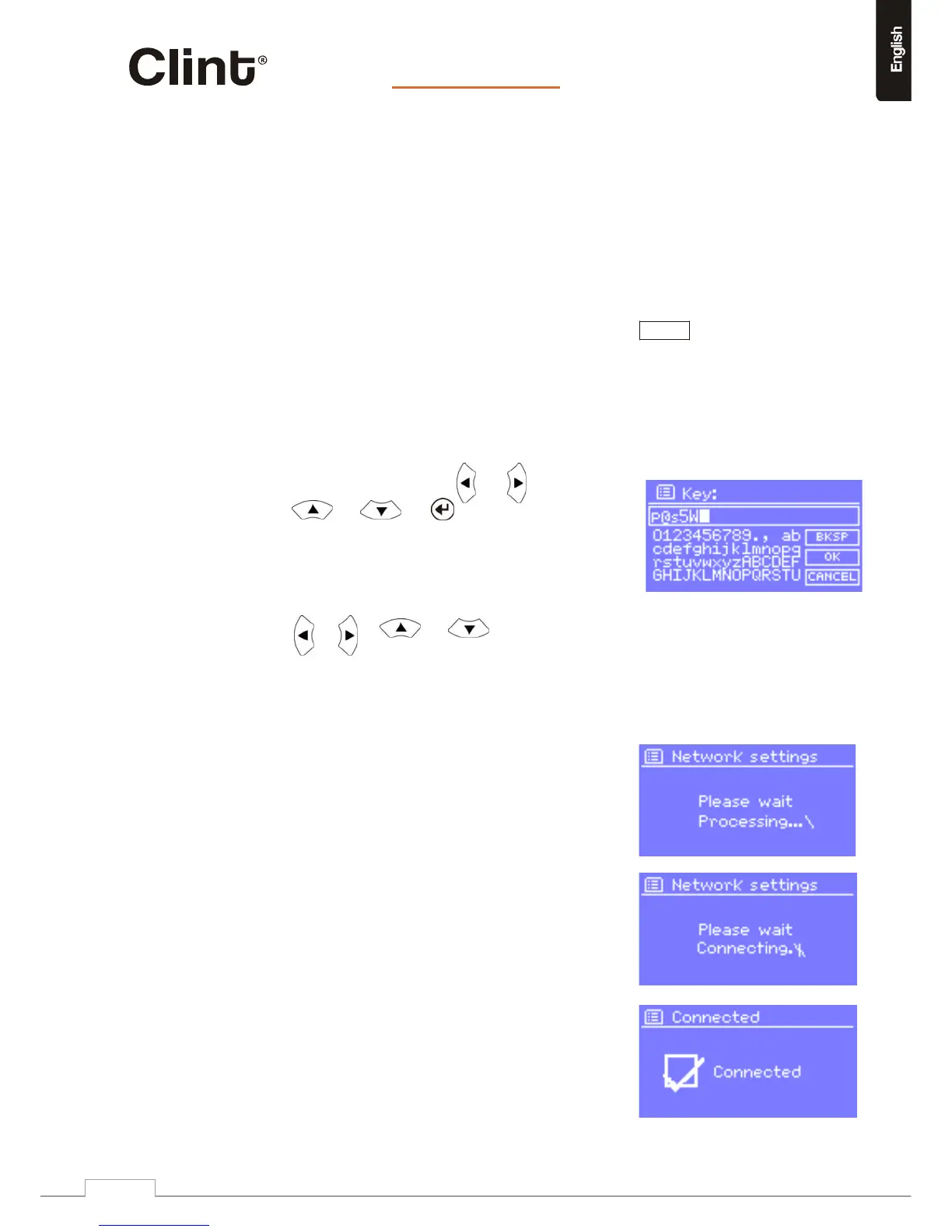
o Ifconnectingtoanencryptedwirelessnetwork,thekey(password).
Toenteryourkey,usetheor or
www.clintdigital.com
14
or andtomovethecursor
throughthecharactersandselect.Aseach
characterisselected,thekeyisbuiltup
near
thetopofthedisplay.
TherearethreeoptionsaccessiblebyPressingthe
or or or buttonsback
beforethefirstcharacters(0123...)‐Backspace,OK
andCancel.
Backspace(BKSP)willdeletethepreviousentered
letter/number.
OKwillconfirmtheenteredpassword.
Cancelwillcancelthepasswordinput.
Onceyouhavecompletedenteringthekey,selectOK,
andH2willtrytoconnecttotheselectednetwork.
Ifconnectingfails,H2returnstothepasswordentry
screen.
Ifthenetworkconnectionislost,H2automaticallytriestoreconnect.


 To Next Page