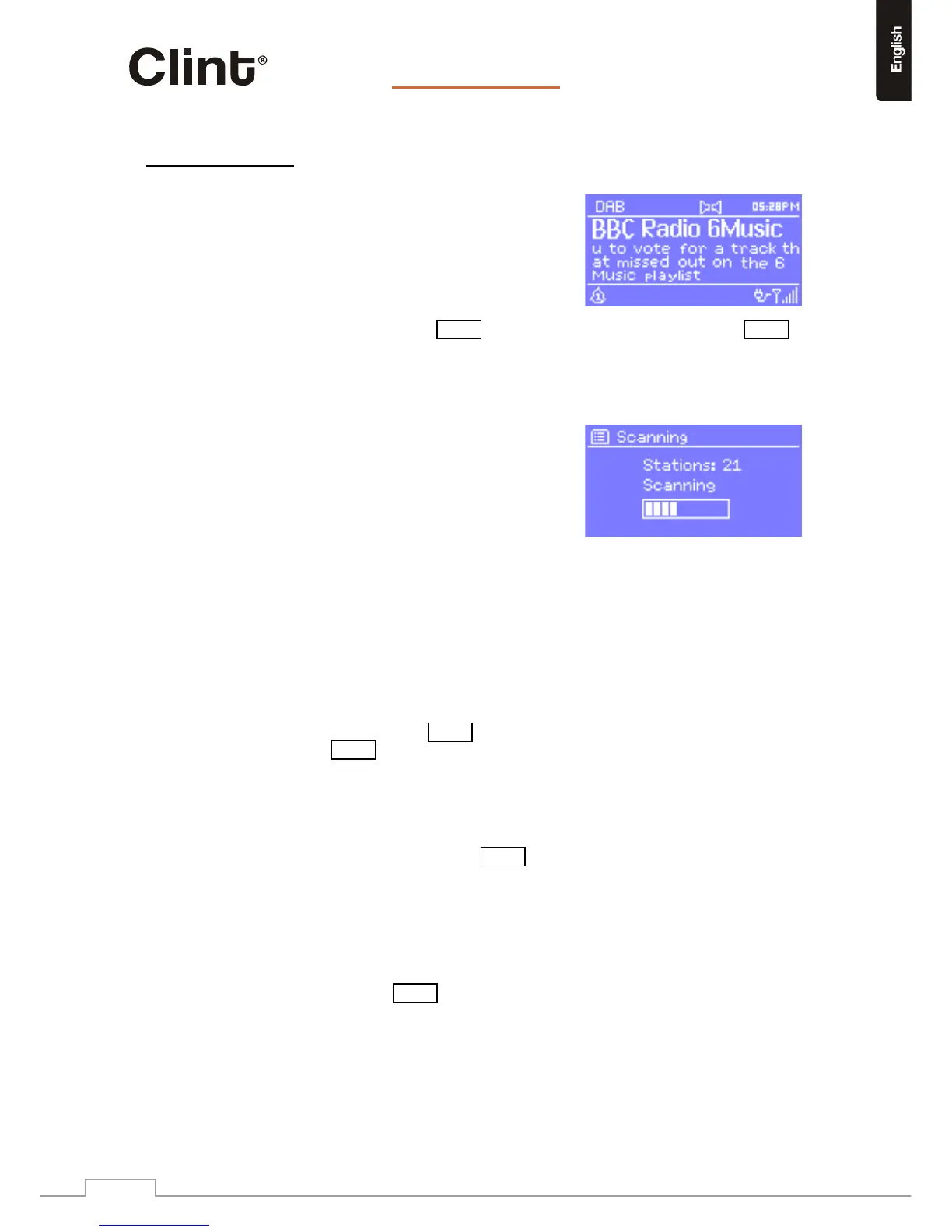
DABradiomodereceivesDAB/DAB+digitalradio
anddisplaysinformationaboutthestation,stream
andtrackplaying.
ToenterDABmode,eitherpressModeuntilthedisplayshowsDABRadioorselectMenu>
Mainmenu>DAB.
11.1Scanningforstations
ThefirsttimeyouselectDABradiomode,L1
automaticallyperformsafullscantoseewhat
stationsareavailable.
Youmayalsoneedtostartascanmanuallytoupdate
thelistofstationsforoneofthefollowingreasons:
o Availablestationschangefromtimetotime.
o Ifreceptionwasnotgoodfortheoriginalscan
(forexampletheantennawasnotup),thismay
resultinanemptyorincompletelistofavailable
stations.
o Ifyouhavepoorreceptionofsomestations
(burbling),youmaywish
tolistonlystationswithgood
signalstrength.
Tostartascanmanually,selectMenu>Fullscan.Toscanonlystationswithgoodsignal
strength,selectMenu>Localscan.
Oncethescaniscomplete,theradioshowsalistofavailablestations.
11.2Selectingstations
Tolistentoorchangeastation,turntheSelectcontroltoviewalistofstationsandpresstoselect.Once
selected,thestationplaysandthescreenshowsinformationaboutthestation,trackorshowasbroadcast
.
Presets
TostoreaDABpreset,pressandholdoneofthenumericbuttons1‐10untilthedisplay
showsthePresetstoredscreen.
Toselectapreset,pressPresetbriefly,thenselectoneofthelistedpresetstations.Whena
presetstationisplaying,itshowsPn(P1,P2etc)inthebottomrightofthescreent.
Orsimplypressoneofthenumericbutton1‐10ontheremote.


 To Next Page