…it’sallabout listening
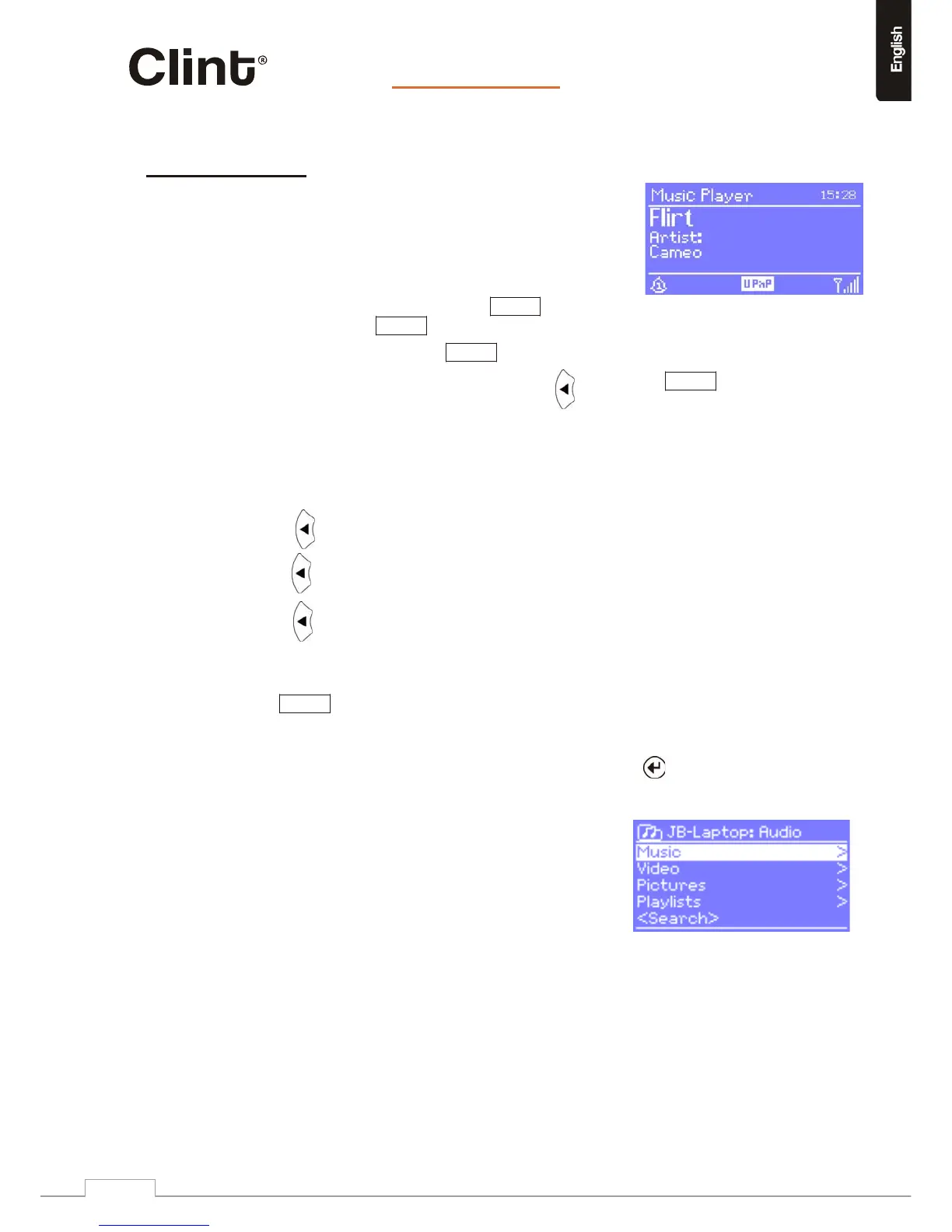
10.Musicplayermode
MusicplayermodeplaysaudiofilessuchasMP3sorWMAsfrom
anetworkedcomputerorothernetworkstoragedevice.
ToenterMusicplayermode,eitherpressModeuntilthedisplayshows
MusicplayerorselectMenu>Mainmenu> Musicplayer.
Onceinmusicplayermode,pressMenu,thenselectSharedmedia.
Ifyouarealreadyplayingamusicfile,youcanpress ratherth anMenutoquickly
returntothelastvisitedbranchofthemenutree.Forexample,supposeyouwerelistening
tothetrackHeatbytheartist50Centthroughbrowsingsharedmediaasdescribedin
section10.1.
Pressing wouldreturnyoutothetracklistingforthealbumGet
Richor
DieTryin’.
Pressi ng againwouldlistall50Centalbums.
againwouldlistallalbumartists,andsoon. Pressing
10.1Sharedmedia(frommediaserver)
SelectMenu>Sharedmedia>
Ifyouhavesetupsharedmedia(asdescribedonpage17),youshouldseeanentryconsisting
of<computername>:<Sharedmedianame>,forexampleJB‐Laptop:Audio.Ifyouhavemore
thanonecomputersharingmedia,thealternativesarelisted.Press
buttontoseethe
sharedmediayouwanttoplay.
Fromthispointon,themenusaregeneratedfrom
thesharedmediaserver(typicallyWindowsMedia
Player).Thefirstmenushowsalistofmediatypes,
forexampleMusic,Video,PicturesandPlaylists.H2
canonlyplaymusicandplaylists.
Thereisalsoasearchfunction,whichfindstracksina
similarwaytoInternetradiosearch(pleasesee
specificparagraphforthisissue).
www.clintdigital.com
22


 To Next Page