…it’sallabout listening
8.2Settingthetime/date
Thetimeanddatecanbeupdatedmanuallyorautomatically.
Settingmanuallyissimpler,butthetimeanddatearelostwhenpowerisremoved.
Settingtoupdateautomaticallyisalittlemorecomplicatedatfirst,buttheti meanddateare
automaticallysynchronisedwithexternalclocks,soitshouldonlyneedtobedoneonce.Auto
updateisgenerallymoreaccurate.
ToentertheTimesettingsmenu,selectMenu>Systemsettings>Time/dat e>
Manualupdate
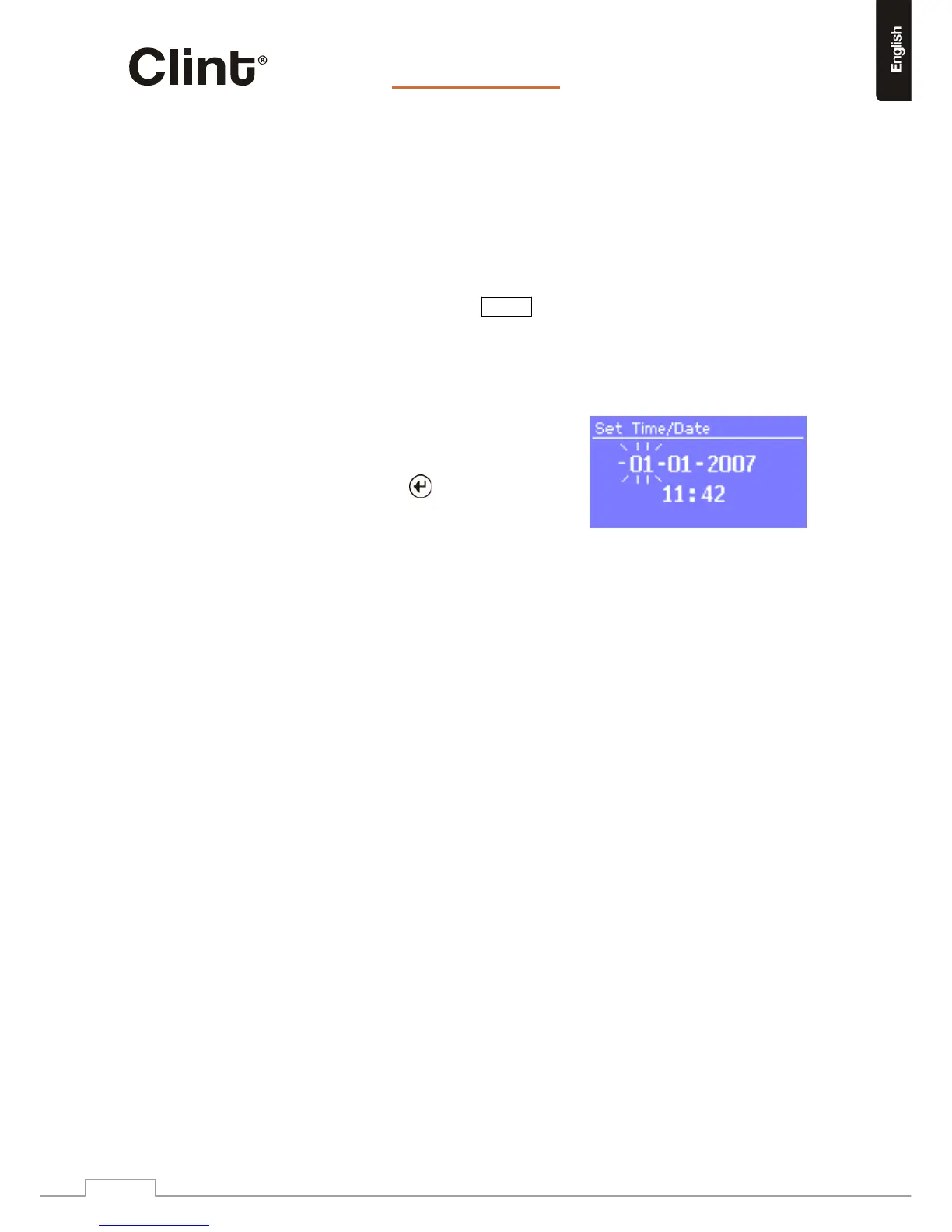
EnterSettime/date>
Thedateandtimearedisplayedasdd‐mm‐yyyyand
hh:mmAM/PMwiththefirst
value,ddactive
(flashing).
Adjusteachvaluewiththe control.Aseach
valueisadjusted,thenextvaluebecomesactive
andflashes.
Whenyouselectthefinalvalue(minutesorAM/PM,
dependingonwhetherth eclockissetto12or24hour
mode),thedisplayrevertstothenowplayingscreen
andshowsthenewlyupdatedtime.
Autoupdate
Autoupdateworkswithdatasentoverthenetwork(onlywhensuchdataispresentinthestream).
Theclockisonlyupdatedwheninacorrespondingmode,soitisbesttoselectamodeyouuse
regularly.
o NetworkusesatimesignalsentfromtheFrontierSiliconInternetradioportal
wheninInternetradioorMusicplayermodes.
1.SelectAutoupdate>thenselectUpdatefromNetwork.
2.SetyourtimezonethroughSettimezone>.
3.Ifyourcountryusesdaylightsaving,theautomaticallyupdatedtimemaybewrongbyone
hour.Whendaylightsavingsareineffect(duringthesummer),turnontheDaylightsavings
optionthrough
Daylightsavings>ON.
H2willauto‐updatefromtheselectedsourcewhentimeinformationisavailable.
12/24hourdisplay
Tochangebetween12and24hourdisplay,selectSet12/24hourandthenselectyour
preference.
www.clintdigital.com
13


 To Next Page