…it’sallabout listening
8.5Settingupamusicserver
InorderforH2toplaymusicfilesfromacomputer,thecomputermustbesetuptoshare
filesormedia.
UPnPmediasharingallowsdevicesli keH2toplaymusicfroma shared
medialibrary,
navigati ngthroughtagmenussuchasArtist,Album
or
Genre.Ifyouarerunningasuitableserver
systemsuchasaPCwithWindowsMediaPlayer10orlater(WM P) ,andyourmusiclibraryis
well‐tagged,thenitisrec ommendedtousemediasharing.OnlytheUPnPserver
needs
tobeset
up.
8.6SharingmediawithWindowsMediaPlayer
ThemostcommonUPnPserverisWi ndowsMediaPlayer(10orlater).TosetupWMPfor
mediasharing,performth efollowingsteps:
1.EnsurethatthePCisconnectedtothenetwork.
2.Ensurethattheradioispoweredonandconnectedtothesamenetwork.
3.InWMP,addtothemediali brarytheaudiofilesandfoldersyouwanttosharewithH2.
InWMP,enablemediasharing/streaming.
WindowsXPWMP:clickonthe‘Library’buttonandselectthe‘AddtoLibrary’
menuitem.
WindowsVista/7WMP:clickonthe‘Organize’buttonandgoto
‘ManageLibraries’>‘Music’.
4.InWMP,enablemediasharing/streaming.
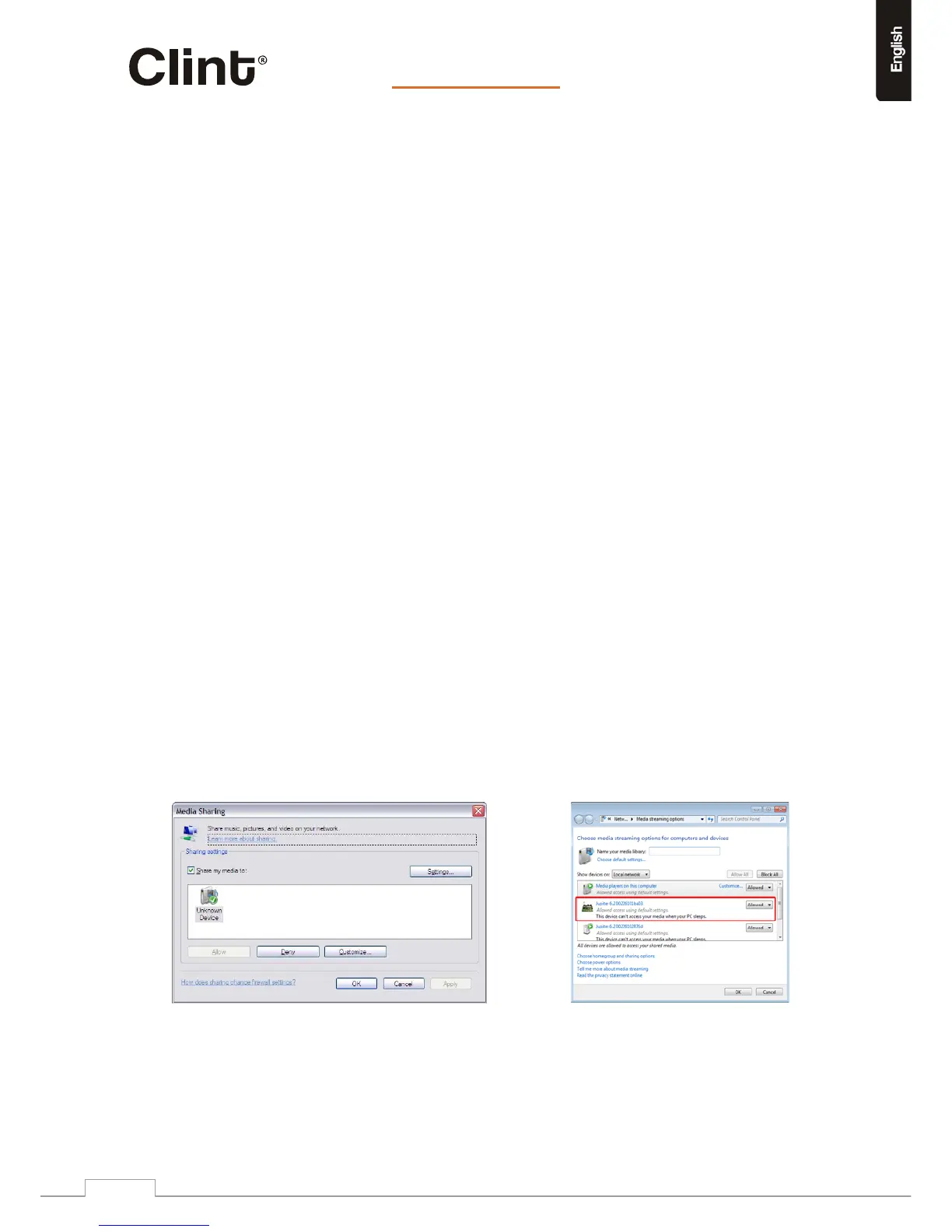
WindowsXPWMP:clickonthe‘Library’buttonandselect‘MediaSharing’.
WindowsVista/7WMP:Ensure“MediaStreaming”isenabled;clickon‘Stream’button
andselect‘Turnonmediastreaming...’
(“Morestreamingoptions...”willshowifmediastreamingisalreadyenabled).
Eithermethodwillshowthe“Mediastreamingoptions”dialogbox.
WindowsXP WindowsVista/7
www.clintdigital.com
17


 To Next Page