MAN.234 Rev.3 ENG - Use and maintenance manual S19HD (PRO) page
30
of
83
Furthermore, the engine pack with the fuel tank has a considerable bulk,
which comes out from the rear shape of the chassis.
The anti-crash system, supplied as standard device, does not allow the
aerial part (pantograph, boom, jib) to have accidental impacts with these
bulky parts mounted on the frame and the stabilizers, blocking the move-
ments operated by means of logic parameters set via software.
When activated, it is signalled by the warning light 6 (Figure 9) on the elec-
tronic panel of the radio control or wired remote control.
When the warning light 6 will be flashing and will be associated
with an audible alert, the machine will be in "anti-crash block” (col-
lision danger). In order to unlock the machine, it is necessary to
press the parking button P on the radio control together with the
desired manoeuvre.
If, during the descent of the pantograph or booms, the machine gets
blocked (anti-crash warning light on), it will be necessary to continue the
closing operations by pressing and holding the parking button P simulta-
neously to the desired operation. The sudden or intentional release of
that button will immediately disable the operation carried out.
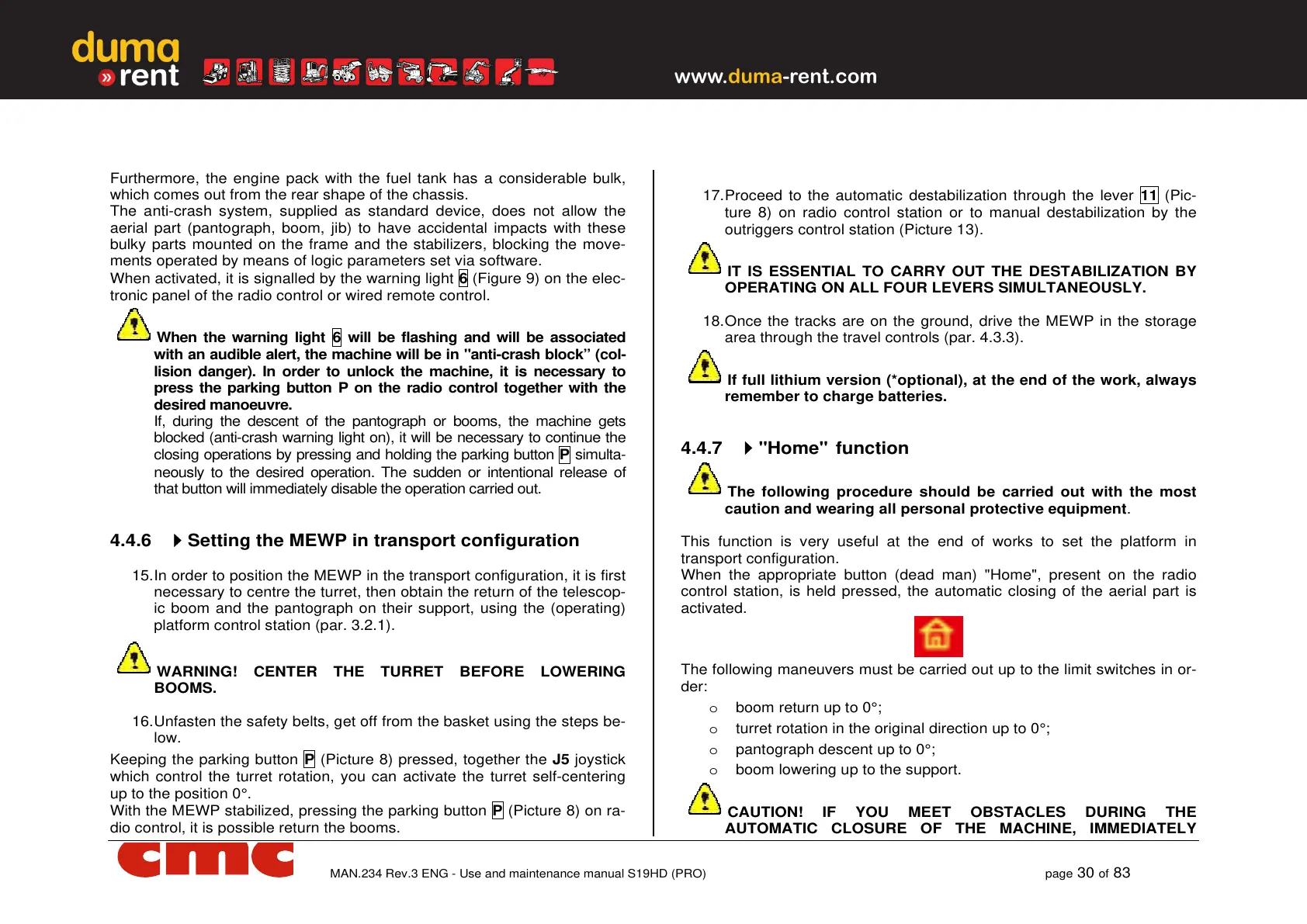
4.4.6
Setting the MEWP in transport configuration
15. In order to position the MEWP in the transport configuration, it is first
necessary to centre the turret, then obtain the return of the telescop-
ic boom and the pantograph on their support, using the (operating)
platform control station (par. 3.2.1).
WARNING! CENTER THE TURRET BEFORE LOWERING
BOOMS.
16. Unfasten the safety belts, get off from the basket using the steps be-
low.
Keeping the parking button P (Picture 8) pressed, together the J5 joystick
which control the turret rotation, you can activate the turret self-centering
up to the position 0°.
With the MEWP stabilized, pressing the parking button P (Picture 8) on ra-
dio control, it is possible return the booms.
17. Proceed to the automatic destabilization through the lever 11 (Pic-
ture 8) on radio control station or to manual destabilization by the
outriggers control station (Picture 13).
IT IS ESSENTIAL TO CARRY OUT THE DESTABILIZATION BY
OPERATING ON ALL FOUR LEVERS SIMULTANEOUSLY.
18. Once the tracks are on the ground, drive the MEWP in the storage
area through the travel controls (par. 4.3.3).
If full lithium version (*optional), at the end of the work, always
remember to charge batteries.
4.4.7
"Home" function
The following procedure should be carried out with the most
caution and wearing all personal protective equipment.
This function is very useful at the end of works to set the platform in
transport configuration.
When the appropriate button (dead man) "Home", present on the radio
control station, is held pressed, the automatic closing of the aerial part is
activated.
The following maneuvers must be carried out up to the limit switches in or-
der:
o boom return up to 0°;
o turret rotation in the original direction up to 0°;
o pantograph descent up to 0°;
o boom lowering up to the support.
CAUTION! IF YOU MEET OBSTACLES DURING THE
AUTOMATIC CLOSURE OF THE MACHINE, IMMEDIATELY



 To Next Page