GRMON3-UM
June 2019, Version 3.1.0
42 www.cobham.com/gaisler
4.4.1. Target image setup
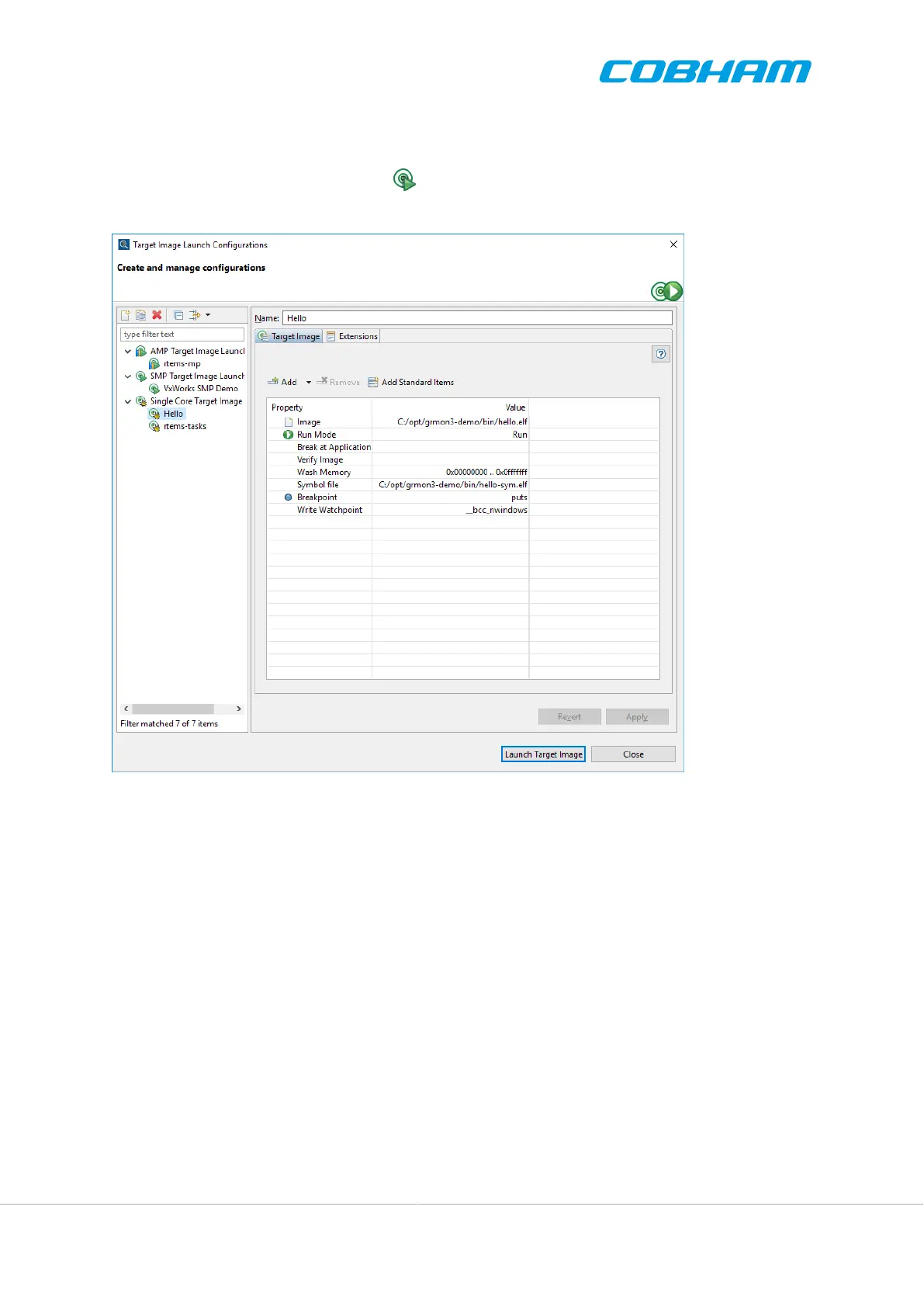
Once connected to a system, an image can be uploaded to the system. To setup the image and related settings,
click the Target Image Configuration button in the main tool bar, or in the main menu under File > Launch
Target Image...
Figure 4.5. The Target Image Configuration dialog
A Target Image Launch Configuration consists of one or several application images which are associated to dif-
ferent CPUs. There are three different types of image launch configurations:
• Single Core Image Launch
• SMP Target Image Launch
• AMP Target Image Launch
An Single Core Target Image Launch also provides a simple interface to setup the application. This image launch
type is appropriate for applications that will use a single core. In the Single Core Target Image Launch, properties
are always assigned to the first cpu.
An SMP Target Image Launch provides an interface to setup the application for multiple cores. This image launch
type is appropriate for applications based on an SMP operating system, such as RTEMS SMP or VxWorks SMP.
In the SMP Target Image Launch, properties are always assigned to all CPUs.
In an AMP Target Image Launch, the user has full flexibility to assign launch properties for each CPU. This is
useful when different operating system instances are executed on different processors or sets of processors.
CPUs are added or removed by the user to match the target system. Each setting has a value and some of them can
be individually associated with one or more CPUs. For instance a breakpoint and symbol file might be associated
with CPU1, but not CPU2.



 To Next Page