GRMON3-UM
June 2019, Version 3.1.0
45 www.cobham.com/gaisler
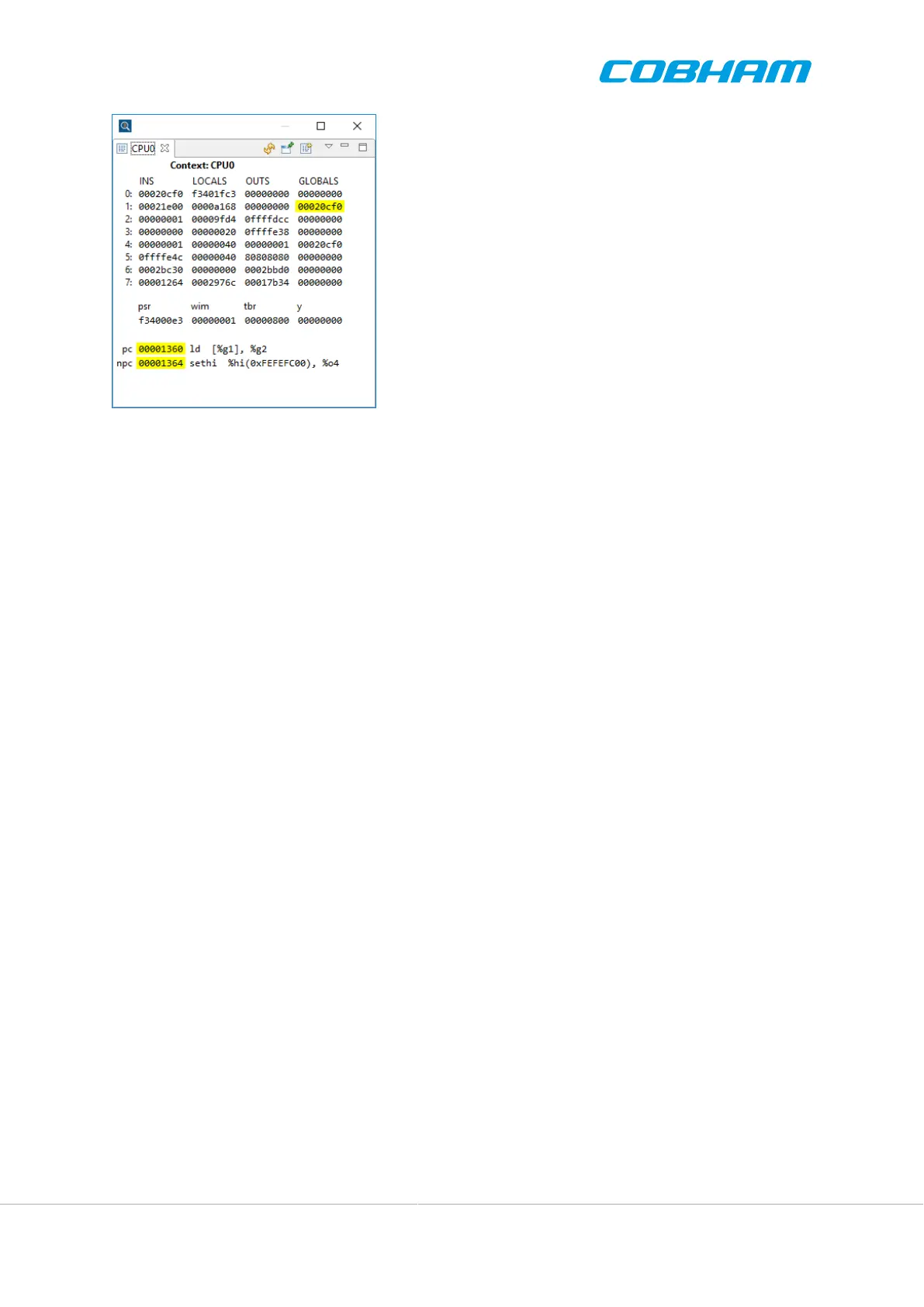
Figure 4.6. The cpu registers view
4.5.1.1. Pinning
The CPU Registers view can be pinned to a context. When the view is pinned it continues to show registers for
the same context even when the selection changes in the debug view. The view then shows the pinned CPU name
in the top of the view, e.g. “cpu0”.
4.5.1.2. Context menu
Right click on any register value in the view to show the context menu (not relevant for the disassembly). If the
text in the register value box is a valid hexadecimal value the two commands >>Open address in Memory view<<
and >>Show disassembly at address<< will be available.
Open address in Memory view
Shows the Memory view and adds a memory monitor at the selected register value used as an address. The user
must select the visualization, e.g. “Hex Integer”.
Show disassembly at address
If no disassembly editors are open one will be opened, otherwise any opened will be used. The editor will focus
on the selected register value used as an address.
4.5.2. IO Registers View
The IO Registers view allows users to inspect and modify I/O registers of AMBA devices available on the target
hardware. Individual registers may be expanded into bit-fields which are presented as bit-masks or numbers. It
functions much like the Eclipse Registers view, but is optimized for GRLIB SoC systems.
Registers are grouped under the AMBA device it belongs to. A device may have registers from both APB and
AHB I/O space. The view presents the same information as the info CLI command.
The register view adapts to the register information available in GRMON. Users can add registers and bit-field
declarations for custom IP-cores by means of Tcl drivers as described in Appendix C, Tcl API. Registers unknown
to GRMON will not appear in the view.



 To Next Page