Configuration with the web interface
98-148247-C Chapter 5: Configuration 5-27
5555
DHCP server is able to provide a default gateway address and you have selected DHCP
client above, then select the same LAN as your default gateway source.
Zeroconf Settings
On LAN ports 1,3 and 4 you can choose to add a zeroconf address in the network
(169.254.0.0).This zeroconf address will be in addition to the existing static or DHCP IP
address. One port at a time can be enabled. Zeroconf allows devices to connect to a
network automatically.
VLAN port membership table
The VLAN port membership table is configured by the modem as configured by the service
provider. The table is useful when troubleshooting.
5.4.4 E-mail setup
If you want to send diagnostics and statistics reports through an external Internet
connection using e-mail you must set up some parameters.
To configure the e-mail setup, do as follows:
1. Go to SETTINGS > E-mail setup.
2. Enter the data for Outgoing mail server (SMTP), SMTP port number, SMTP
authentication, User name and password. This data is typically provided by your IT
department.
3. Select the SMTP type, for secure e-mail select SMTPS or STARTTLS.
• SMTP: SMTP over port 25
• SMTPS: SMPT Secure usually uses port 465, SMTPS is 'deprecated' data between
client and server, encrypted with SSL or TLS, this is decided beforehand.
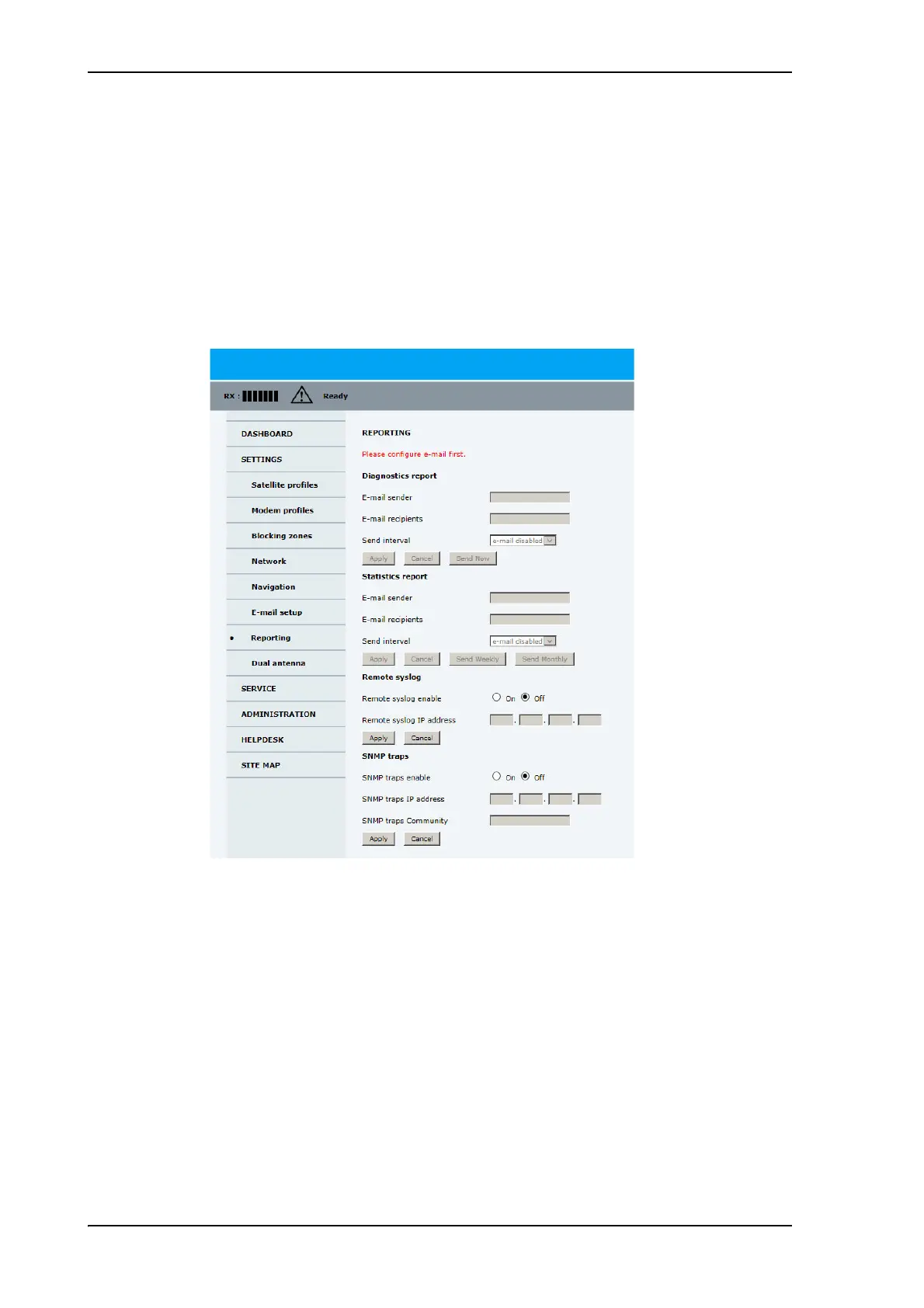
Figure 5-20: Web interface: SETTINGS, E-mail setup
You must set Outgoing mail server to an IP address if DNS has not been set
up in DNS setup in To configure the LAN network on page 5-24.



 To Next Page