Configuration with the web interface
98-148247-C Chapter 5: Configuration 5-33
5555
4. Enter the Community name. This is the name of the SNMP trap receiver/manager. This
is needed for authentication of the SNMP trap request.
5. Click Apply.
5.4.6 Administration
In this section of the web interface you can configure the following administrative settings:
• To change the password and log out
• To set up user permissions for guest login
• To import and export a system configuration
• To reset to factory default settings
To change the password and log out
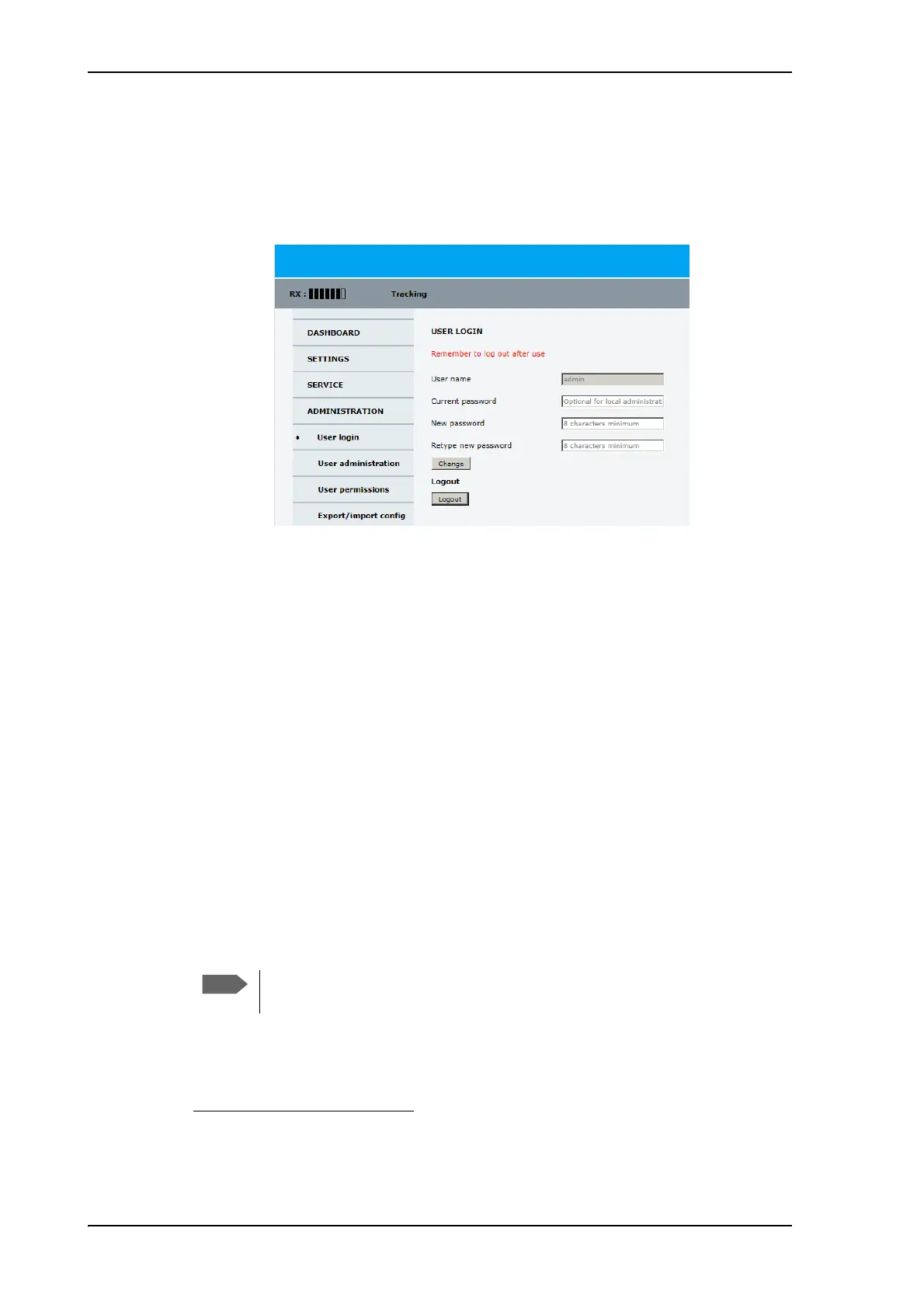
On the page ADMINISTRATION and User login you can change the password for the
currently logged in user (admin) or you can log out.
Figure 5-24: Web interface: Administration



 To Next Page