3
Chapter 2
22222
Installation
Installation 2
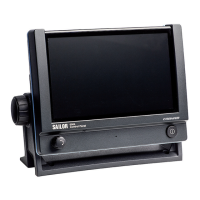
This chapter provides a description of how to unpack, store and install the
Control Panel. It contains the following sections:
• Unpacking
• Installing the Control Panel
For information on cable connections see chapter 3 Connectors & controls
on page 9.
Unpacking
Initial inspection
Inspect the shipping carton immediately upon receipt for evidence of
damage during transport. If the shipping carton is severely damaged or
water stained, request that the carrier's agent be present when opening the
carton. Save the carton packing material for future use.
After unpacking the system, inspect it thoroughly for damage and loose
components or fittings. If the contents are incomplete, if there is
mechanical damage or defect, or if the system does not work properly,
notify your dealer.
Storage
The Control Panel may be stored or shipped in temperatures between -30°
C and +80° C. Protect the Control Panel from extreme temperature
variation which can cause condensation.
Warning! To avoid electric shock, do not apply power to the
system if there is any sign of shipping damage to any
part of the front or rear panel or the outer cover.
Read the safety summary at the front of this manual
before installing or operating the system.


 To Next Page