Chapter 5: Service & repair
34 Maintenance & troubleshooting
Maintenance & troubleshooting
No maintenance is required for the Control Panel.
Switching off the touch screen temporarily
The touch screen can be blanked (dimmed to black) by
briefly touching the power button. Touch the power button
or touch the screen to return the screen to normal operation.
Be careful when cleaning the display to avoid scratches on
the touch screen.
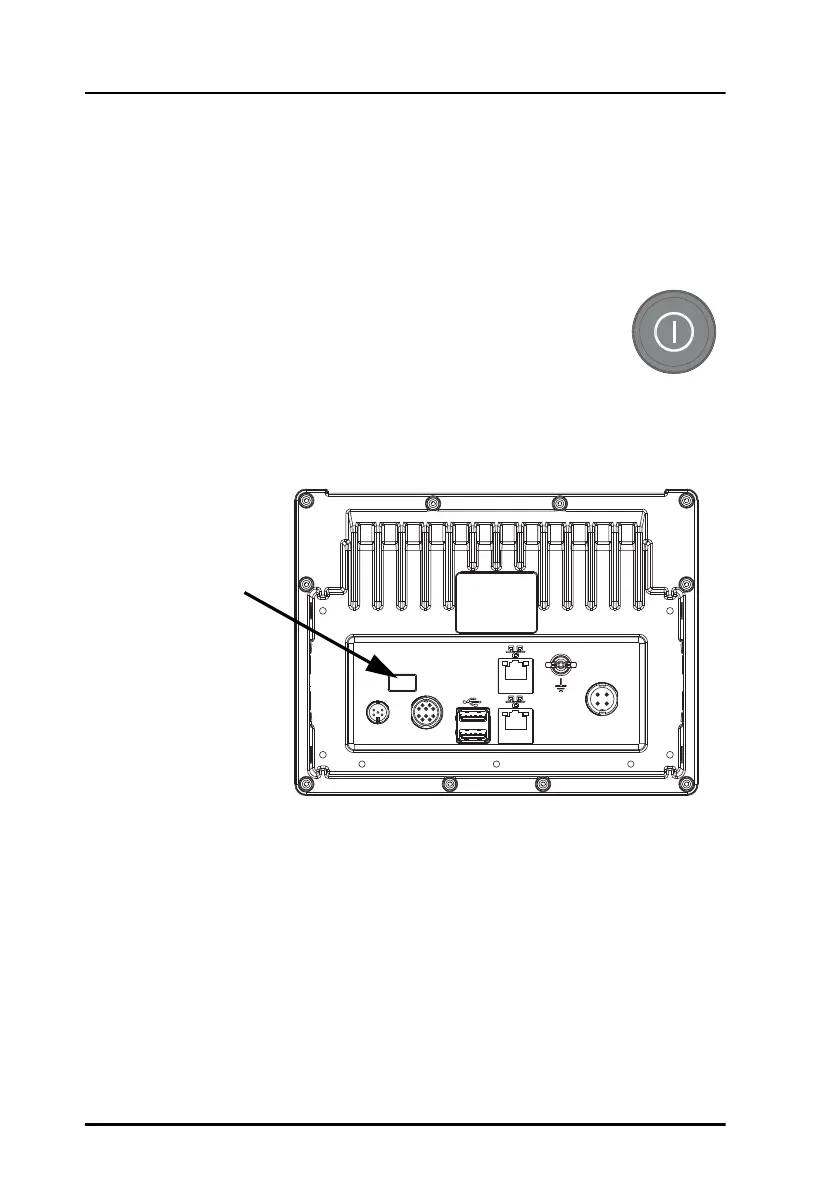
There is a special access on the back of the unit reserved for service and
repair.
Repacking for shipment
Should you need to send the product for repair, please read the below
information before packing the product.
The shipping carton has been carefully designed to protect the Control
Panel and its accessories during shipment. This carton and its associated
packing material should be used when repacking for shipment. Attach a tag
Reserved for
service and
repair


 To Next Page