• Distance is in millimeter
• To change the amount on a button, right click on the button and insert a new value, i.e. 200
mm, 500 mm 1000 mm
U-axis movement:
• The U axis is the rotational movement on the printhead.
• Distance in degrees
• To change the amount on a button, right click on the button and insert a new value, i.e. 200
mm, 500 mm 1000 mm
Extruder movement:
WARNING!
TO AVOID DAMAGE TO THE EXTRUDER PUMP, NEVER RUN THE EXTRUDER IN A DRY STATE I.E. WITHOUT
CONCRETE, OIL OR WATER IN THE HOPPER.
If a dry run is required, please remove the mixing shaft inside the material hopper before continuing.
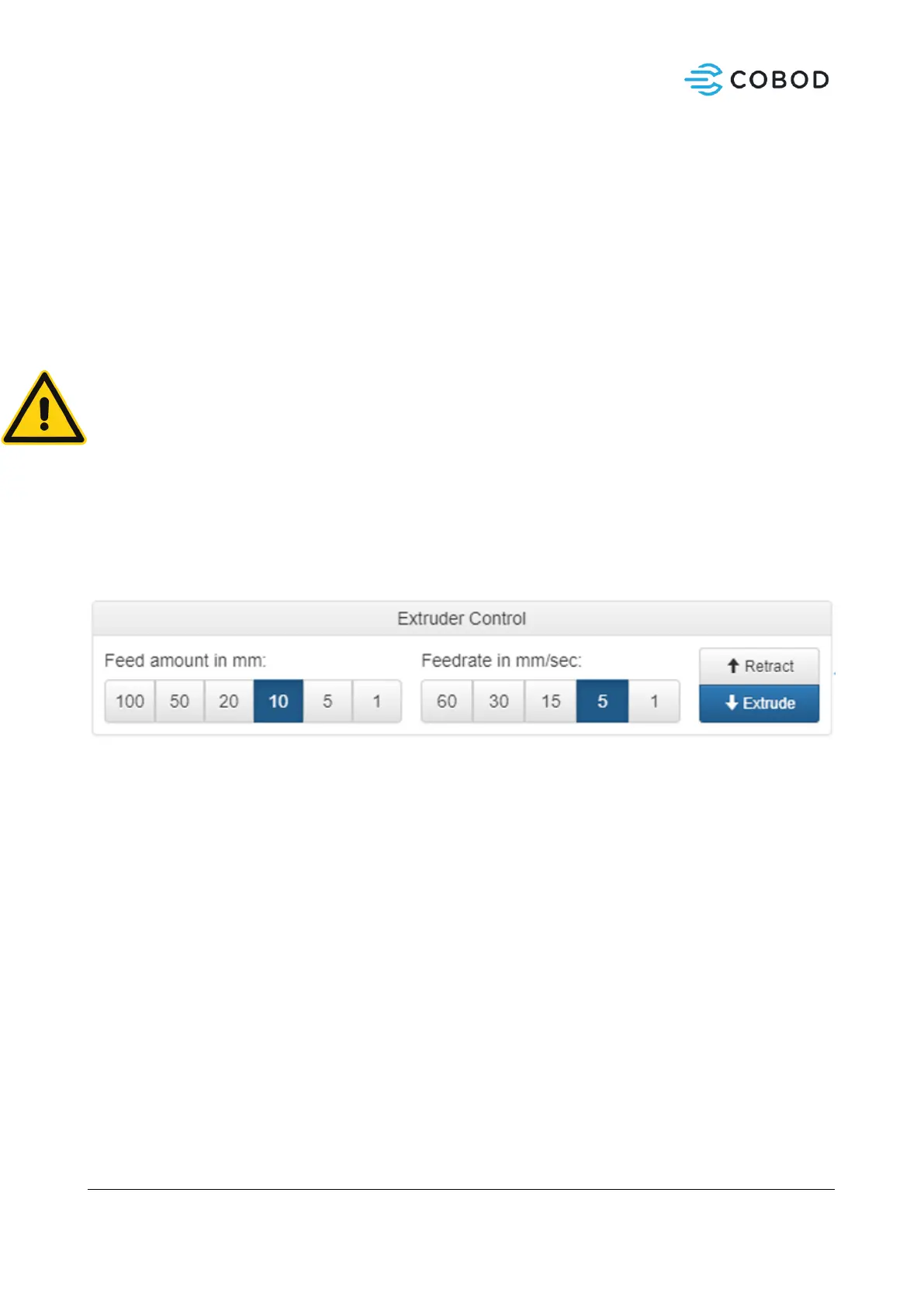
• Feed amount is material extruded in milliliters (estimated).
• Feedrate is flow-rate in ml/s.
• Extrude will move pump Counter Clockwise (seen from top) and push material out using the
chosen parameters for feed amount / feedrate.
• Retract will move the pump Clockwise (seen from top) and pull material back.
• To change a number, right click on the button, and insert the updated value.
Figure 14: Manual extrusion



 To Next Page