• .BREP
• .OCC
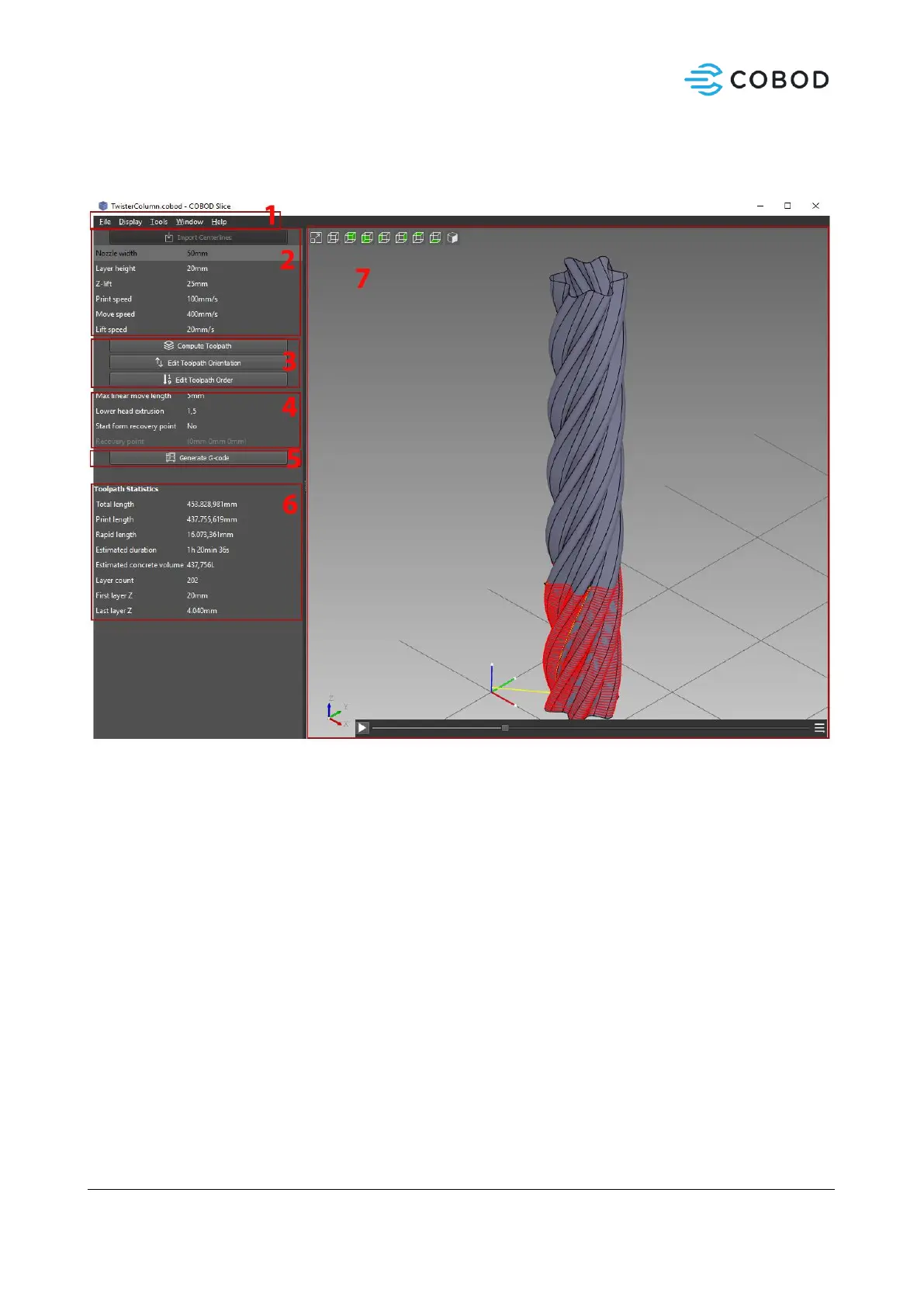
1. Main menu
a. File
i. New Project – Start a new project with default slicing parameters
ii. Open Project – Open an existing .COBOD project.
iii. Save – Save .COBOD project
iv. Save as – save .COBOD project as
v. Export toolpath – Export toolpath to directory.
vi. Quit
b. Display
i. View mode
ii. Show / Hide features
iii. Zoom
c. Tools
i. Measure curves – Measures the length of a selected curve in mm.
ii. Save view to image – Saves the current viewport view to an image.
iii. Options – Set color, mesh defaults, units and more.
2. Import and slice settings



 To Next Page