Page 26 Coby Electronics Corporation
Optional Audio/Video Connections
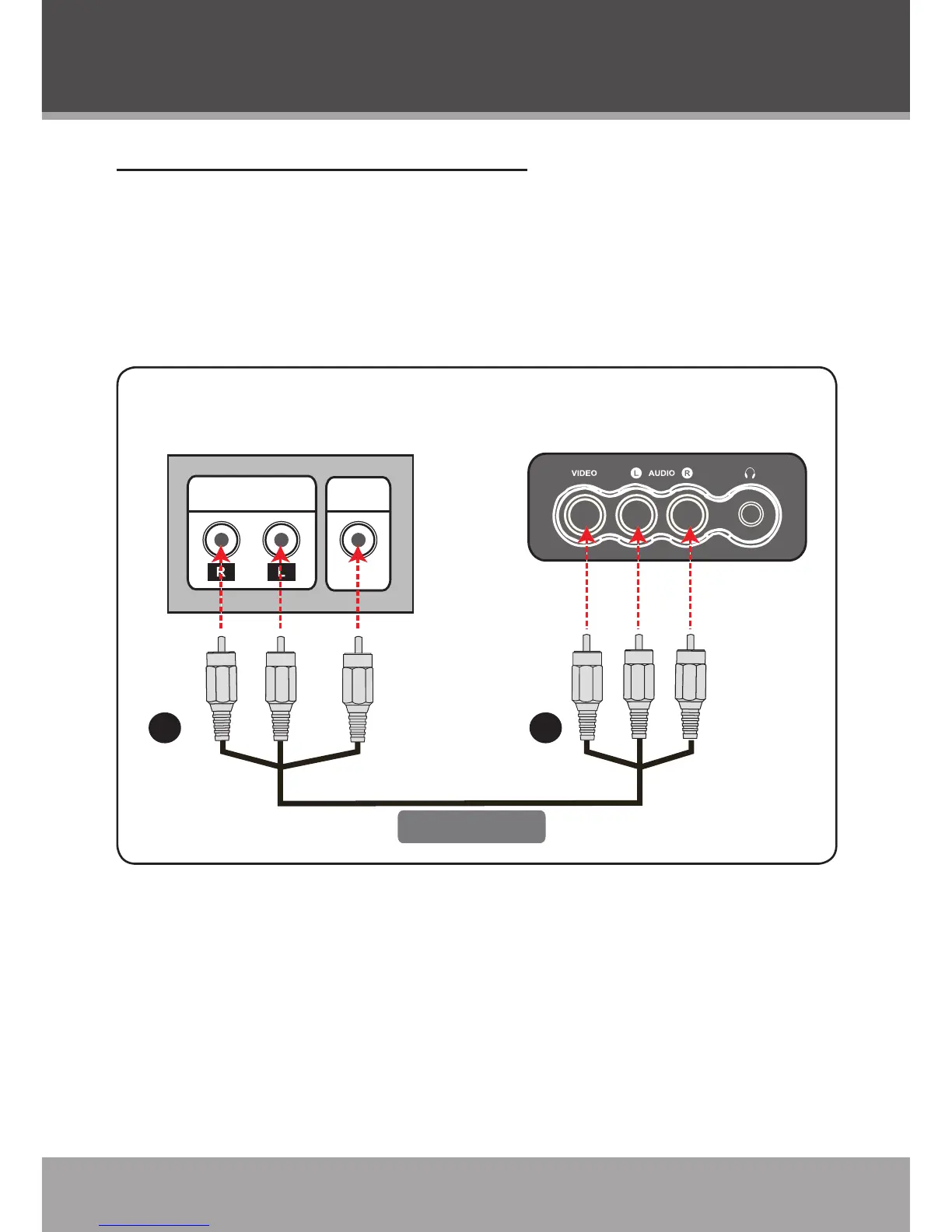
Composite Audio/Video Input
Use this connection to display optional A/V devices on the unit.
A/V devices may include VCRs, DVD players, cable/satellite
receivers, camcorders, or game consoles that are equipped with
composite audio/video output jacks.
Using the supplied composite A/V cable:
Connect the yellow video plug of the cable to the composite
video output jack of the external device. Connect the white and
red audio plugs to the audio output jacks of the external device.
With the other end of the cable, connect the yellow, red, and
white plugs to the A/V Input jacks located on the front of the
unit.
1.
2.
Cable Connections



 To Next Page