Page 54 Coby Electronics Corporation
DVD Mode
Press when the disc is “Pre-Stopped” to stop playback
completely. (When is pressed, the disc will start
playing from the beginning.)
Previous/Next (Skip)
Press to skip to the previous track (DVD, CD, etc).
Press to skip to the next track (DVD, CD, etc).
Reverse/Forward (Scan)
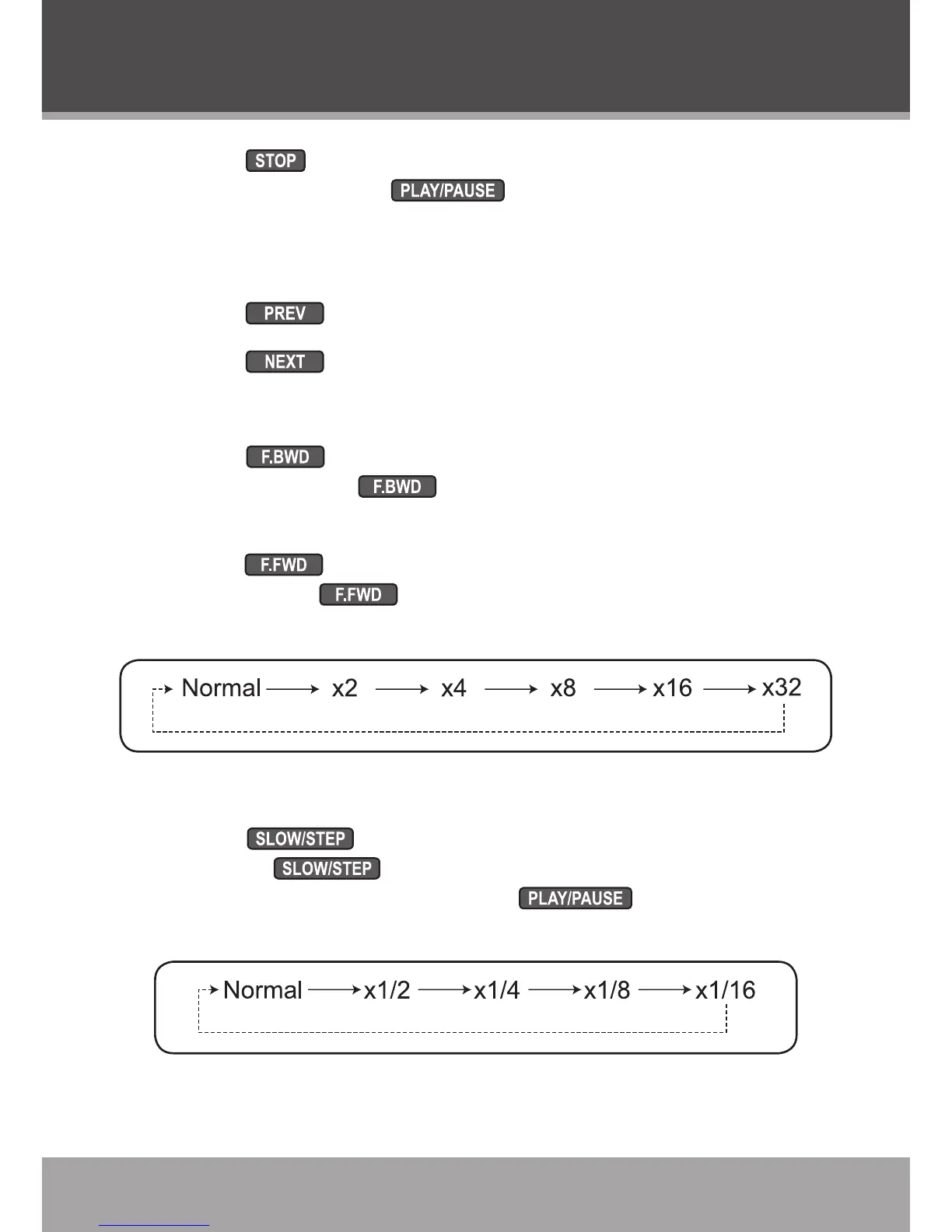
Press to scan through the disc in reverse. Each suc-
cessive press of will change the rate of reverse scan-
ning (see gure below).
Press to scan forward through the disc. Each succes-
sive press of will change the rate of forward scanning
(see gure below).
Slow-Motion
Press for slow-motion playback. Each successive
press of will change the rate of slow-motion play-
back (see gure below). Press to resume normal
playback.
•
•
•
•
•
•


 To Next Page