www.cobyusa.com Page 57
Programmed and Random Playback
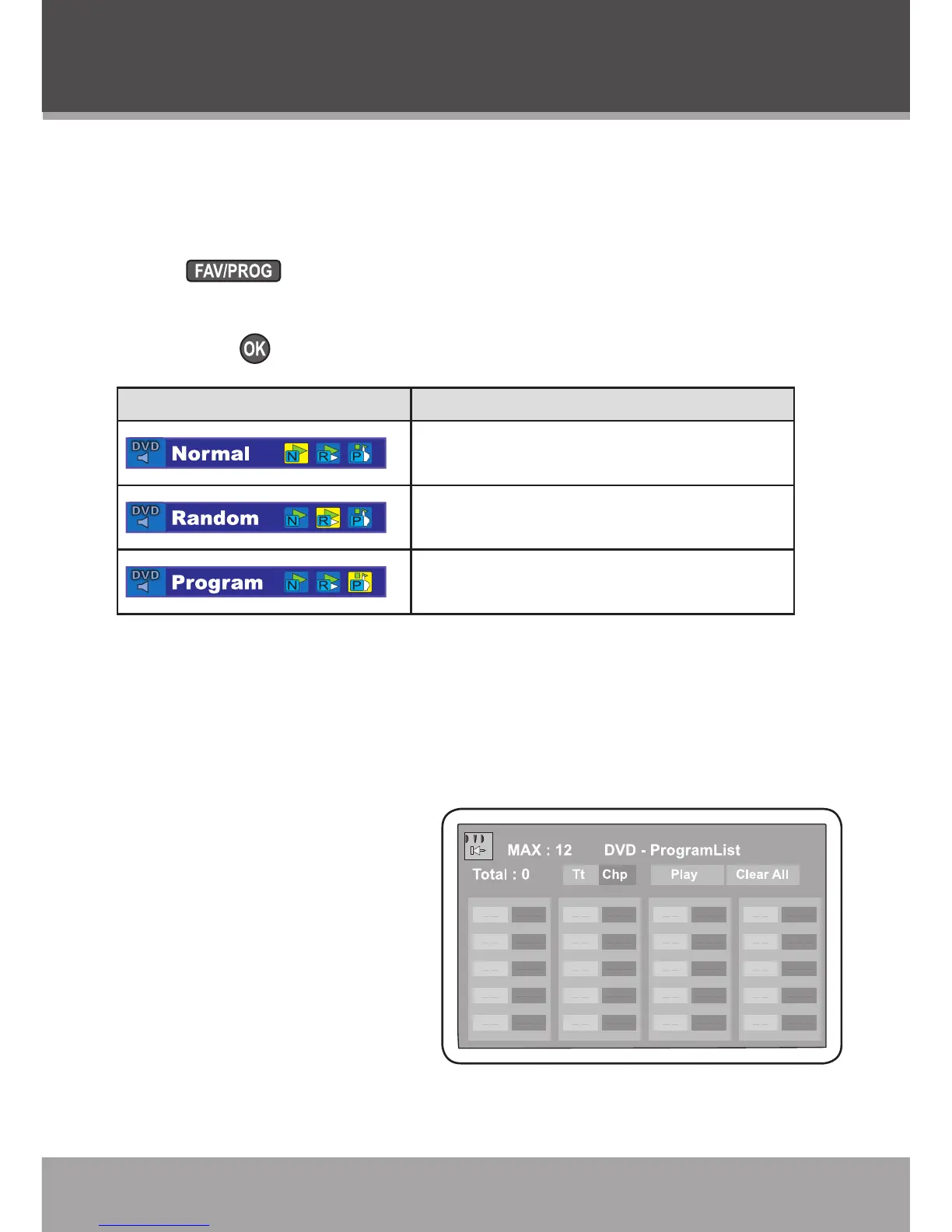
Change the order in which tracks are played (Normal, Random,
Program).
Press to view the Program Mode menu.
Use the Navigation Keypad to select a program mode and then
press .
Program Mode Description
Select “Normal” to play tracks in normal
sequential order.
Select “Random” to play tracks in ran-
dom order.
Select “Program” to play tracks in a
custom order.
When “Program” is selected from the Program Mode menu, the
Program List screen will appear. Use the Program List to custom-
ize the order in which tracks will play.
DVD Program Mode
Select “Program” from the
Program Mode menu dur-
ing DVD playback to display
the program mode menu as
shown in the gure.
Use the navigation key-
pad to select a eld.
The left column desig-
nates the program or-
der number.
•
•
DVD Mode



 To Next Page