PC Setup
5. Wait for the DVR to synchronize over the internet and to start streaming footage to the
Cocoon HD For PC software. Once correctly paired the colour of the icon next to each camera
will turn green. This may take several minutes.
6. You should be able to see the camera footage stream from all 8 cameras within the Cocoon
HD for PC software.
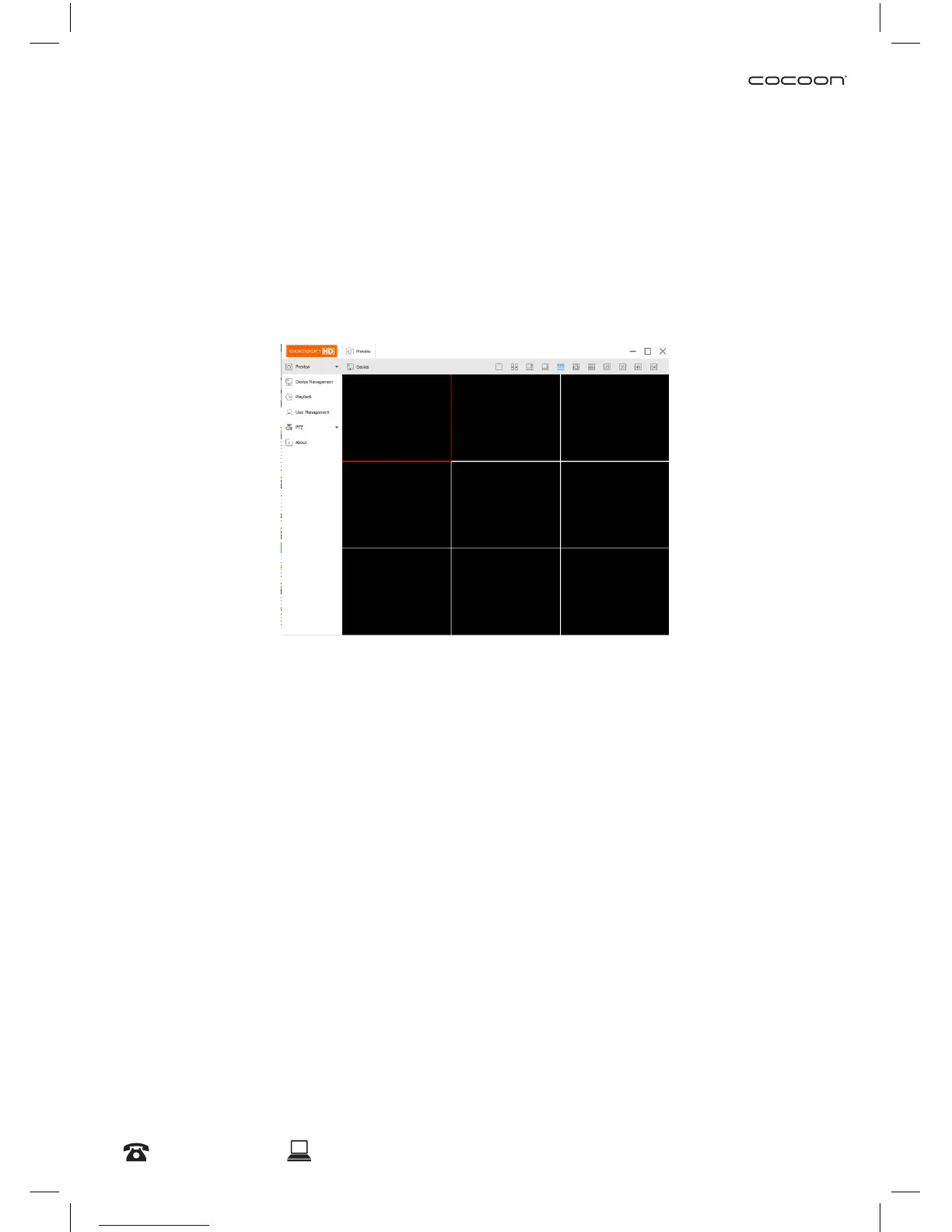
5.5 PC Menu Overview
• Preview – Allows you to preview footage of your cameras as per section 5.4 Watching Footage
on Cocoon HD for PC Software on page 22
• Device Management – Lists all DVR’s loaded to the PC and allows you edit device details
• Playback –Play back footage from your chosen camera(s) by selecting the date and time period
• User management – Setup a user account in the PC software (this is not mandatory)
• PTZ - This DVR unit is compatible with PTZ (Pan, Tilt & Zoom) cameras (not included). Access this
page to congure the PTZ camera settings. Please note that the PTZ device can be activated
only when a channel in connection with the PTZ camera is selected. Consult the manual of your
PTZ camera for correct settings.
• About - Displays information about the Cocoon HD software


 To Next Page