Phantom_1024_V2.023_en.PDF http://www.codelight.com
6
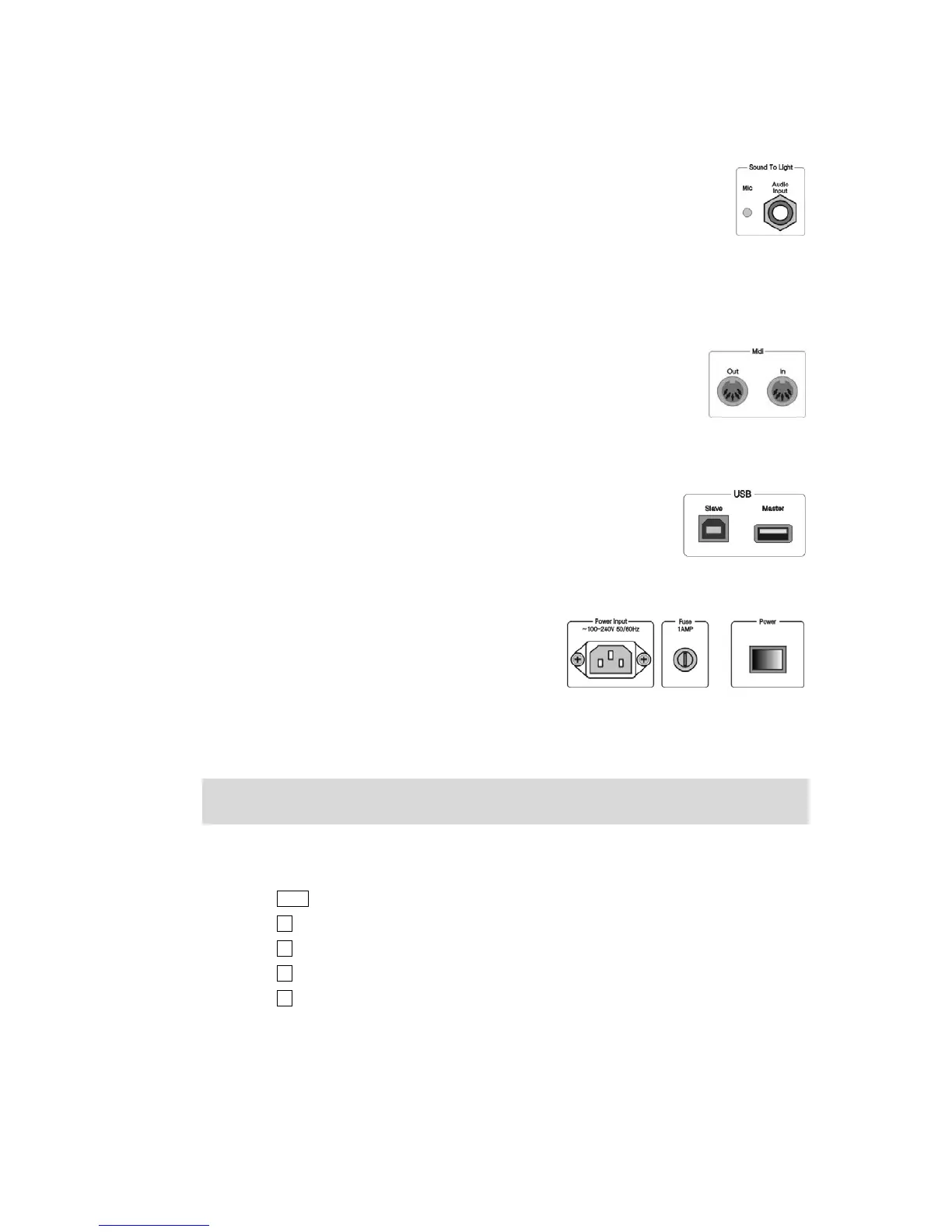
1.3.2. Audio Signal Input
Phantom 1024 can pick up the bass and rhythm of the audio signal to trigger Chase, so
that Chase can automatically follow the bass rhythm of the audio. There are two ways to
input the audio signals: one is through a 1/4 inch stereo plug; the other is by the
microphone of the console. After the stereo jack is plugged, the console will use the audio
signals from the stereo cable, otherwise, it will use the microphone to pick up the sound.
1.3.3. MIDI Output and Input
Console not only can be controlled by the MIDI signals, but also can send out MIDI
signals to control another Phantom 1024. Please refer to the relevant chapter for
further information about the controlling orders.
1.3.4. USB jack
You can use USB to backup the console data, update the light library, as well as
update the interior programs.
1.3.5. Electrical Outlet and Power Switch
Phantom 1024 can adjust itself to a very wide voltage
range (100-240VAC, 50-60Hz). Thus, it can be used
worldwide. If you need to change the fuse, please pull out
the power supply cable to insure a save operation.
1.4. Clear All Data
Note: All the data in the console, including all the fixture patch, preset and playback, will be cleared, except the
uploaded fixture library.
You’d better clear all data in the newly-bought console, so that you can avoid the unpredictable errors, caused by
disorder of the mixed patch.
Press Setup in Function section to enter the “User Supervise Menu”;
Press S4 [System Parameters] to enter “System Setup” menu;
Press S4 [Internal data Clear];
Press S5 [Clear All Data];
Press S1 [Confirm] to clear, it will return to “Live Show Mode” after finish cleared.


 To Next Page