Phantom_1024_V2.023_en.PDF http://www.codelight.com
9
Use S3 [Page Up], S4 [Page Down] to switch the pages, use the or button to select Mac2000
Profile 24CH;
Here, press S3 to check up the channel details of the fixture, press S6 to return;
Press S1 [Confirm];
Use S2 to Select DMX Output = A;
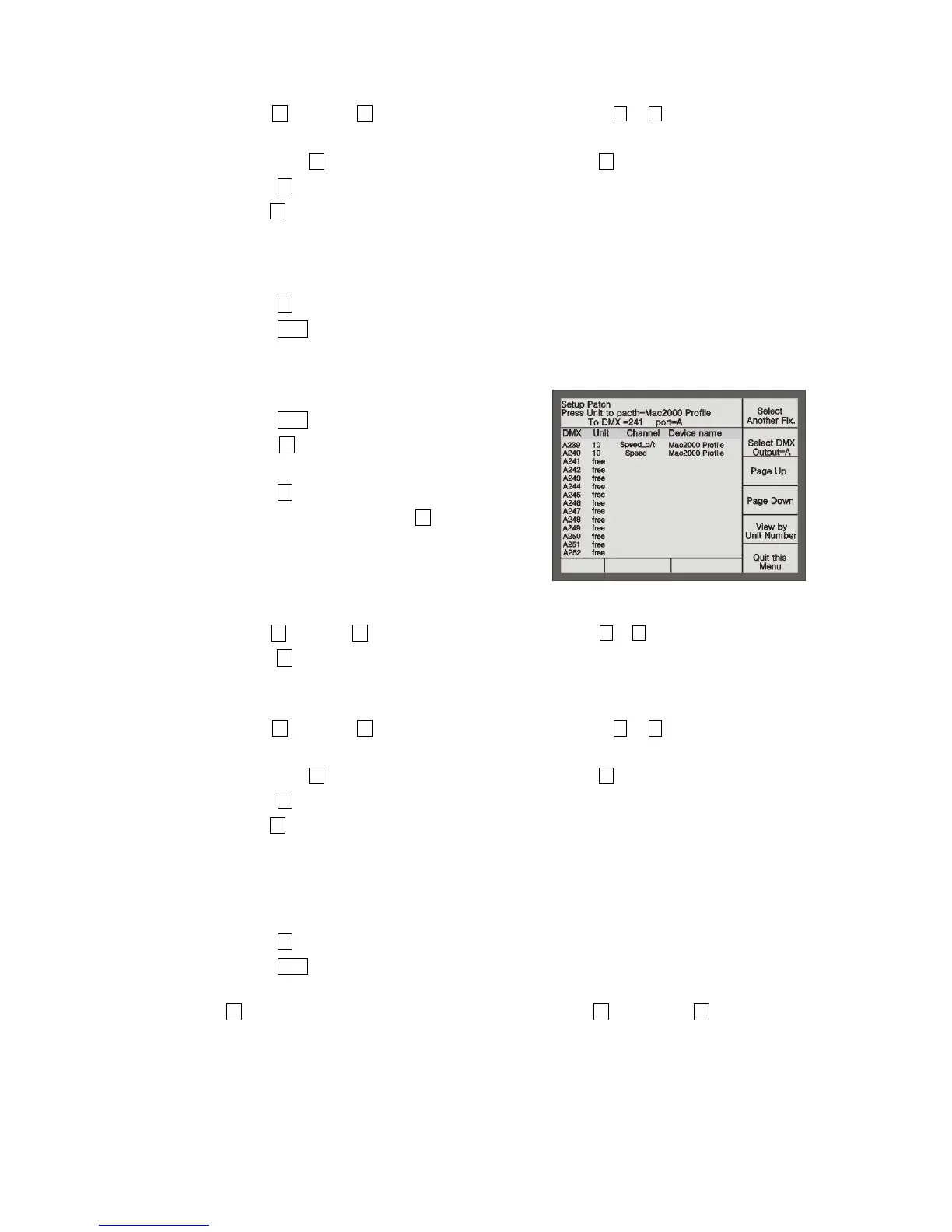
Console will automatically patch the DMX initial address. You can patch manually by using the Numeric
keypad if necessary;
Select page 1 of Unit section and press Unit button 1;
Press S6 to return;
Press Patch to exit.
Example: Patch 9 Martin Mac2000 Profiles with 24 channels to Unit buttons 2 - 10 in the 1
st
page and use DMX
output port A.
Press Patch to enter “Setup Patch” menu;
Press S3 [Patch Fixtures] to enter “Select a Library”
menu;
Press S1 [System Fix. Library];
Select the sort order mode with S5. Here, we search by
Manufacturer;
Use Unit buttons (with English letters) to fast skip to
the initial letter of the Manufacturer. Here, we press
Unit 13 (the letter M);
Use S3 [Page Up], S4 [Page Down] to switch the pages, use the or button to select Martin. Then
press S1 [Confirm], it will display all fixture models of Martin;
Use Unit buttons (with English letters) to fast skip to the initial letter of the fixture model. Here, we press
Unit 13 (the letter M);
Use S3 [Page Up], S4 [Page Down] to switch the pages, use the or button to select Mac2000
Profile 24CH;
Here, press S3 to check up the channel details of the fixture, press S6 to return;
Press S1 [Confirm];
Use S2 to Select DMX Output = A;
Console will automatically patch the DMX initial address. You can patch manually by using the Numeric
keypad if necessary;
Select Unit page 1, press Unit button 2 and hold still until press Unit button 10, which can quickly patch
the selected fixtures to Unit button 2-10;
Press S6 to return;
Press Patch to exit.
Use S1 [Select another Fix.] can patch other different model of fixtures; S3 [Page Up] and S4 [Page Down] can
be used to view the patching.


 To Next Page