FILTERBREW & SERVING CONCEPT
9
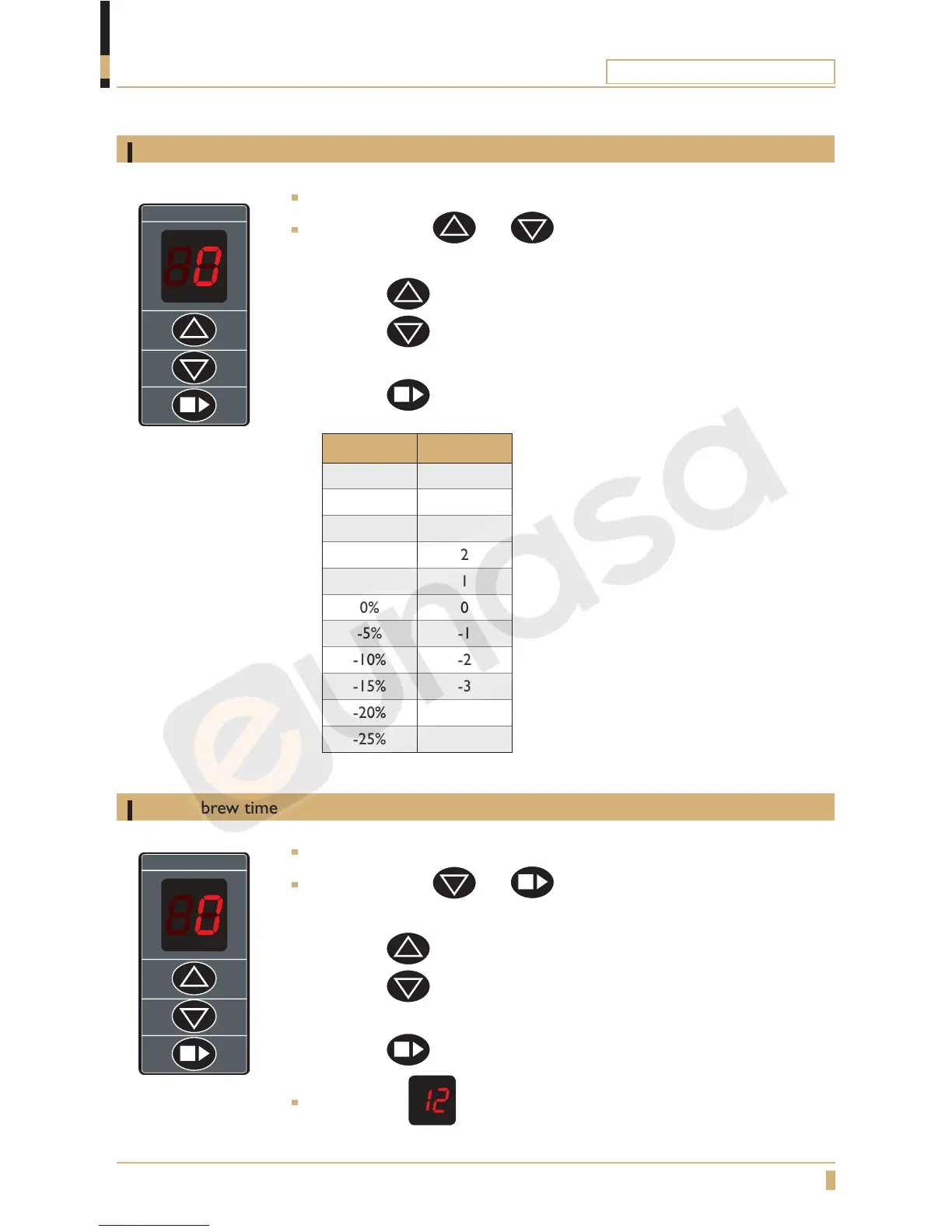
Adjust water amount
PROGRAMMING
Adjust amount of brew water
Press the buttons and at same time in 5 seconds.
The buzzer beeps twice. Display shows 0.
- Press the
button to increase amount of water.
- Press the button to decrease amount of water.
- 1 step = 5%
- Press the
button to conrm the change.
Adjust the brew time
Press the buttons and at same time in 5 seconds.
The buzzer beeps four times. Display shows 0.
- Press the
button to increase brewing time.
- Press the
button to decrease brewing time.
- 1 step = 5%
- Press the
button to conrm the change.
Display shows and machine is ready to use.
Adjust brew time
A-2, DA-4, Thermos A, Mega Gold A
ADJUST DISPLAY
25% 5
20% 4
15% 3
10% 2
5% 1
0% 0
-5% -1
-10% -2
-15% -3
-20% -4
-25% -5





 To Next Page