l Click Unassign in the Bluetooth or Wireless tab of the Communication Settings pane of the DataMan Setup Tool
(when you are connected either with the reader or the base station).
l Scan the “Unassign Reader” reader configuration code, see the DataMan Configuration Codes document.
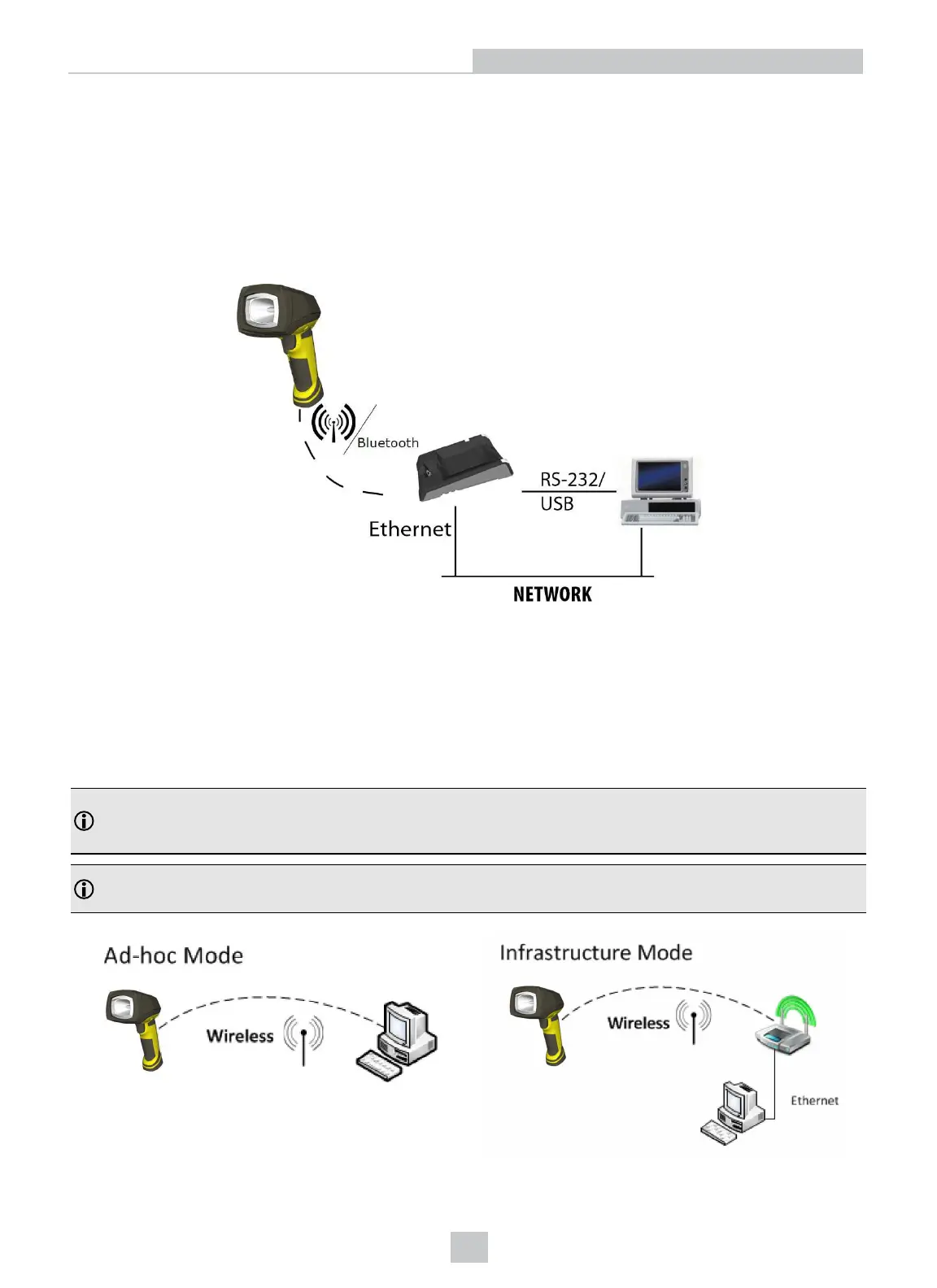
Base Station Routing Capabilities
The base station is visible as connected through either RS-232, USB, or Ethernet, but the base station only transfers data
through the wireless interface to the reader.
Ad-hoc Mode
Wireless connection to the reader is possible with the computer in ad-hoc mode using a reader-created Wi-Fi
connection. Reset the reader to factory defaults (this configures the device to ad-hoc mode), and after the device
appears under WiFi connections, connect to it with the DataMan Setup Tool. Click on the Wireless tab under
Communication Settings to configure authentication and encryption (which are not configured by default). For more
information, see the DataMan Communications and Programming Guide.
Note: The base station is only used for charging the reader in this setup. If an intelligent base station is used, the
reader must be unassigned in the DataMan Setup Tool (connected to the base station) under the Communication
Settings > Wireless tab if the reader has already been placed in the base station.
Note: Placing the reader in the intelligent base station automatically reassigns it to the base station unless the base
station is unplugged from the network first.
28
Connection Options












 To Next Page