Using DataMan 8600 Wireless Reader
This section provides wireless reader specific procedures.
Connecting to a Wireless DataMan 8600 Through a Base Station
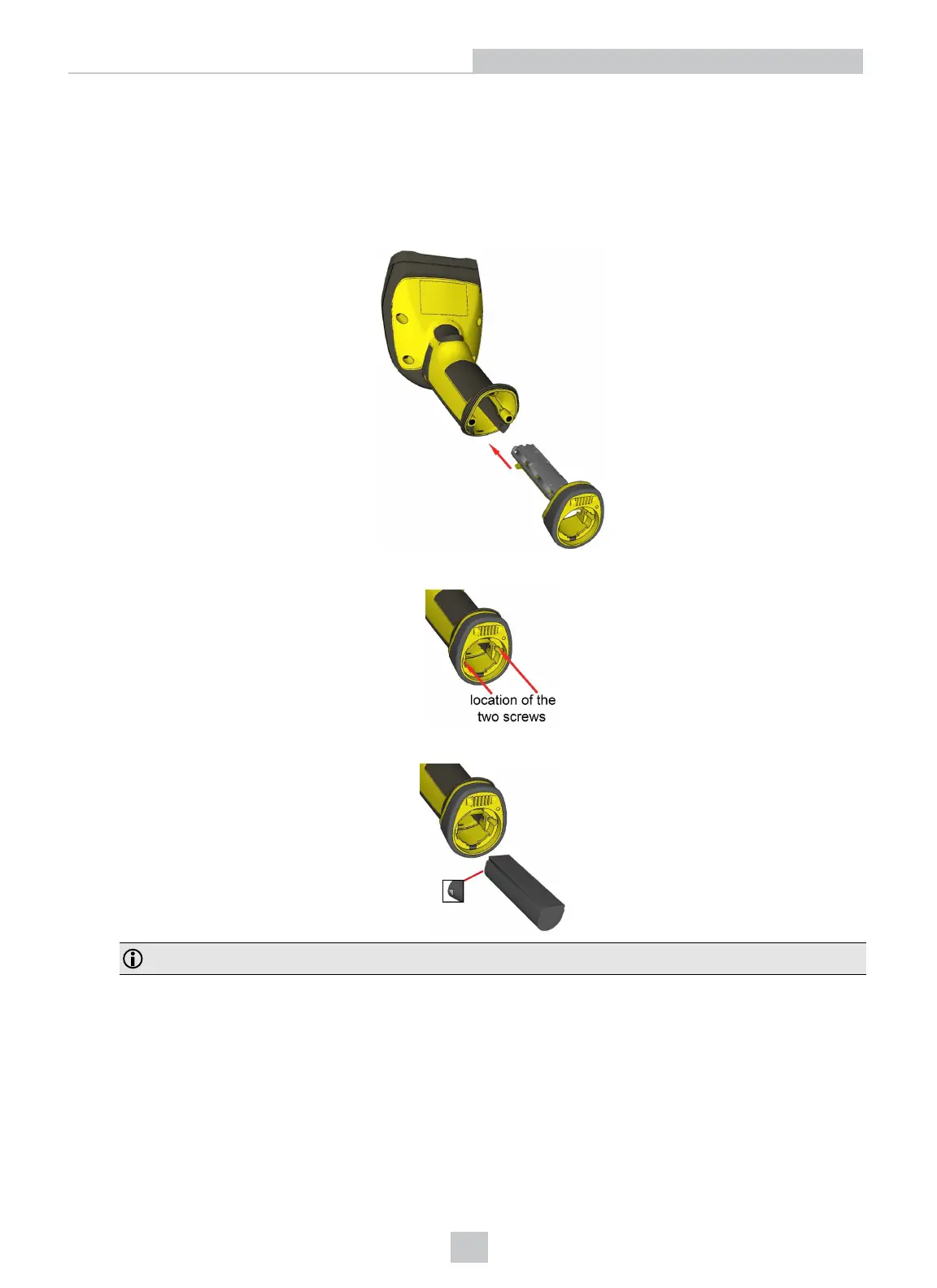
1. Connect the wireless slide-in (DMCM-BTM-00) to your DataMan 8600.
2. With a 2.5 mm Allen wrench, tighten the screws so that the slide-in is firmly locked.
3. Insert the battery.
Note: Remove the battery from your DataMan 8600 before inserting/removing the communication module.
23
Connection Options












 To Next Page