Trigger Types
The DataMan 8600 trigger mode determines when the reader attempts to read a code. Use the DataMan Setup Tool or
the appropriate reader configuration codes to change trigger types.
Supported trigger types:
l Manual (default): Pressing the trigger button on the reader starts image acquisition. The reader continues to
acquire images until thare is a detectable and decoded image or until the release of the trigger button.
l Presentation: The LED aimer is always on. When motion is detected in front of the reader, the reader turns on and
scans for a symbol. The reader relies on an internal timing mechanism to acquire images.
Note: While in Presentation mode, pulling the trigger switches the reader to Manual mode until the device is re-
docked on the base station. Setup Tool continues to display Presentation mode while in this state.
To bring the reader back to Presentation mode, use one of the following options:
l Dock the device into the base station
l Switch to Manual trigger mode in Setup Tool, then switch back to Presentation mode
l Scan the Enter Presentation Reader Configuration Code
Field of View and Reading Distances
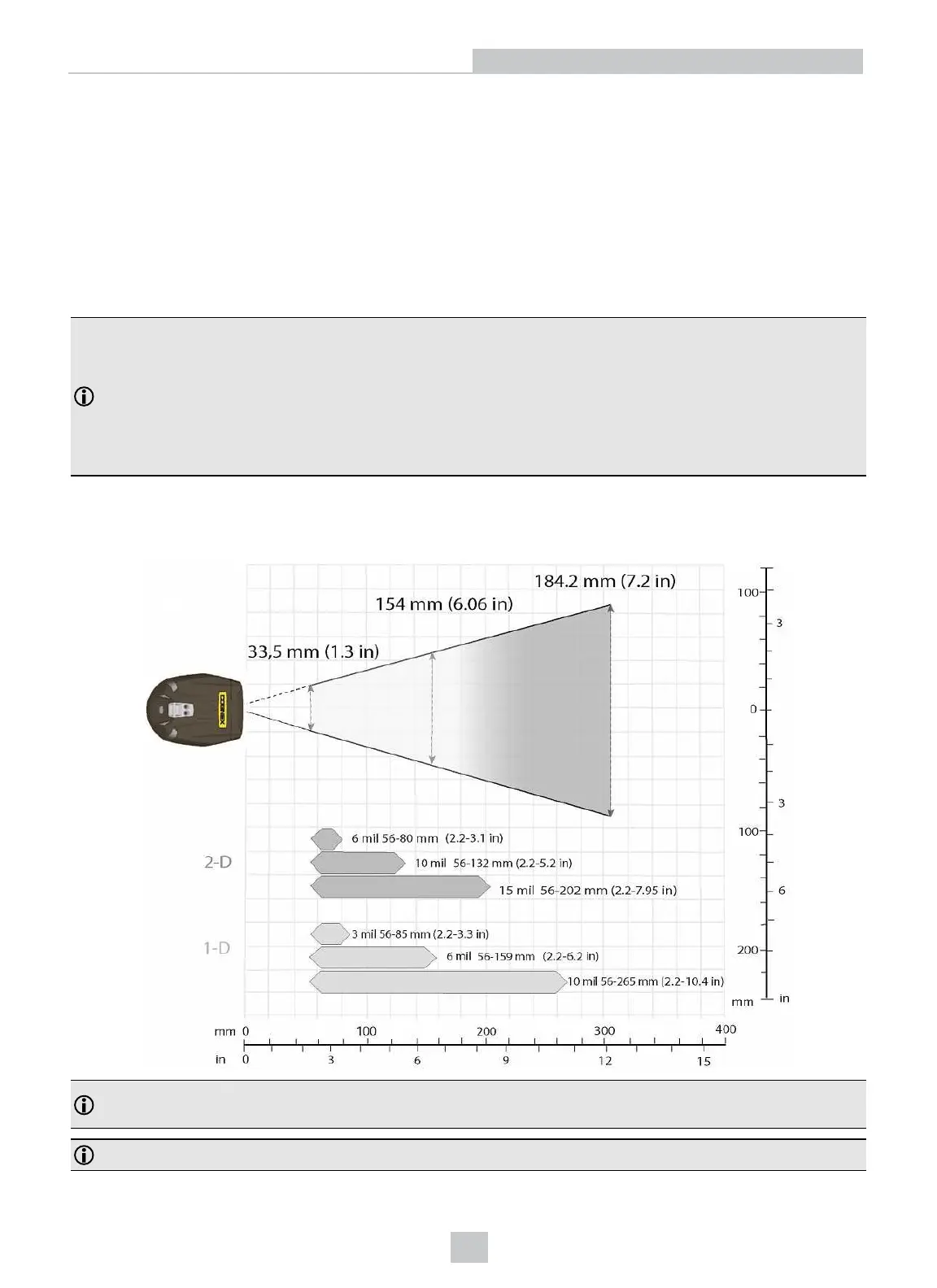
The following map shows the range of reading distances available for different code sizes and focus positions.
Note: All values beginning with 0 denote the minimum distance where the Field of View is able to see the entire
code.
Note: The calibration distance is 143.0 mm from the nose of the lens, and the calibration tolerance is +/- 5 mm.
38
Reading Codes with the DataMan 8600












 To Next Page