12
Chapter 2: Getting Started
supplied with the printer. Using a power adapter not certied for use is both unsafe and
voids the warranty on the printer.
IMPORTANT NOTE: FOLLOW THESE STEPS IN ORDER TO SAFELY CONNECT POWER TO
THE PRINTER.
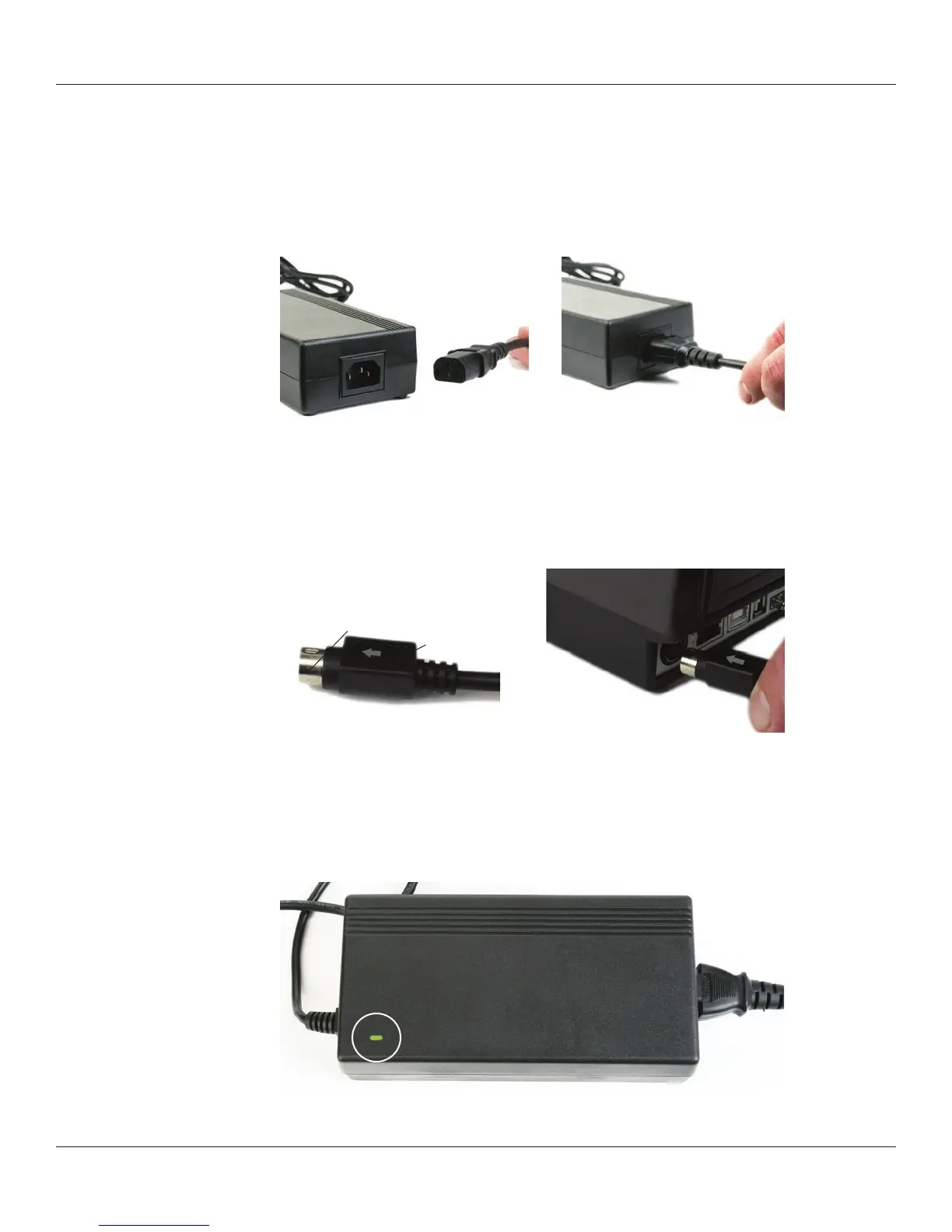
Connect the provided power supply cord into the power supply unit.
Figure 2-14. Connecting the Power Cord into the Power Supply
Connect the power supply cord into the power connector located in the back corner of
the C Series printer. The at end of the power supply cord, listed as B below in Figure
2-15, has an arrow to indicate which end is on top. There is also an indented key, shown
as A below in Figure 2-15, to illustrate which end should be inserted upright into the C
Series power connector.
Figure 2-15. Connecting the Power Supply to the Printer
Connect the power cord into the power source by carefully plugging the power cord
into the wall outlet or other power source.
NOTE: ONCE THE POWER SUPPLY IS PLUGGED INTO THE WALL, THE GREEN LED
ILLUMINATES ON THE POWER SUPPLY UNIT.
Figure 2-16. The Green Power Light on the Power Supply
B
A



 To Next Page