45
Chapter 5: USB A Host
Chapter 5: USB-A HOST
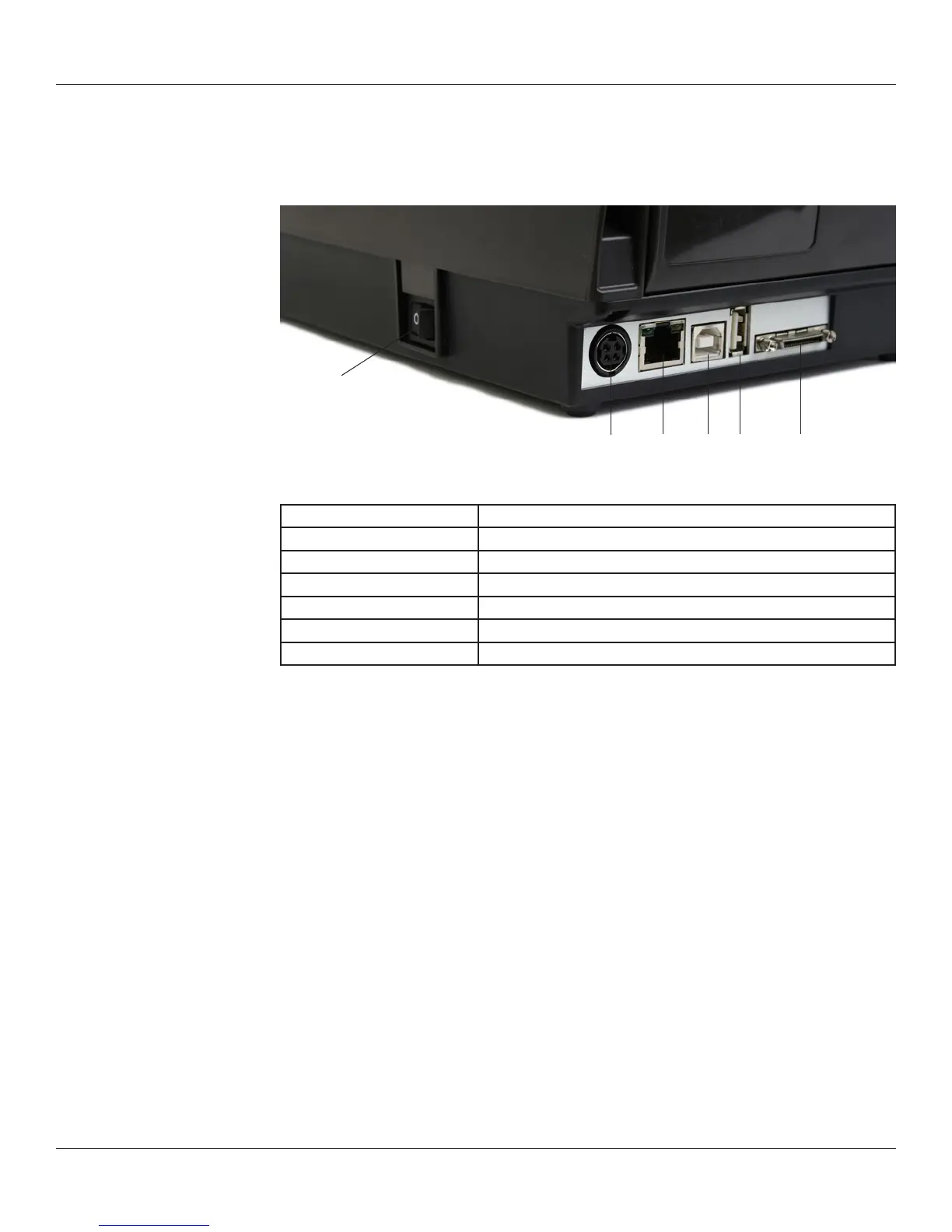
This chapter describes use of the USB-A connector (referred to as “E” below in
Figure 5-1).
Figure 5-1. C Series Connections Including the USB A Host Port
Connector Use
A – ON/OFF switch Controls printer power
B – Power connector Connects to power supply
C – Ethernet connector (RJ-45) Ethernet communications port for network connectivity
D – USB-B device port USB communications port
E – USB-A host port USB communications port
F – Serial/Parallel port Serial/parallel data communications port
Using USB Hubs, Keyboards and Scanners
The printer supports USB hubs, keyboards and scanners. Any USB hub, Windows™
keyboard or number pad can be used with the USB-A port. Only USB scanners that
provide a keyboard-wedge interface can be used.
Keyboards and scanners can be used for menu navigation and data entry with menus
and stored formats. This allows for a stand-alone application when used in conjunction
with the printer’s LCD display.
Using a USB Flash Drive
This section describes use of a USB ash drive to load rmware, objects and settings to
the printer using its USB-A connector. Note that the printer must be running version
1.30 or higher to load rmware and 1.40 or higher to load objects and settings. The
printer loads les in the following order: 1) Settings, 2) Objects, and 3) Firmware.
NOTE: PLEASE REFER TO THE WEB SITE TO UPGRADE TO THE LATEST FIRMWARE
VERSION AND USE THIS FEATURE:
http://www.cognitivetpg.com/resources_Firmware.aspx
A
B C D E F



 To Next Page