36
Chapter 4: Using the Administrator Tool
Chapter 4: Using the Administrator Tool
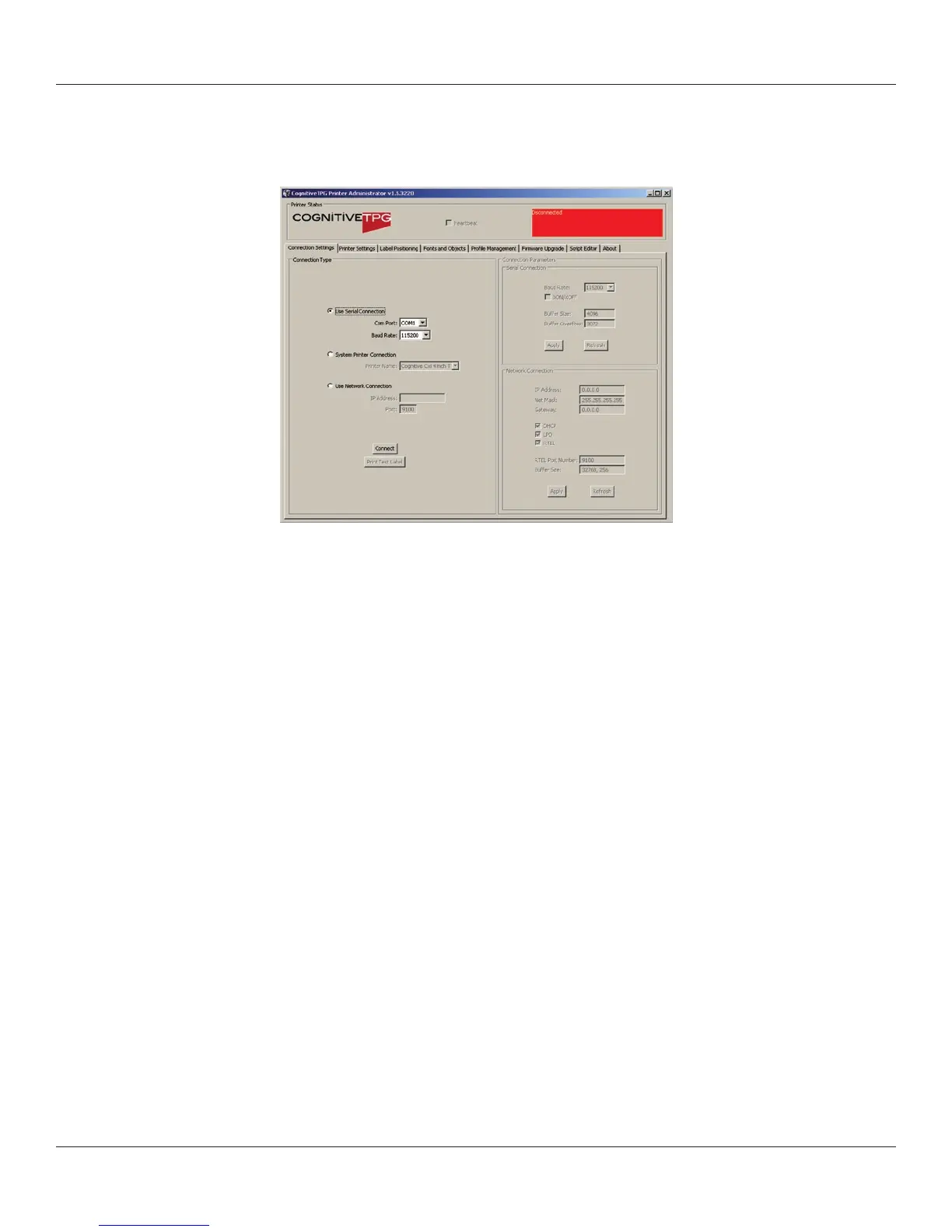
Connect to the Printer
Select the connection method being used between computer and printer.
• Ifusingserial,selecttheappropriatecommunicationportandbaudrate.The
C Series default serial baud rate is 9600.
• IfusingUSB,selecttheappropriateprinterdriver.
NOTE: REFER TO CHAPTER 3: SOFTWARE INSTALLATION FOR MORE DETAILS
• IfusingNetwork,selectthecorrectIPaddress.
NOTE: REFER TO CHAPTER 6: NETWORK PRINTING AND CHAPTER 2: CONNECTING
DATA CABLES TO THE PRINTER FOR MORE DETAILS
Once connected, the software will display the connection method in green with a
“Connected” message as shown below. On the right side of the window, the printer’s
settings will be displayed.
Next, print a self test label by selecting the “Print Self-Test Label” button located in the
lower right of the window. This will verify connection to the printer.



 To Next Page