50
Chapter 6: Network Printing
To connect to the printer using the Administrator through the network, go to the I/O
Settings tab and select the Network Printer method of connection. Type the IP address
assigned or received from the network, and click the Connect button. Once connected,
the Administrator functions as it did with a local connection.
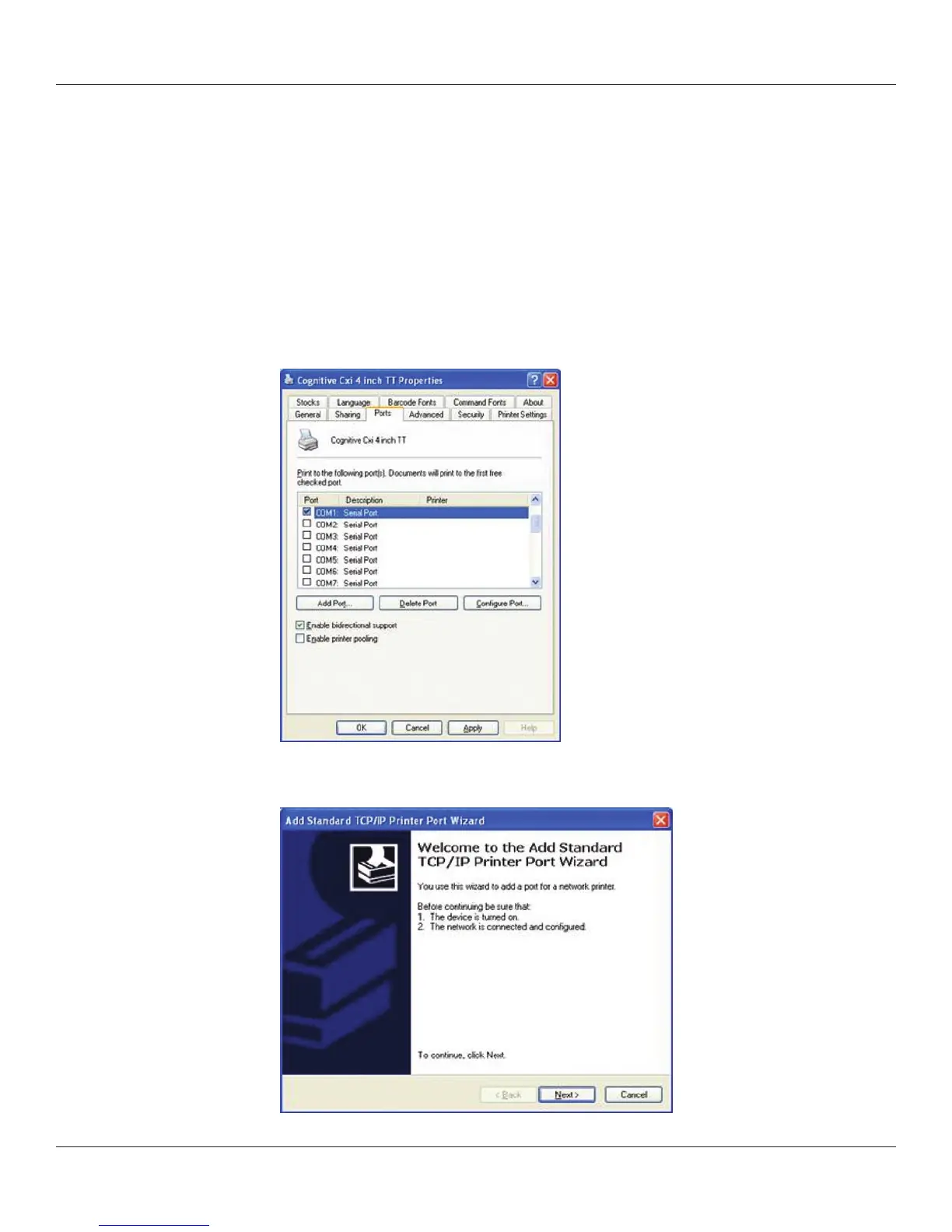
Conguring a Printer Driver for Network Use
To print using the driver, a new port must be congured within the printer driver.
1) Locate the appropriate driver in the Windows Printers folder.
2) Right-click on the driver and select Properties.
3) Click on the Ports tab.
4) Choose Add Port.
5) Highlight Standard TCP/IP Port and click New Port.



 To Next Page