51
Chapter 6: Network Printing
6) Click Next.
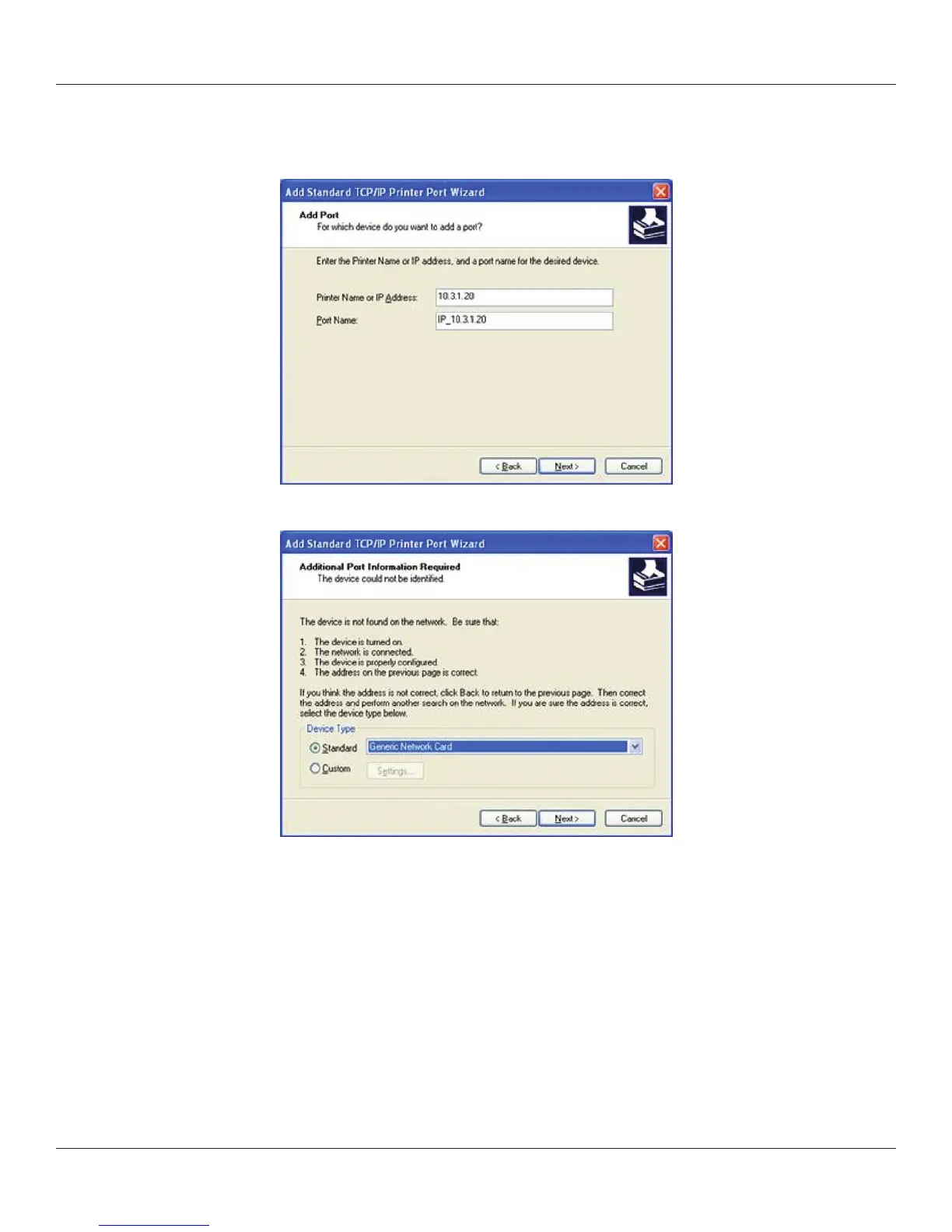
7) In the Printer Name or IP Address box, enter the IP address assigned to the printer.
The Port Name box is auto-populated. Click Next.
8) If necessary, choose Generic Network Card as shown below and then click Next.
9) Click Finished. The driver is now congured and ready to use.
Sharing the Printer on a Network
ASSUMPTION: IT IS ASSUMED THAT THE PRINTER IS CONNECTED TO A LOCAL MACHINE
ALREADY ON A NETWORK.
1) Locate the appropriate CognitiveTPG Driver in the Windows Printers folder.
2) Right-click on the driver and select Properties.
3) Click on the Sharing tab.



 To Next Page