Operation Manual P750/P1500/P3000
Cold Jet, LLC Page 9
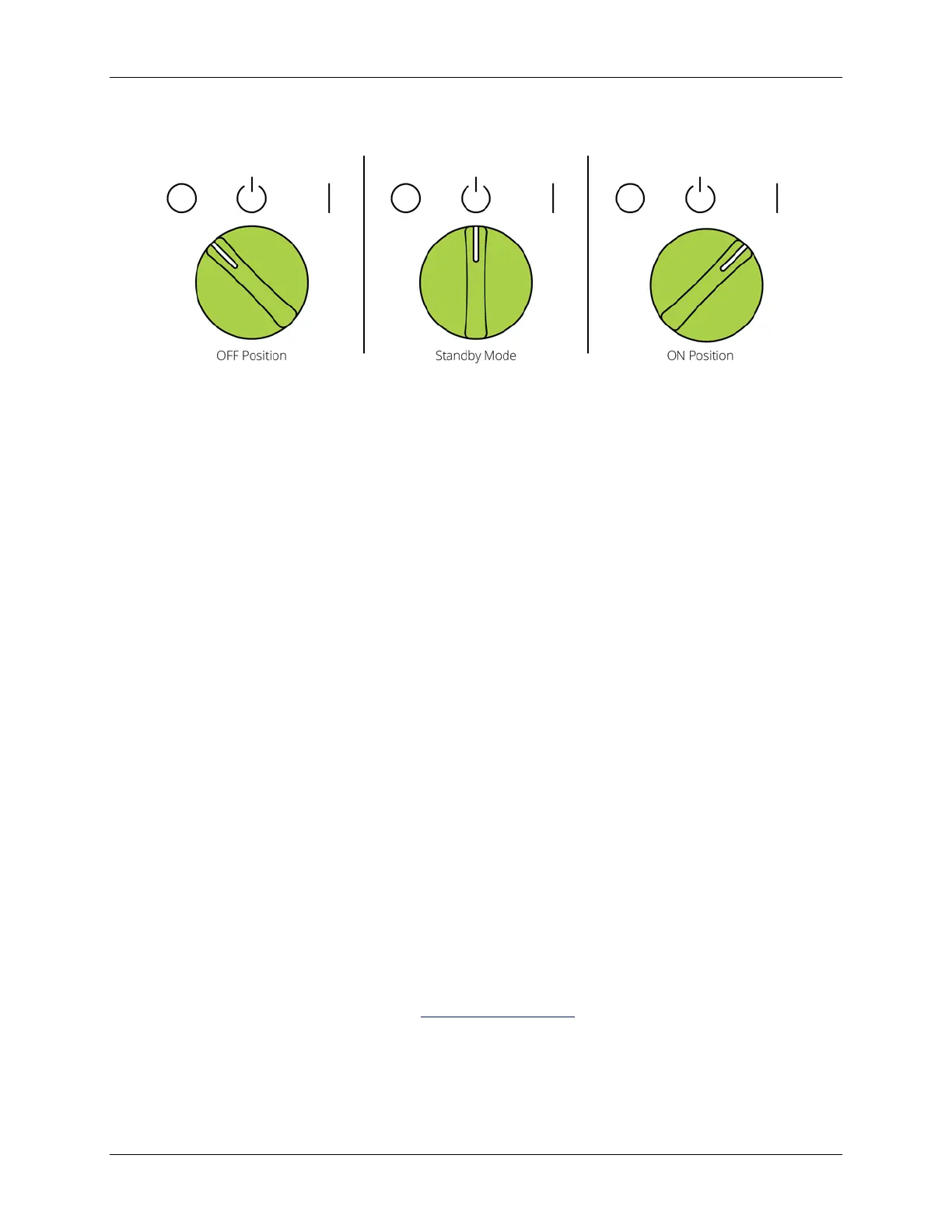
Standby Mode
NOTE: The machine should only be put into standby mode for short breaks.
1. To put the machine into standby mode, turn the Chamber Power switches [2] to the
middle position (standby mode).
2. To take the machine out of standby mode, turn the Chamber Power switches [2] to the
ON (I) position.
System Reset
1. To reset the machine, turn the Chamber Power switches [2] to the OFF (O) position.
2. Press the Reset button [4].
Operation & Storage Tips
• ONLY put dry ice pellets in pellet boxes. Dry ice snow will reduce the quality of the
pellets.
• CLOSE and seal the pellet box, when filling is complete, to prevent air circulation over
the pellets.
• PERIODICALLY check the CO
2
supply pressure and the hourly production rate of the
Pelletizer.
• STORE pellet boxes out of direct sunlight.
• KEEP the pellet box lid CLOSED when not filling.
• DO NOT use pellet boxes that have holes or cracks. Make sure the interior of the box is
clean and dry.
Cold Jet Services
• Equipment upgrades
• Maintenance services and training
• Parts and Customer Service (see Contact Information
)
• 48-hour pellet delivery: +1-800-736-3423 or +1-513-831-3211 ext. 343
• Engineered solutions



 To Next Page