DVR Service
Record your favorite shows and watch them whenever you
want.
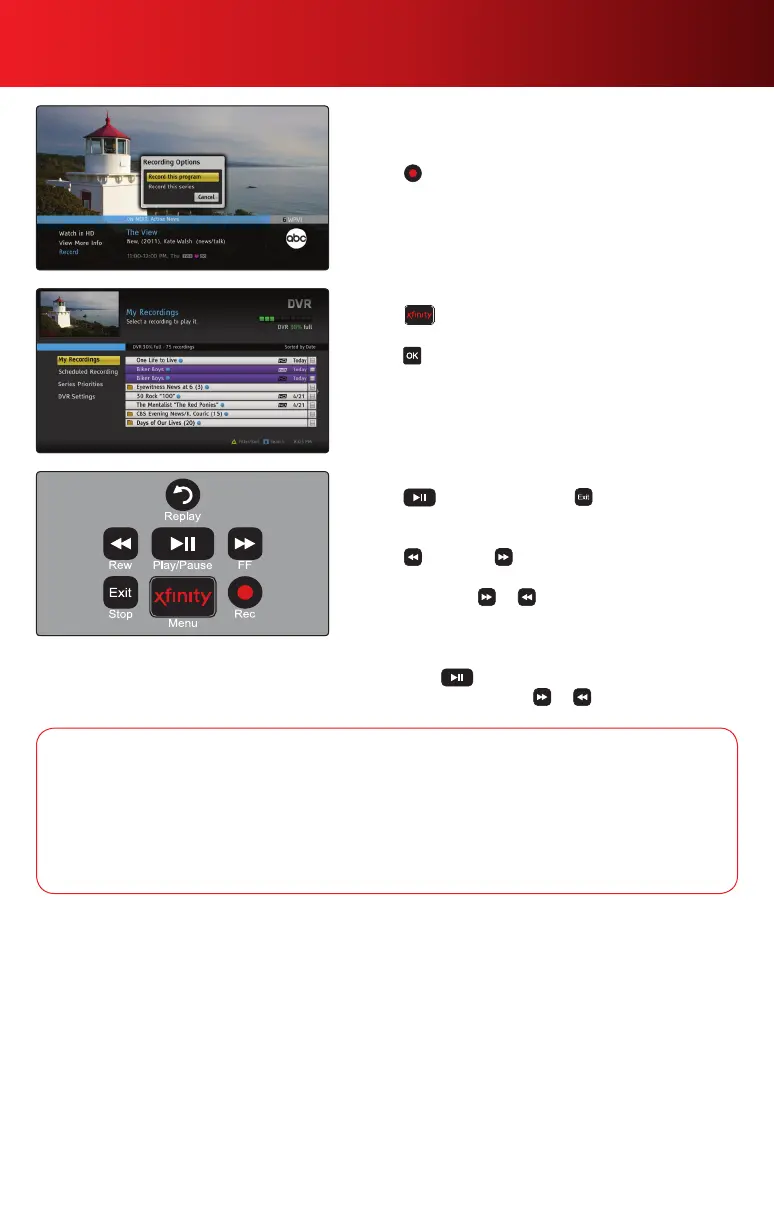
• Press while watching live TV, or while in TV Listings or
search results, to quickly set a recording.
• Toviewadditionalrecordingoptionsorsettings,press
Info and select Record.
Watch a DVR Recording
1. Press and select DVR.
2. Highlight a program in your My Recordings list and
press .
3.SelectPlaytobegin.
Controlling DVR
• Press to play or pause and to stop.
• Skipaheadorskipbacktothenextsegmentinthe
programbypressingPg
, Pg
.
• Press to rewind, to fast-forward; press up to 4
times to increase the speed.
• Alternativelyhold or down to quickly move ahead
orbackinaprogram.Releasewhenthelineonthestatus
barreachesyourdesiredlocation.
• Jumpaheadorjumpbackaspecicnumberofminutes
bypressing andthenenteringanumberusingyour
keypad and then pressing or .
DVR service requires an XFINITY TV subscription and DVR set-top box. Monthly DVR service fee applies. DVR features not available in all
areas. Call 1-800-XFINITY for details.
DVR Options
Record a Series Program — Record a TV series automatically through the Program Information
screen. Select Record this Series to set your series recording options.
Record in HD — When scheduling a recording of a standard-definition program that is also airing
inHD,you’llbegiventheoptiontorecordtheHDversioninstead.SimplyselecttheHDoptionto
confirm.
11Using Your On-Screen Guide



 To Next Page