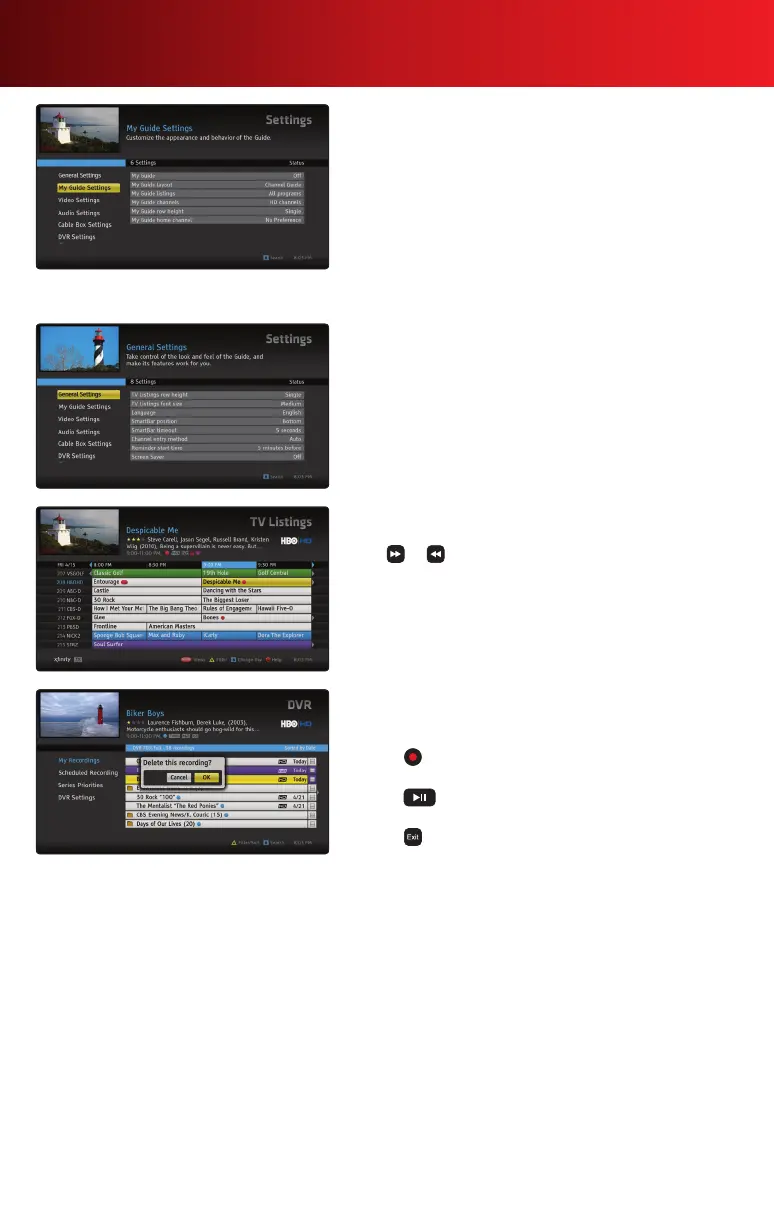
My Guide Customization
You can create your own personalized view of the guide and
choose your preferred layout, font size, channel filters and
more.YourMyGuidewillbetherstviewyouseewhenyou
press Guidefollowedbytheotherfourviewingoptions.
1. Select Help & Settings from the Main Menu, Settings and
then My Guide Settings.
2. Highlight and select My Guide to turn On.
3. Select each My Guide option to change from the default
settings.
Font Size
The default font size of your TV Listings is Medium. To make
the font size larger or smaller, access the Help & Settings
menu and select Settings, then General Settings. Select
Guide font size, choose your size and select OK.
Day + / Day – Shortcut
Toquicklyjumpforwardorbackwardin24hourincrements,
press or on your remote while in the TV Listings
grid. Viewing listings in the current time slot on a future
day makes it easy to schedule recordings or reminders for
programsyoudon’twanttomiss.
One-Touch DVR Options
Record, play or delete your recordings all with one-touch of
abuttononyourremote.
• Press while in the TV Listings grid or search results to
set a recording.
• Press to quickly play a highlighted recording in your
My Recordings list.
• Press to delete a highlighted recording in your My
Recordings list.
14 Advanced Features Guide



 To Next Page