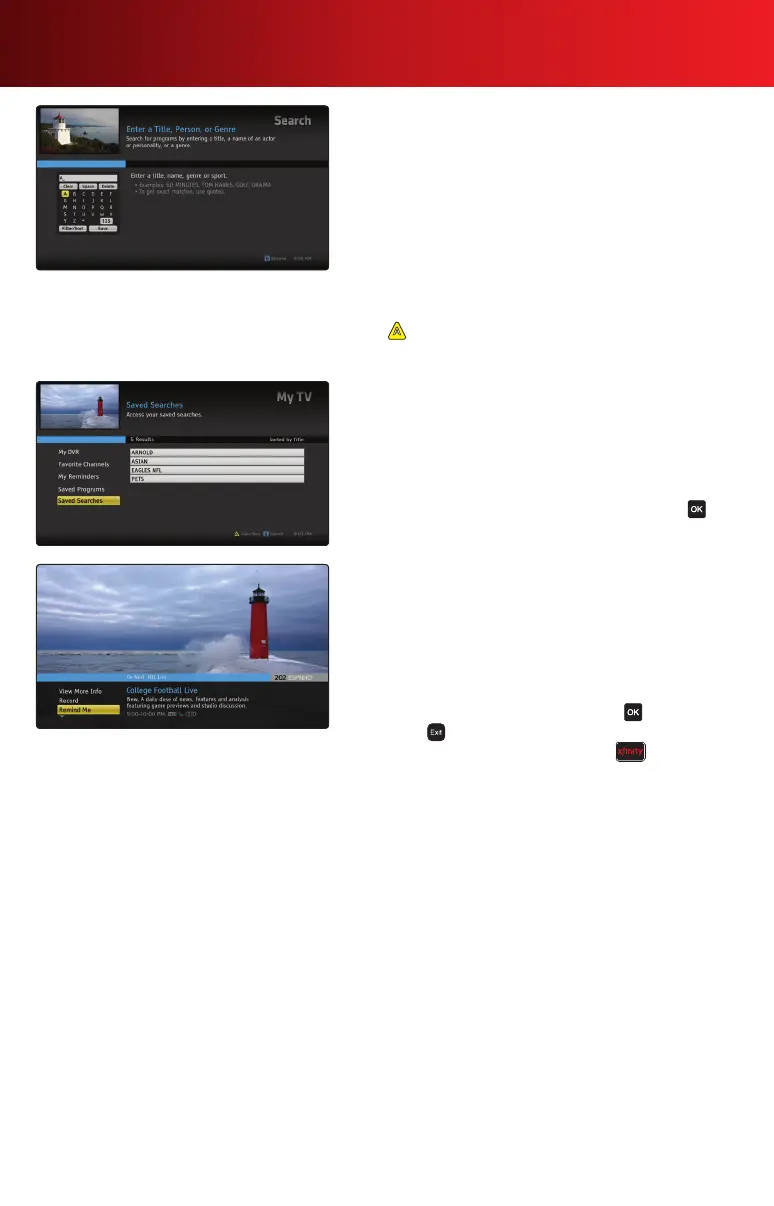
Find Shows
The search feature makes it easy to find programs you are
interested in — whether on TV or On Demand, airing now
or later.
• Browsecategoriesbymovies,TVshows,sports,kidsand
more. Select categories for more specific genres.
• Searchbyspecictitle,personalityorgenre.
• SearchResultsareorganizedintofolderswhenthereis
more than one result for a particular search term.
Tip
Press on your remote to filter Search results or change
the sort order.
Saved Searches
TV Listings and On Demand programs are updated daily. You
can save a search and run it later without having to spell out
the search term again.
1. To run Saved Searches, go to My TV in the Main Menu
and select Saved Searches.
2. Use
to highlight a saved search and press to
view your options.
Reminders
Set recurring reminders for programs that interest you.
1. Press Info and select Remind Me. Follow the prompts to
set or cancel a reminder from the Program Information
screen.
2.AreminderwillappearatthebottomofyourTVscreena
fewminutesbeforetheprogrambegins.
3. When the reminder alert appears, press to tune to the
program; to snooze.
4. To access your list of reminders, press then My TV
and select Reminders.
Tip
You can program your TV to automatically tune to the
programyouwanttowatchbyselectingAuto-Tunewhen
setting a reminder.
6 Using Your On-Screen Guide



 To Next Page