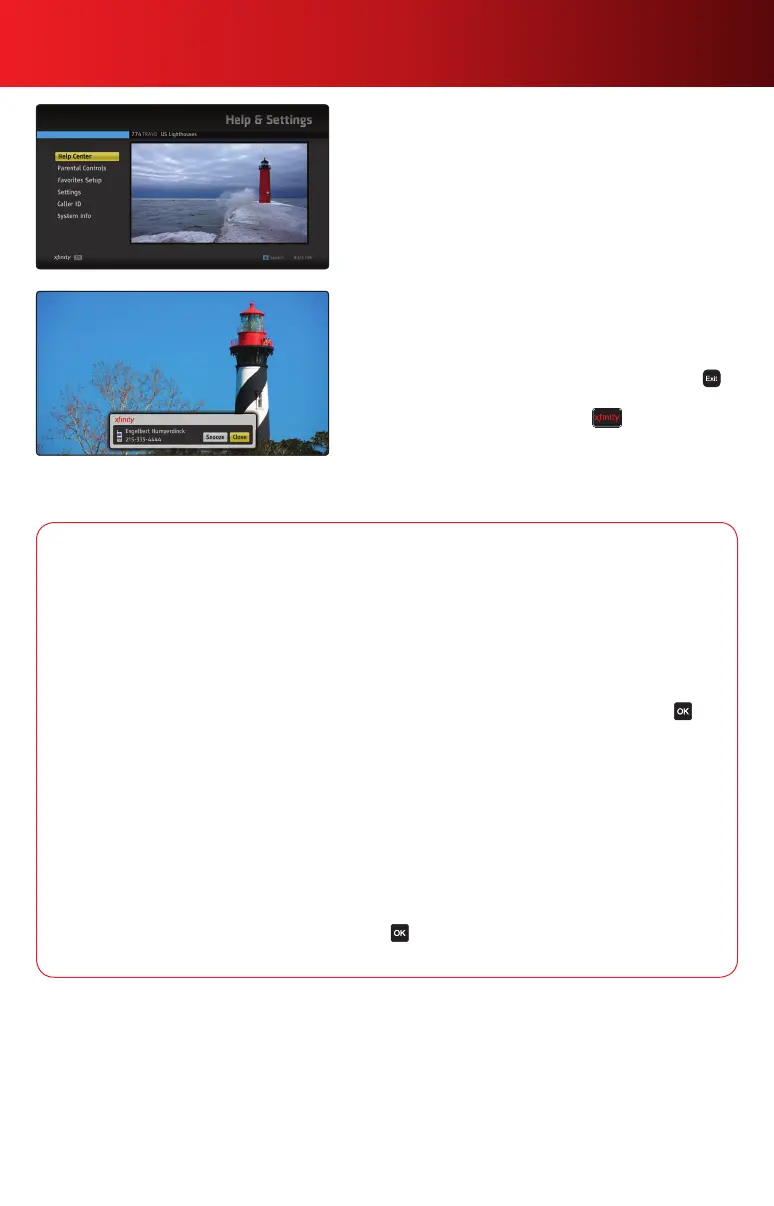
Help & Settings
Select Help & Settings from the Main Menu to access the
Help Center, which provides you with feature information,
Quick Tips, Icon Legends and FAQs to help you get the most
out of your XFINITY service.
SelectSettingstocreateacustomizedMyGuide,adjust
video/audio settings, turn on closed captioning, change the
language of your guide and more.
Universal Caller ID
With XFINITY
®
Voice, TV and Internet, you can get the
convenience of Caller ID on your TV.
1.AnoticationbannerwilldisplayonyourTVwhenan
incomingcallisreceived.Toclosethebanner,press
on your remote.
2. To change Caller ID settings, press and select Help
& Settings and then Caller ID. Use the
to navigate
and make your selection.
3. Visit comcast.net/callerid to find out if your level of service
and equipment qualify to receive Caller ID to the TV.
Settings Options
General Settings—Changethelanguageofyouron-screenmenusandadjustsettingsforTV
Listings, the SmartBar, Screen Saver and more.
My Guide Settings—Customizetheappearanceandbehaviorofyourguidebyselecting
My Guide Settings from the Settings Menu. Choose the layout of your guide, the listings and channels
youwantdisplayed,rowheight,andifdesired,thechannelyou’dliketoseelistedrstintheguide.
Video Settings—Toselecttheformatandresolutionthatbestmatchesthecapabilitiesofyour
TV, select Video Settings from the Settings Menu. Use
to highlight TV Format and press .
ThenhighlightavideoresolutioninthedialogboxandselectOK.Conrmyouwanttochangethe
resolutionbyselectingYes.
Audio Settings—Changetheaudiolanguageofyourchannelsandprogramsandadjustaudio
outputsettings.TheAudiooutputsettingallowsyoutospecifythedigitalaudioformattobedelivered.
Select Audio Output from the Audio Settings Menu to access. Set the audio output accordingly as
optionsmayvary.SelectOKineachdialogboxtoconrm.
DVR Settings — Turn on or off DVR Settings such as the Live program notification, Clipping, DVR
folders and Overshoot protection.
Closed Captioning — To activate, select Closed Captioning from the Settings Menu. Use
to highlight the Closed Captioning setting and press .HighlightChanneldefaultinthedialogboxand
select OK. If you want to further customize your Closed Captioning experience, select Custom.
Caller ID to the TV feature is limited to outlets connected to a compatible set-top box or DVR. For restrictions and complete details, visit
comcast.net/callerid. Interactive TV features not available in all areas.
13Using Your On-Screen Guide



 To Next Page