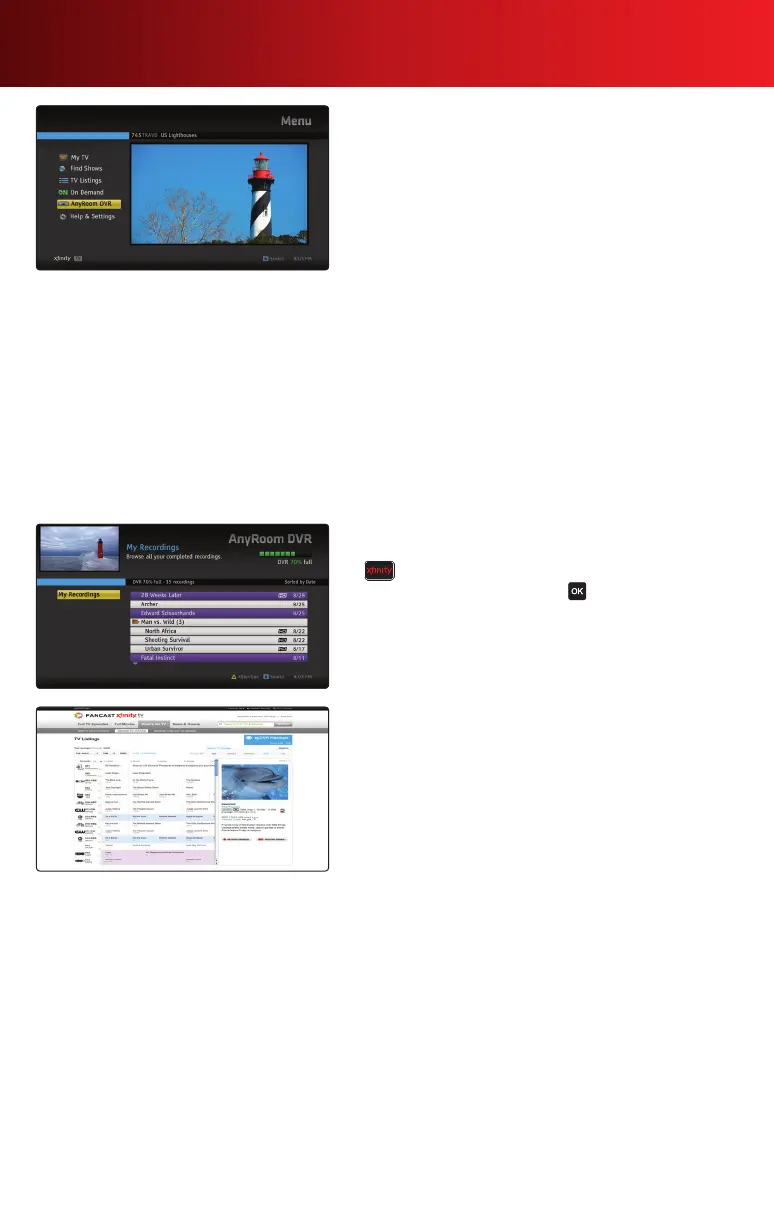
AnyRoom DVR
WithXFINITY’sAnyRoom
®
DVR service, you can watch
your recorded shows in any room you want. You can start
watching a recording in one room and then finish in another,
or even have different recordings play in different rooms at
the same time.
• YourAnyRoomDVRistheprimaryDVRoutletthat
provides full access to the DVR features of your on-screen
guideandislinkedtonetworkedset-topboxesinyour
home.
• Thenetworkedset-topboxesallowyoutosortandview
completed recordings and recordings already in progress.
You can also play, fast-forward, rewind, pause, skip ahead
orskipbackwhilewatchingyourrecordings.
• DVRfeaturessuchastheabilitytoscheduleordelete
a recording, change recording options, slow-motion
functionality or the control of live TV are controlled
through the primary DVR.
• PleasenotethatAnyRoomDVRservicewillnotfunction
with additional DVRs you may already have in your home.
Accessing AnyRoom DVR
1.Toviewrecordingsfromnetworkedset-topbox,press
on your remote and select AnyRoom DVR.
2. Highlight a recording and press to play or view options.
DVR Manager
ScheduleyourDVRrecordingsfromanycomputerormobile
device with an Internet connection.
1. To get started, go to xfinity.com/mydvr. DVR Manager is
notcompatiblewithretailDVRdevicessuchasTiVo
®
.
2. Once activation is complete, go to xfinity.com/tv and
select TV Listings to find and record programs.
AnyRoom DVR not available in all areas. Not all services available with XFINITY packages. Applicable equipment, installation and service
fees apply. Subscription to AnyRoom DVR and/or XFINITY HD Triple Play package may be required. Call 1-800-XFINITY for additional
restrictions and complete details. An XFINITY TV subscription with DVR service is required for DVR Manager. DVR Manager is not compatible
with retail DVR devices such as TiVo
®
.
12 Using Your On-Screen Guide



 To Next Page