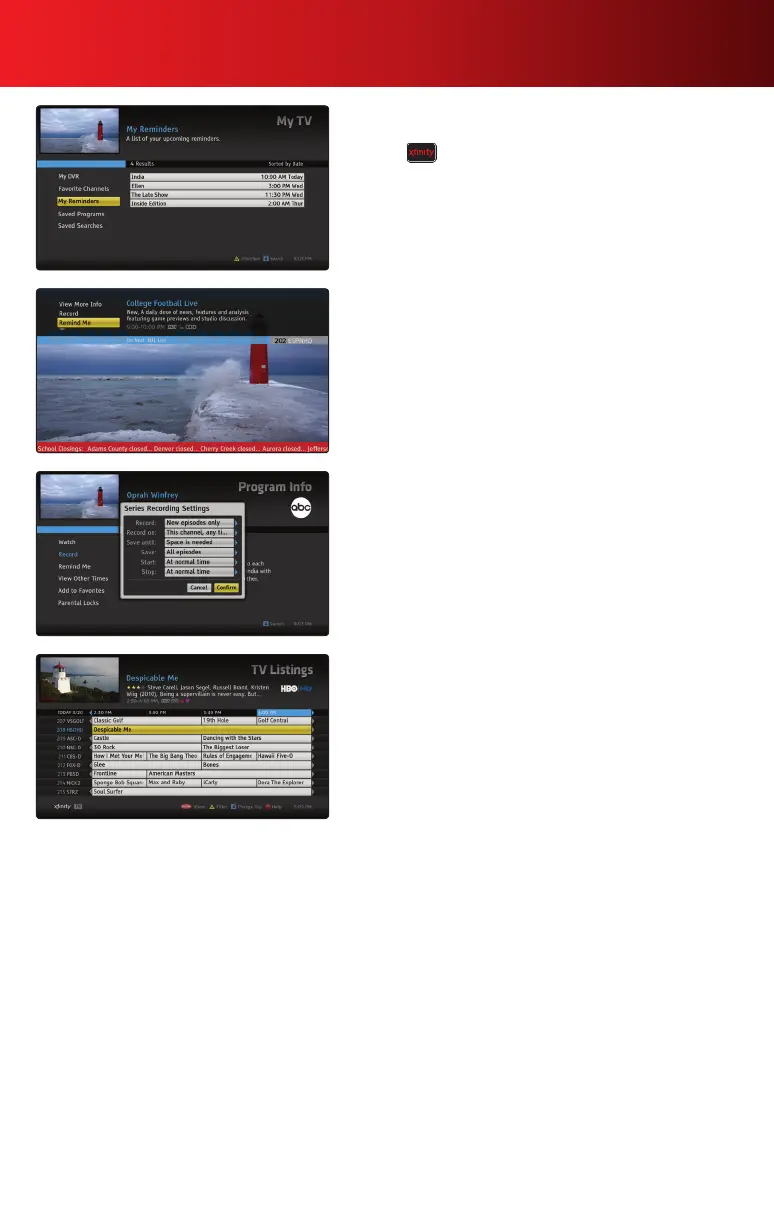
My TV Reminders List
Viewandmanagealistofalltheremindersyou’vesetby
pressing on your remote. Select My TV and then
Reminders.
Moving the SmartBar
To quickly move the SmartBar to the top of the screen and
avoid interference with program provider “tickers” on the
bottomofthescreen,pressPg
. To move the SmartBar
backtothebottomofthescreensimplypressPg
. You can
also change the position of the SmartBar from the General
Settings Menu in Help & Settings.
Quick Confirm
When an overlay screen appears in the guide, you can
quicklyconrmyourselectionsbypressingPg
on your
remote. This prevents you from having to scroll through the
options.
Go Back in Time
ScrollbackintimewheninTVListingsbypressing
on
your remote to see which programs you missed. Press
Info on your remote and select View Other Times to set a
ReminderorRecording,soyouwon’tmissitagain.
15Advanced Features Guide



 To Next Page