10
f
h
i
g
e
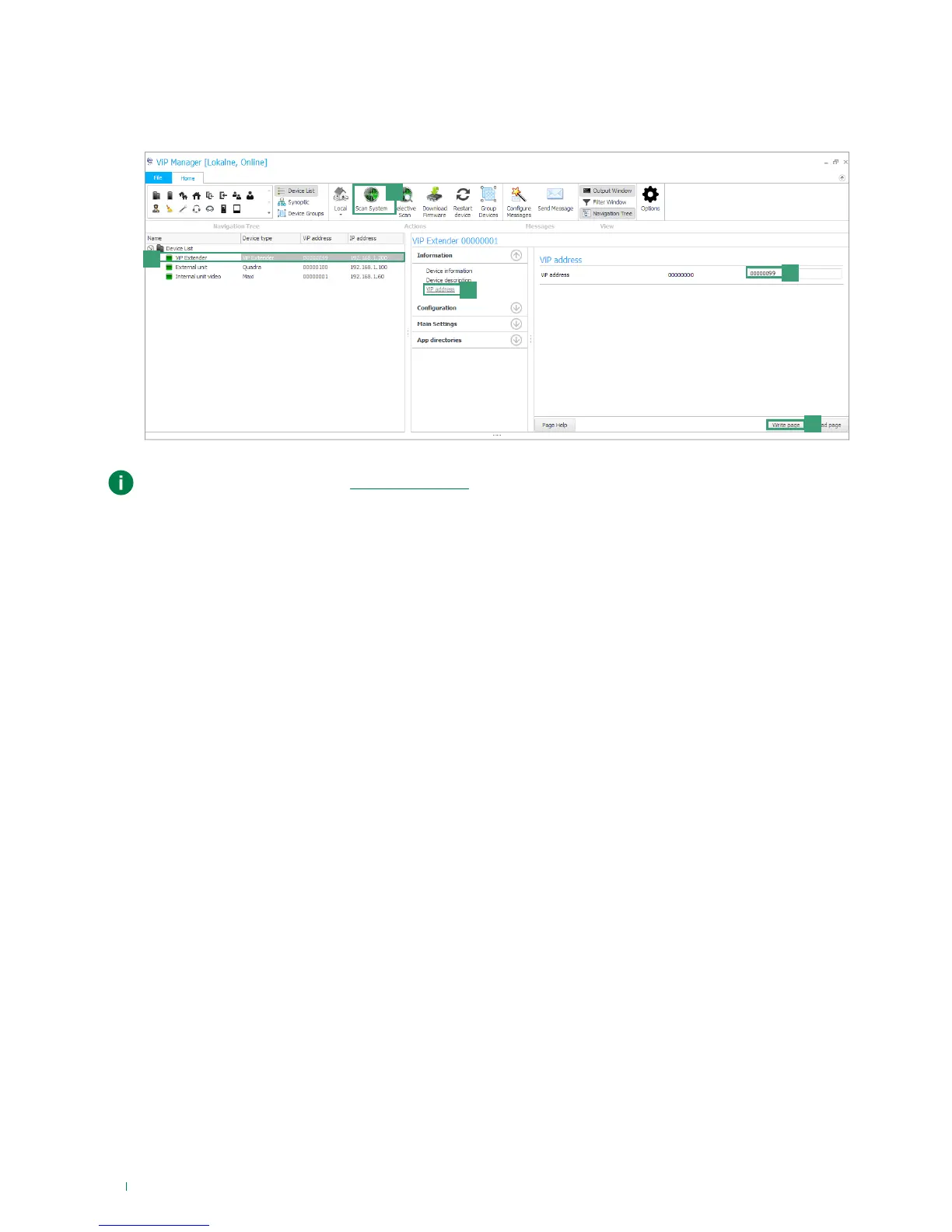
2. Launch the system scan by pressing Scan System [e].
» all the devices connected to the system will be displayed in the device list.
3. Select art.1456 / 1456S [f], select Information/ViP address [g], assign an unequivocal ViP address to the device[h] and
press Write page [i] to save the current settings.
In the case of a system with 2 1456 / 1456S devices, it will be necessary to assign to interface HOME of
one of the two devices a new “Static IP address” (as described in “case 2”), as each device must have a
unequivocal IP address.



 To Next Page