24
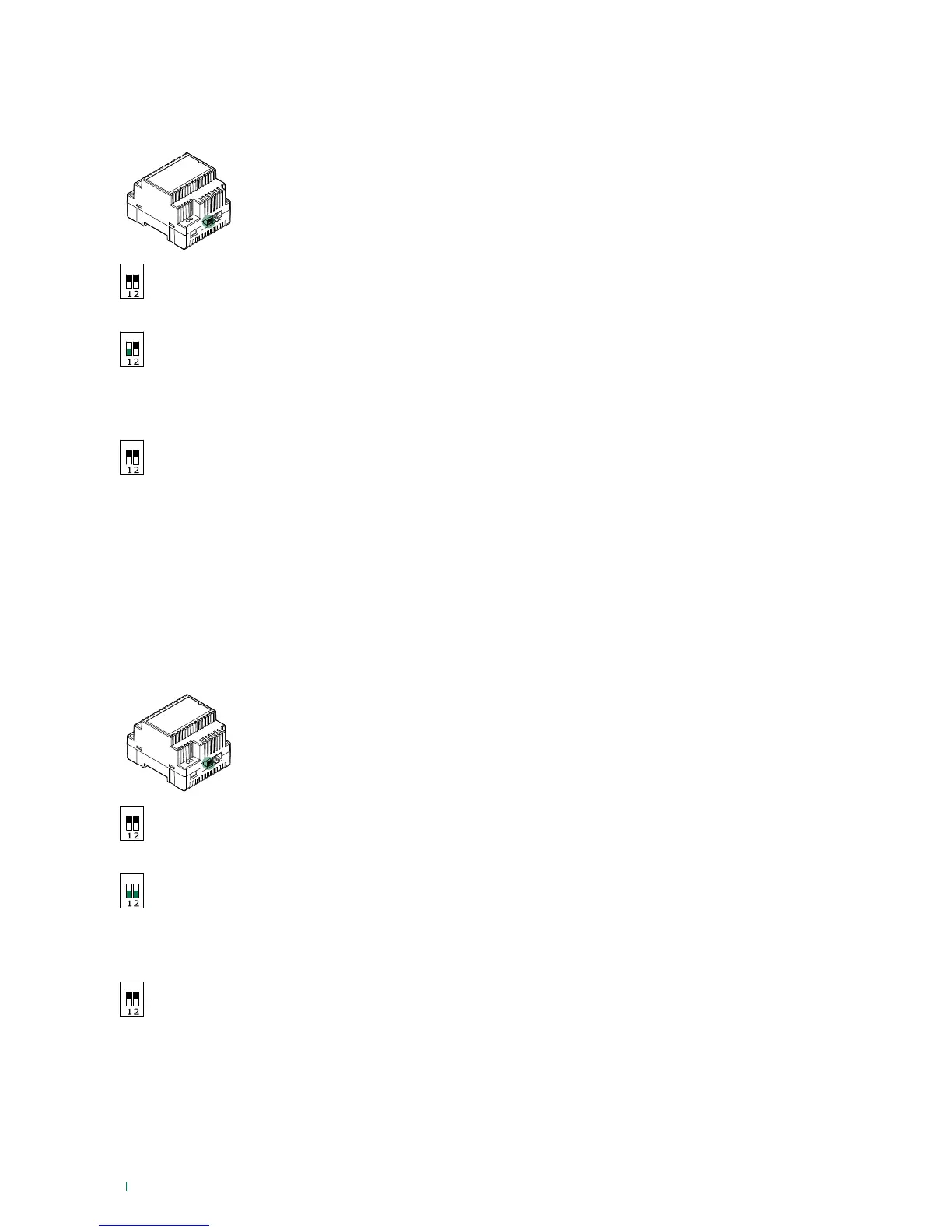
Reboot with predetermined network settings
The function reboot with predetermined network settings allows you restart the device with the default network parameter
settings (interface A= 192.168.1.200), while keeping the other settings unchanged.
ON
√ With the dip switches in the default positions (OFF).
ON
1. Switch o the power supply to the device.
2. Set DIP 1 to ON
3. Power on the device.
4. Wait 20 - 40 seconds until the LEDs start flashing slowly and alternately (1 sec red / 1 sec green).
ON
5. Return all the dip switches to OFF.
» The green LED will flash for 5 seconds.
» The device will start with the default network settings.
6. At the next restart, the device will recover the saved settings.
Restoring factory settings
This procedure allows you to restore all the factory parameter settings and to delete all the device configurations.
ON
√ With the dip switches in the default positions (OFF).
ON
1. Switch o the power supply to the device.
2. Set all the dip switches to ON.
3. Power on the device.
4. Wait 20 - 40 seconds, until the LEDs start flashing rapidly and alternately (0.1 sec red / 0.1 sec green).
ON
5. Return all the dip switches to OFF.
» The red LED will flash for 5 seconds.
» The device will reset all parameters to the factory settings and restart in the normal way.



 To Next Page