7
FLOOR VIP SYSTEM GAT E WAY
SOLO CON CAVO ROSSO COMELIT 2E7T000500
ONLY WI TH COMELIT RED CABLE 2E7T00 0500
FIXED PO E SETTABLE POE NO POE
HOME 1
VIP SYSTE M
HO ME 2 HOME 3 H OME 4
Art.1456
VIP SYSTEM INTERFACE
IP ADDRESS: AUTOIP
HOME INTERFACE
STATIC IP ADDRESS
192.168.1.200 (default)
ROUTER
Installer PC
APARTMENT BLOCK ViP SYSTEM
see page 5
APARTMENT ViP
DEVICES
INTERNET
SIP
PROVIDER
1) Connection
Configuration Art.1456 / 1456S
√ This operation requires a PC loaded with the software ViP Manager version 2.5.0 or later (downloadable from the website
pro.comelitgroup.com).
√ An active internet connection is also required.
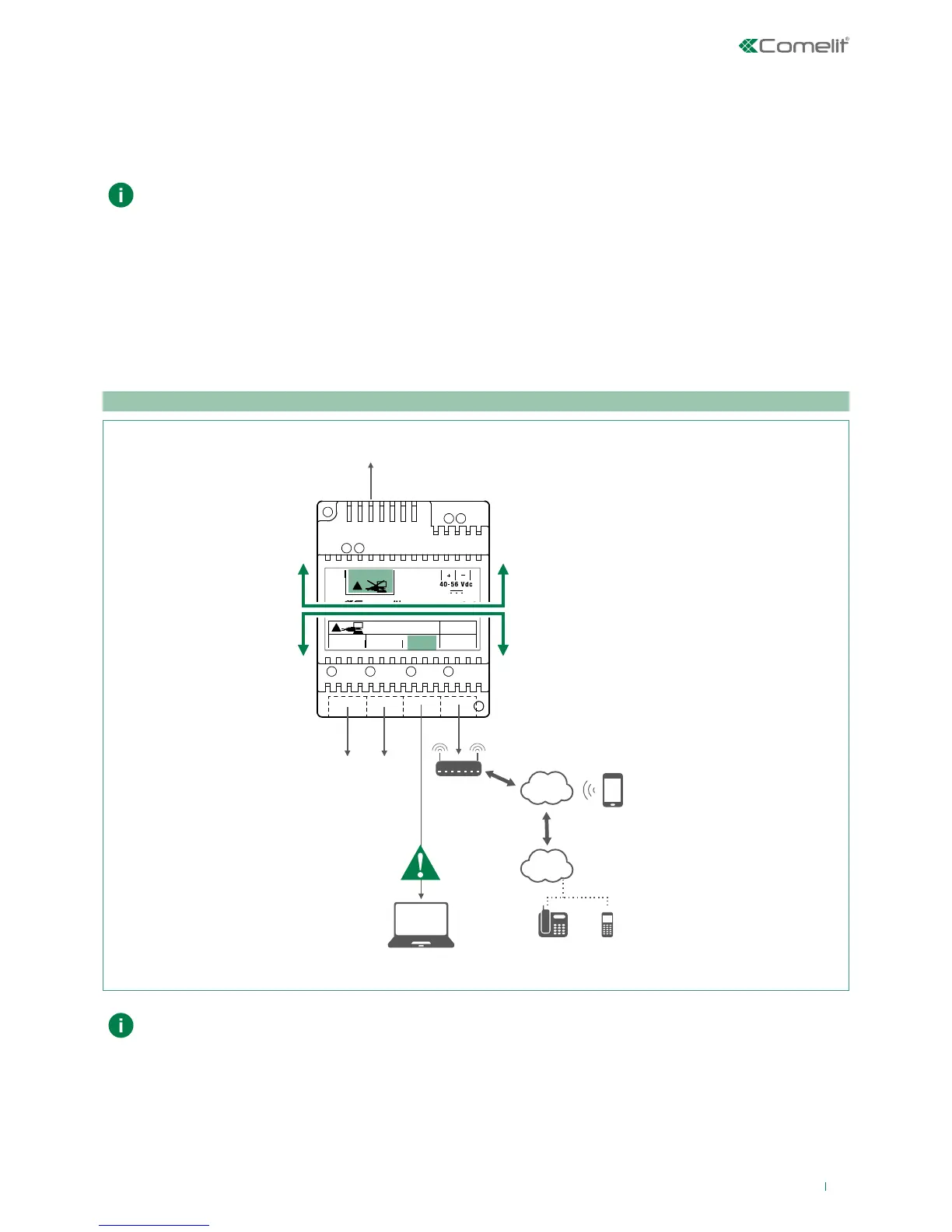
f Article 1456/1456S has 2 network interfaces, HOME and VIP SYSTEM, labelled for easy identification, which can be
configured separately to meet dierent system requirements. Depending on the type of system, connect the devices as
shown in the following figures:
Take particular care with regard to the network interface settings and do not configure interfaces ViP
SYSTEM and HOME with the same addresses or similar parameters: each IP address must be unequivocal,
the addresses of the interfaces ViP SYSTEM and HOME must not belong to the same subnet.
Art. 1456S requires an internal unit assigned to a master monitor.
MULTI-RESIDENTIAL SYSTEM



 To Next Page