36
EN
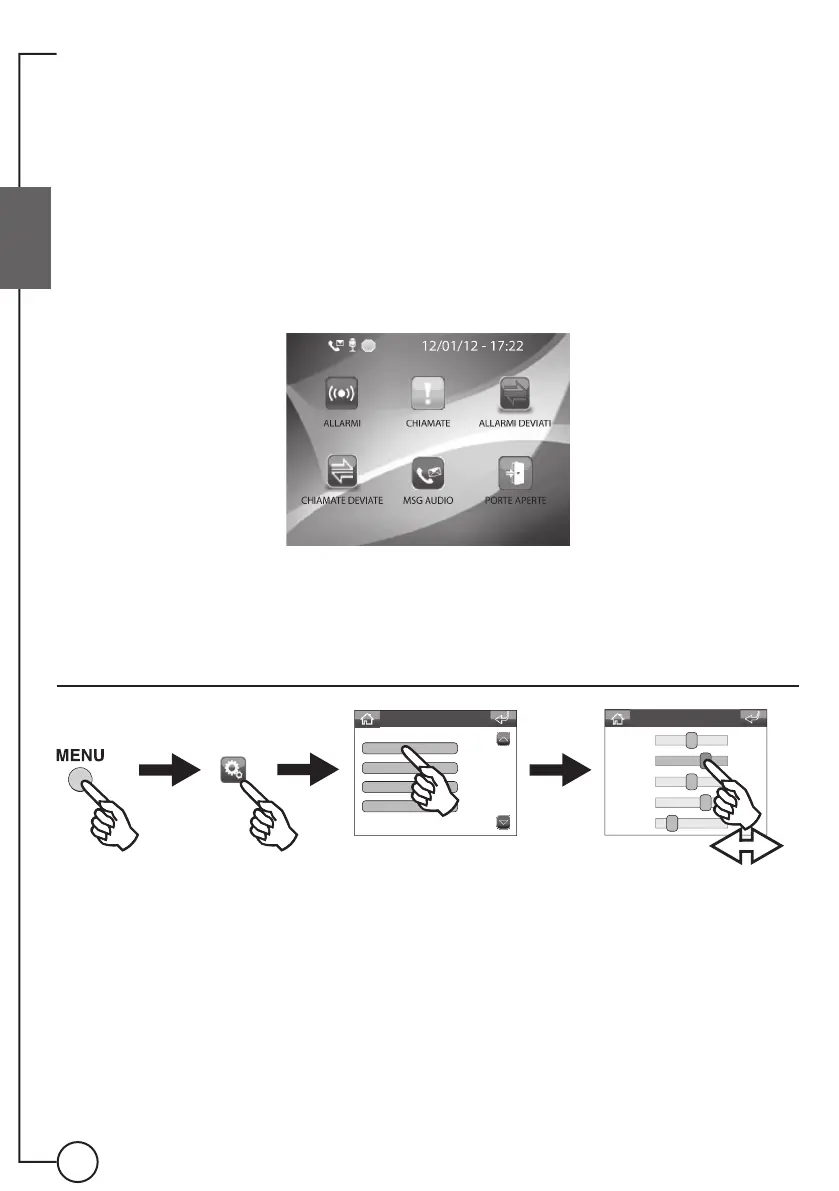
System settings
Volume adjustment
Settings menu
Volumes
Melodies
Languages
Date and time
Volume adjustment
Audio Mic
Audio Spk
Ringtones
Alarms
Keys
5
7
5
7
2
Status menu
The status menu appears when you press the menu button only in the following situations:
◊ Non-managed alarms warning
◊ Non-managed calls warning
◊ Diverted alarms warning
◊ Diverted calls warning
◊ Audio messages from external or internal units warning
◊ Doors open warning
Below is an example of a screen showing all the situations.








 To Next Page