MT SB 01
MT SB 0141
E N
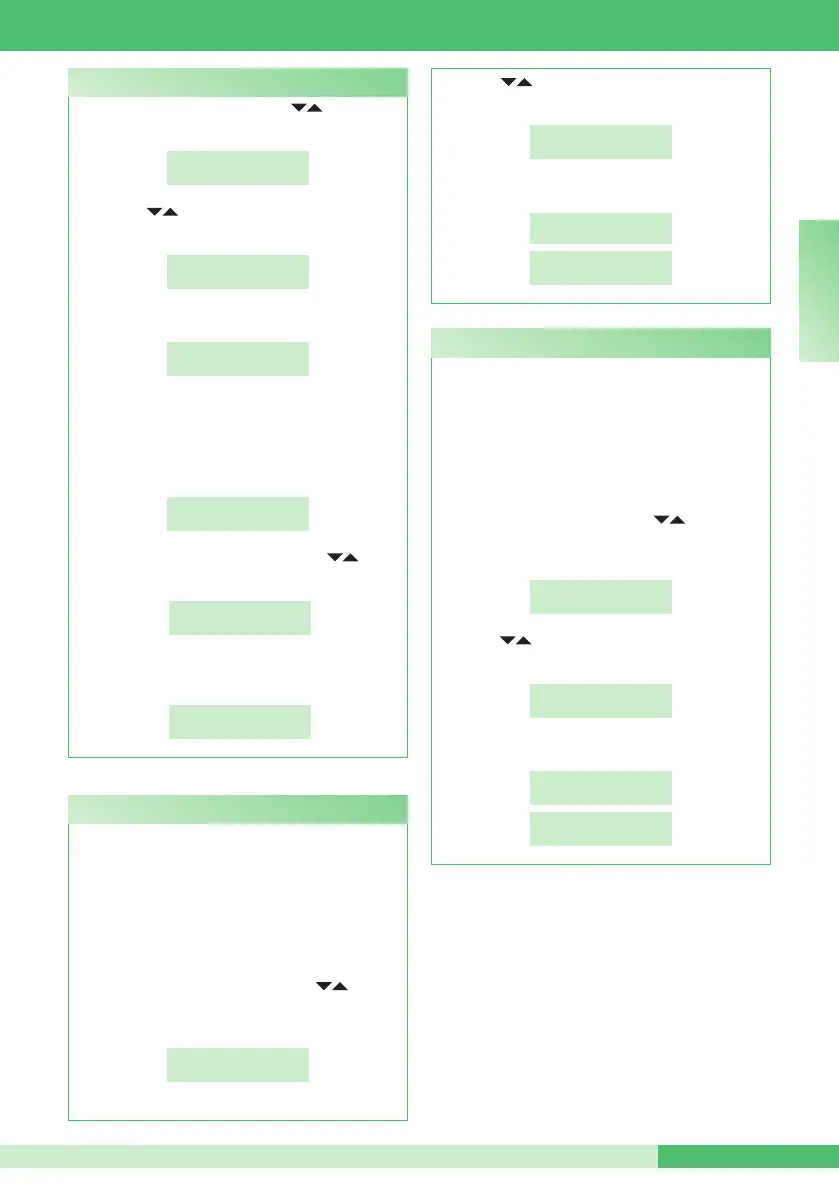
- press the MENU key and use the keys to view
the 8-ADVANCED OPTIONS menu, then press 8:
8-ADVANCED
OPTIONS
- use the keys to display the 3-TYPE OF
SWITCHBOARD menu, then press 3;
3- TYPE OF
SWITCHBOARD
- Press key 1;
*
1-SECONDARY
2-MAIN
The switchboard is congured as SINGLE CPS by
default.
It is now possible to congure it as SERIES CPS,
in fact the function 2-PARALLEL CPS IS NOT
AVAILABLE;
*1-SINGLE CPS
2-PARALLEL CPS
- to congure it as SERIES CPS, use the keys to
display the 3-SERIES CPS menu, then press 3;
*3-SERIES CPS
- to congure it as MASTER, press 1; to congure it
as SLAVE, press 2;
1- MASTER
2- SLAVE
How to configure a secondarya switchboard
- use the keys to view the 4 SELF-IGNITION
ON/OFF menu;
4-SELF-IGNITION
ON/OFF
- press 4 to activate or deactivate the function;
SERVICE
ACTIVE
SERVICE
NON ACTIVE
This is disabled by default.
This function is only available for non-TOP Simplebus
systems and requires Art. 1259 for the cyclic
displaying of images from remote cameras.
This function can be used to activate or deactivate
the self-ignition transmitted by the internal units with
the switchboard in DAY mode.
To activate the function:
- press the MENU key and use the keys to
view the 8-ADVANCED OPTIONS menu, then
press 8;
8-ADVANCED
OPTIONS
C8.4 - Self-ignition on/off (available from R.I.006)
This is disabled by default.
This function can be used to activate or deactivate
the triple call made by the switchboard to the internal
units.
The call will therefore take place on 3 consecutive
occasions (in the case of video calls: the rst 2 will be
audio calls and the third will be a video call).
To activate the function:
- press the MENU key and use the keys to view
the 8-ADVANCED OPTIONS menu, then press 8;
8-ADVANCED
OPTIONS
- use the keys to display the 5-TRIPLE CALL
ON/OFF menu;
5-TRIPLE CALL
ON/OFF
- press 5 to activate or deactivate the function;
SERVICE
ACTIVE
SERVICE
NON ACTIVE
C8.5 -Triple call on/off (available from R.I.006)





 To Next Page