28
1
S1 S2
3
2
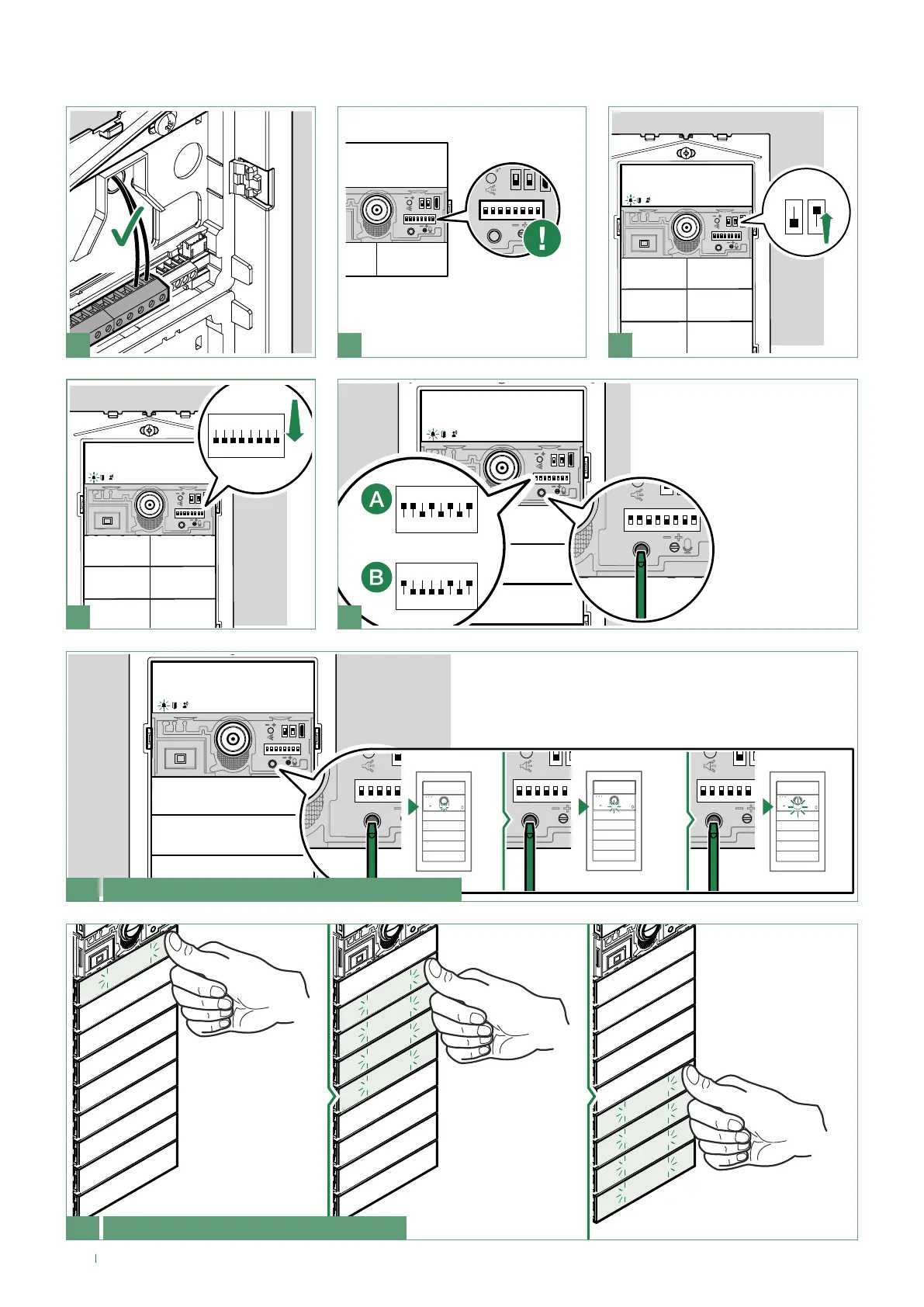
Take note of the DIP-switch
settings
6A Adjusting the camera light brightness
Press the programming confirmation button repeatedly to
adjust the brightness of the camera light
OFF
ON
1 2 3 4 6 75 8
2
cod. 161
cod. 171
ON
1 2 3 4 6 75 8
1
ON
1 2 3 4 6 75 8
4 5
1. Enable brightness control
(A) for the camera light (code 171)
or (B) for the buttons (code 161)
2. Set the
desired function
(code 171/161)
and press
the confirm
programming
button
6B Adjusting the button brightness
Press a button
repeatedly for each
module to change
the individual
brightness of the
buttons
Adjusting the brightness of the button LEDs and the camera light


 To Next Page