31
System performance and layouts
For further information regarding system performance and to view installation layouts, click on the system type:
• Simplebus1 audio/video
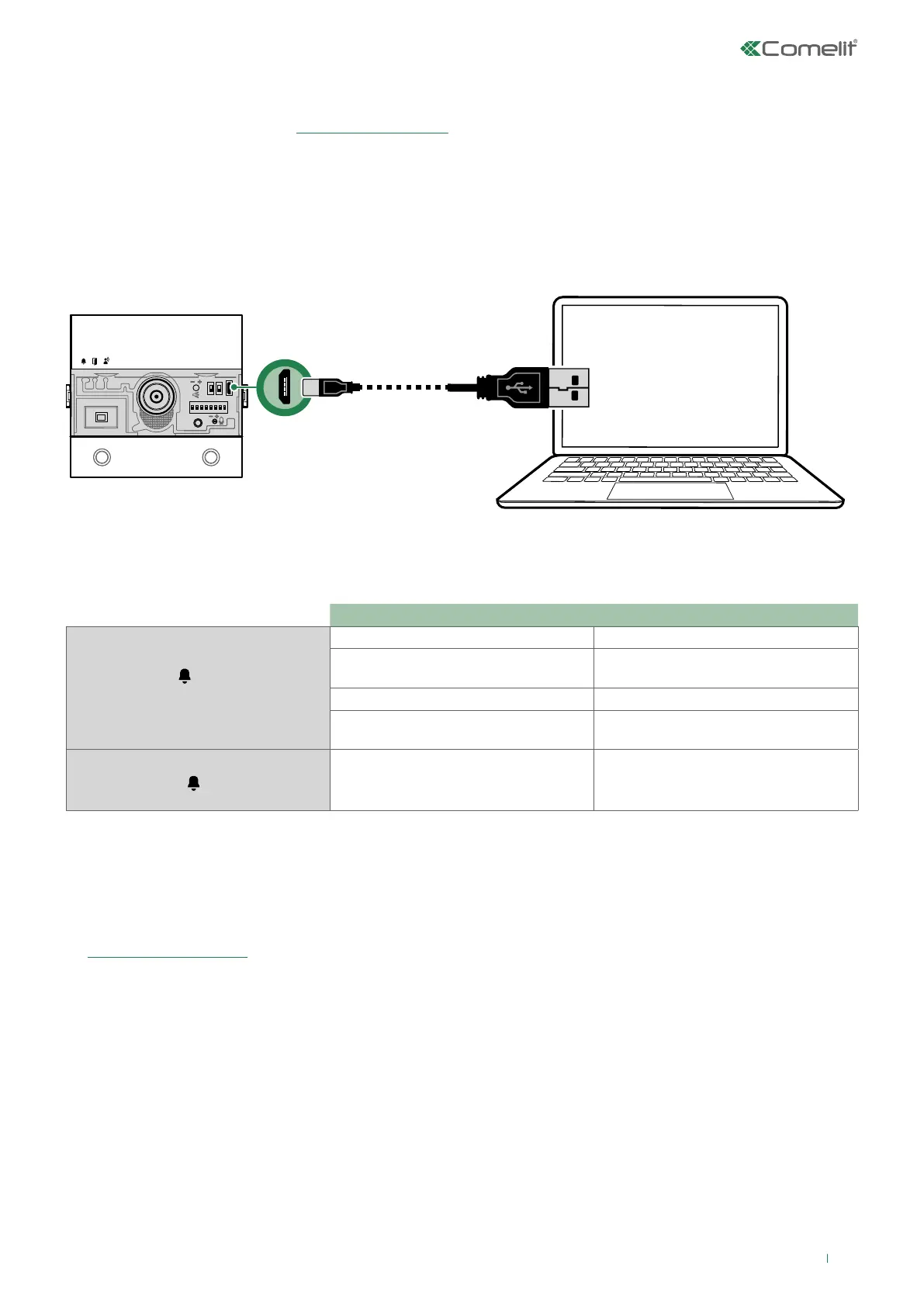
Configuring via PC
Errors and indications
INDICATION SOLUTION
RED LED LIT STEADILY
+
DISSUASION TONE
Line short-circuit Check connections
Dual power supply present
Remove jumper J4 on the audio/video
module
Button modules with the same ID Check the button module IDs
Programming selector positioning error
Check the position of selectors S1 and
S2 (they cannot both be set to ON)
RED LED FLASHING
Device in programming
All device configurations can be performed via PC and ViP Manager configuration software, available to download free of
charge from pro.comelitgroup.com
(See programming manual)
.
For example:
• programming call addresses for the buttons
• activating audiovisual indications
• adjusting the backlighting and twilight sensor threshold
• setting the functions that can be assigned to the RTE input (lock-release, relay control, actuator control, etc.)
• setting activations that can be assigned to the module SE outputs and relay
√ You will need a USB micro-USB cable.


 To Next Page