26
2
1
ON
1 2 3 4 6 75 8
1
5
OFF
ON
1 2 3 4 6 75 8
4
S1 S2
3
2
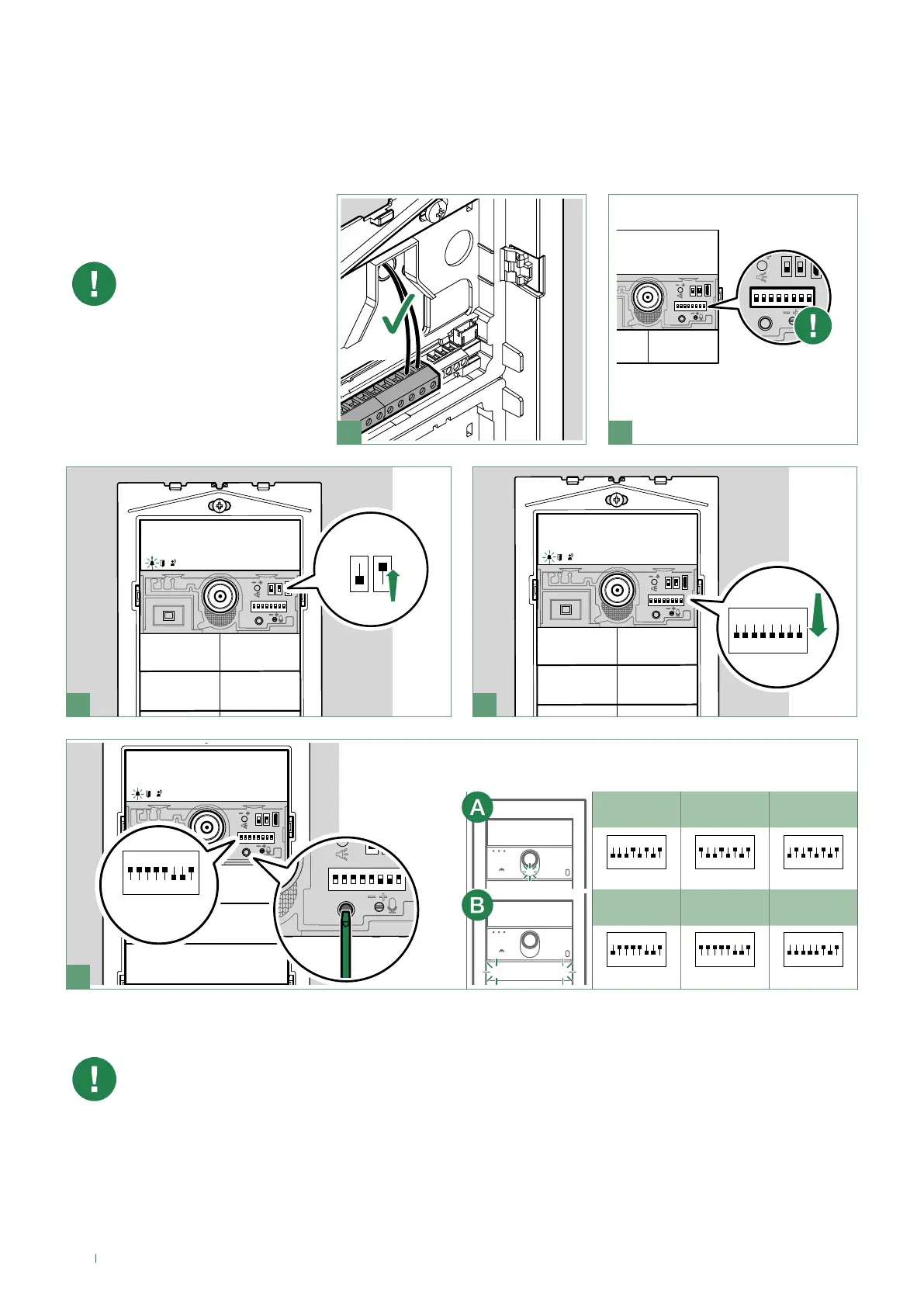
Take note of the DIP-switch
settings
Camera LED lighting and button backlighting management
The twilight sensor is in
AUTO mode by default: the
camera and button LEDs
light up at night and switch
off during the day. To change
the setting to ON (LEDs
always on) or OFF (LEDs
always off), proceed as
follows:
NOTE: when the OFF and AUTO lighting modes are active, every time the entrance panel is powered, the
buttons light up for the duration of the start-up phase (10 seconds maximum).
In AUTO mode the twilight sensor checks the ambient light level every 9 minutes; if the measured values
exceed the specified minimum/maximum thresholds, it is activated/deactivated accordingly.
OFF ON
AUTO
(default)
ON
1 2 3 4 6 75 8
ON
1 2 3 4 6 75 8
ON
1 2 3 4 6 75 8
OFF ON
AUTO
(default)
ON
1 2 3 4 6 75 8
ON
1 2 3 4 6 75 8
ON
1 2 3 4 6 75 8
1. Set the desired mode for the camera (A) or button (B) LEDs
2. Press the confirm button
example:
code 159
Camera LEDButton LEDs
Twilight sensor


 To Next Page