30
S1 S2
7 8
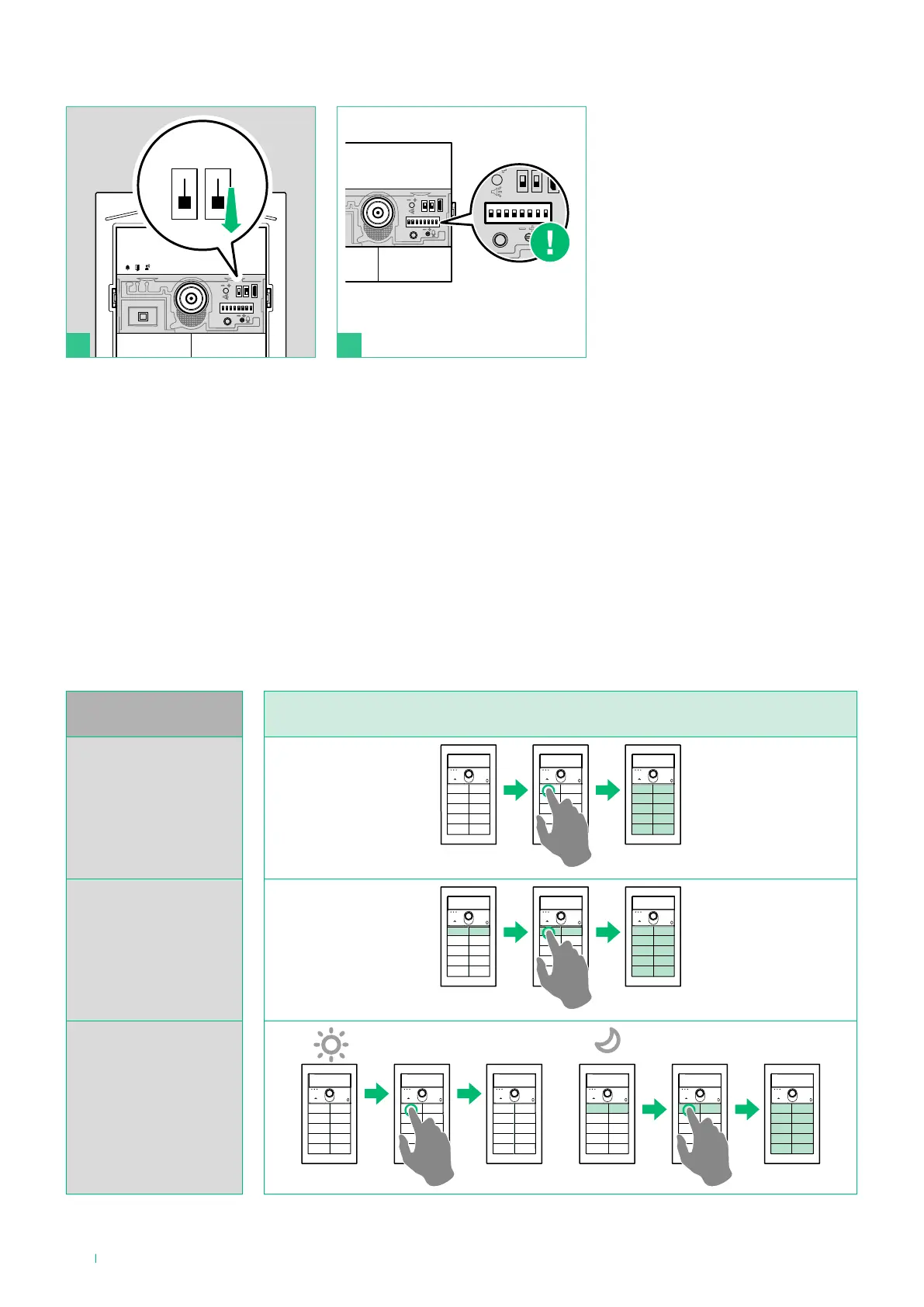
BUTTON
BACKLIGHTING
With Light-Me function enabled
[code 163]
OFF mode
[code 158]
ON mode
[code 159]
AUTO mode
[code 160]
Light-me function behaviour on the basis of the LED backlighting mode
Thanks to this function, button backlighting is only enabled on the user’s request, by pressing the LIGHT-ME button on the
audio/video module; this saves energy and reduces light pollution.
Backlighting management for this button depends on the twilight sensor setting. It is in AUTO mode by default: the LEDs light
up at night and switch o during the day. It can be set to ON (LEDs always on) or OFF (LEDs always o).
Light-me function
Reset the configuration of the
DIP-switches













 To Next Page