33
5.7ECG Record
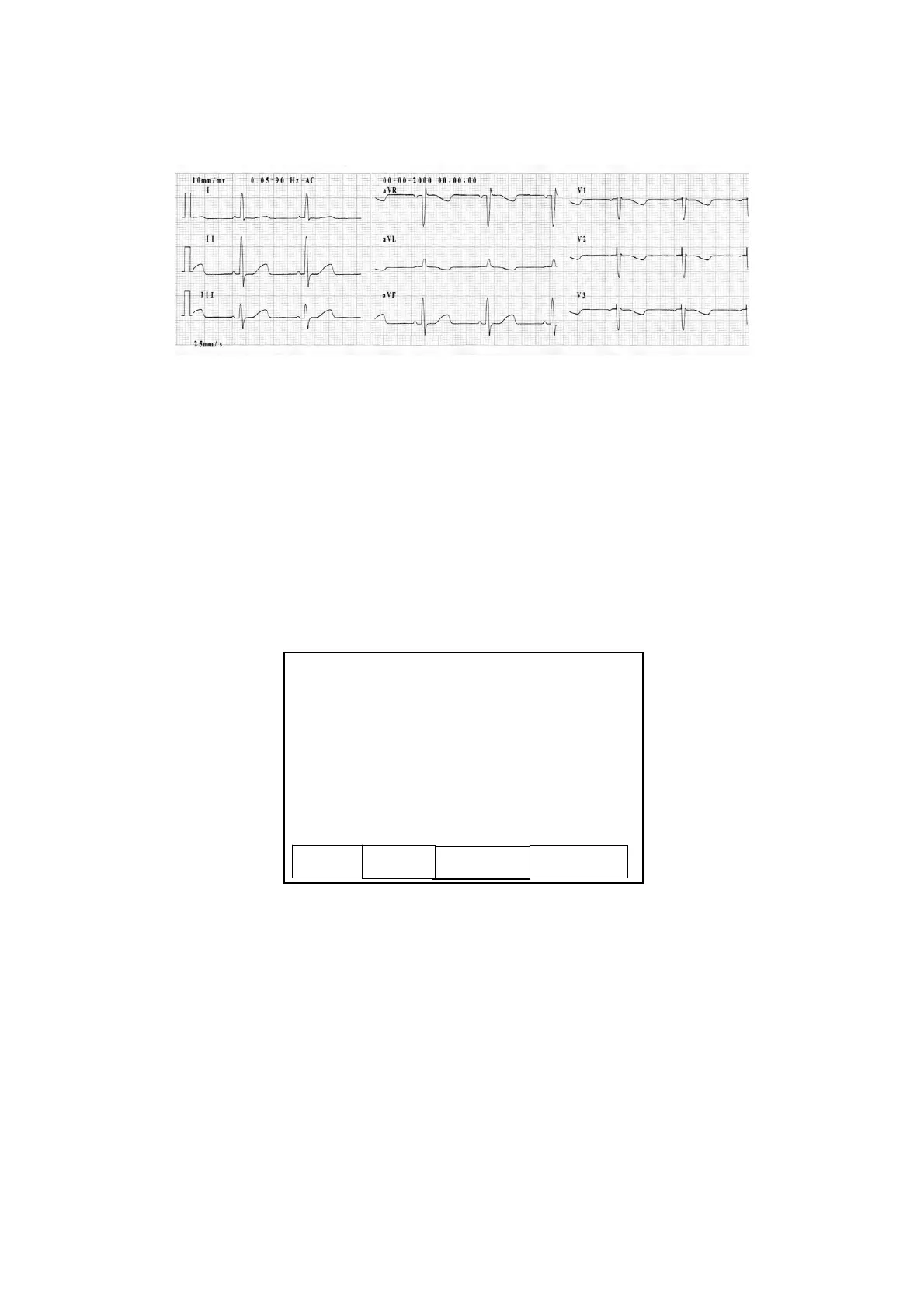
As the above figure shows, the ECG record includes: sensitivity, filter settings, date and time,
1mV calibration pulse, lead name, ECG, paper speed, heart rate, model of the equipment and
version number.
The user can recall the ECG waveform to observe. If the ECG data before the recall is less than 10s, the user
need to wait until the electrocardiograph has gathered data for 10s to freeze the operation.
Specific Operation Methods:
Press the “Recall” key on the keyboard and start to recall the ECG, as shown in the following figure;
ECG Recall Interface
1) Press Arrow Combination key to choose the record in the memory
2) Press “LEAD” key to select “Print, Delete, Delete All, USB Copy’’
3) Press “MENU” key to confirm “Print, Delete, Delete All, USB Copy” according to the prompt
information
4) Press “Recall” key to back to the main interface
5) USB COPY is option function. Transfer data from ECG to USB disk, then to computer. ECG report
can print out from computer directly. PC software has special software to read ECG waveform.
0712060030 0712060020 0712060010
0712060029 0712060019 0712060008
0712060028 0712060018 0712060007
0712060027 0712060017 0712060006
0712060026 0712060016 0712060005
0712060025 0712060015 0712060004
0712060024 0712060014 0712060003
0712060023 0712060013 0712060002
0712060022 0712060012 0712060001
0712060021 0712060011 0712060000
Print
Del All
Delete USB Co



 To Next Page