27
(8) HOSPITAL: Hospital Name (Letters: not more than 20 characters; English: not more than 10 letters)
(9) DOCTOR : Doctor’s Name (Letters: not more than 20 characters; : not more than 10 letters)
5.6.2General Settings
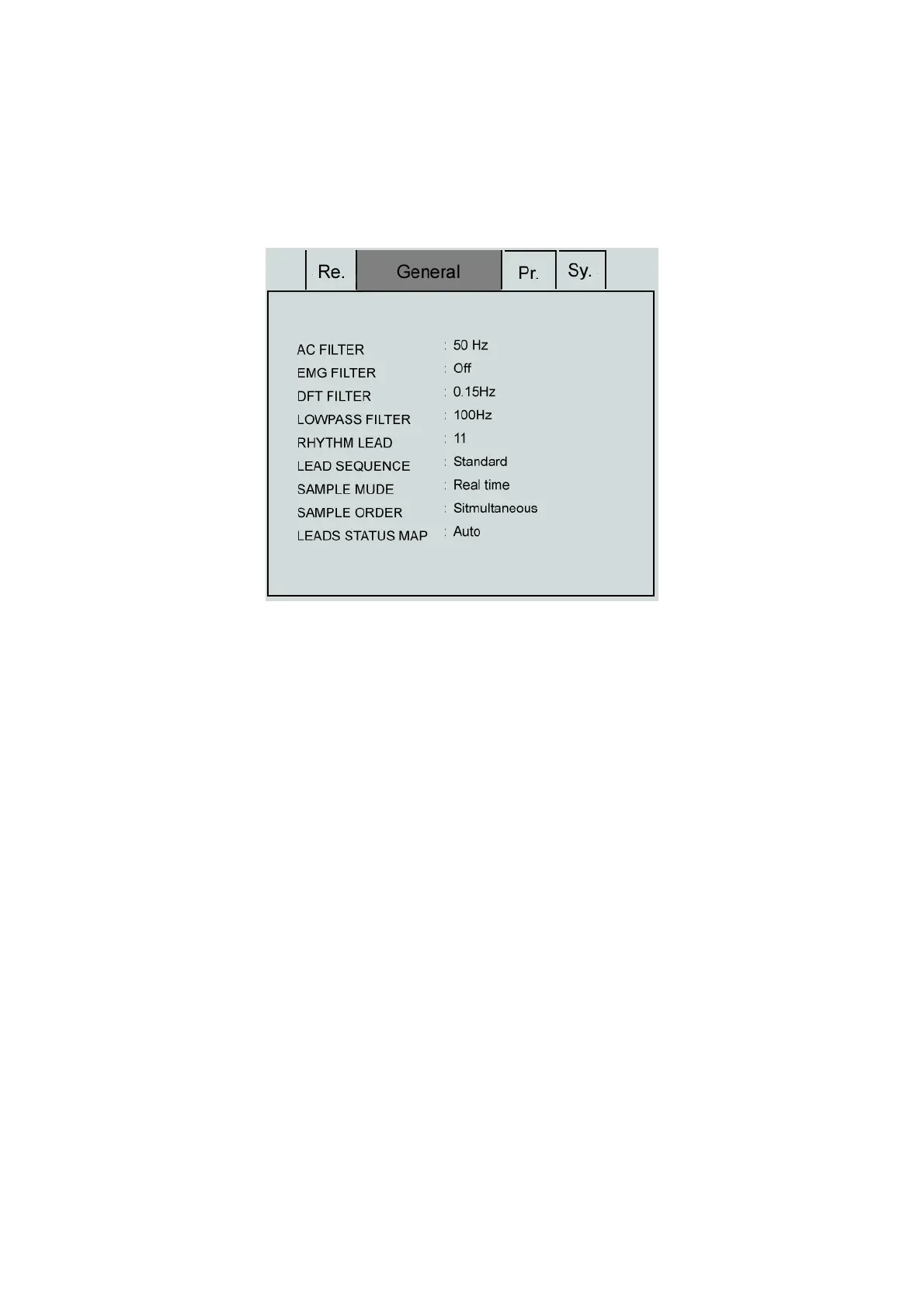
Press the “MENU” key to enter the “Setting” menu, select the “General” as shown in the following figure:
General Interface
Filter setting menu includes 4 filter settings: AC filter, EMG filter, drift filter and lowpass filter.
(1) AC FILTER: 50HZ, 60HZ and off
AC filter is used to resist the interference of the AC power supply to avoid the reducing or distortion of the
ECG signal.
(2) EMG FILTER: 25HZ, 35HZ, 45HZ and off
EMG filter is used to resist the interference on the ECG signal caused by strong muscle vibration. The
cutoff frequencies the user can select are 25Hz, 35Hz, and 45Hz or turn off.
(3) DFT FILTER: 0.05Hz, 0.15Hz, 0.25Hz and 0.50Hz
Drift filter is used to resist the drift of the baseline and ensure the ECG signal is on the baseline in the
recording process. The set option values are the lower limits of the frequency range which include four
options such as 0.05Hz, 0.15Hz, 0.25Hz and 0.5Hz.
(4) LOWPASS FILTER: 70HZ, 100Hz and 150Hz
Lowpass filter is used to limit the bandwidth of the input signal and reduce the signal with the frequency
higher than the set cutoff frequency. The cutoff frequencies the user can select are 70Hz, 100Hz or 150Hz.
(5) RHYTHM LEAD :“І, II, III, aVR, aVL, aVF, V1, V2, V3, V4, V5, V6”.
(6) LEAD SEQUENCE: Standard and Cabrera
Lead Order: as shown in the following table



 To Next Page