28
Lead Order Lead Group 1 Lead Group 2 Lead Group 3 Lead Group 4
Standard І, II, III aVR, aVL, aVF V1, V2, V3 V4, V5, V6
Cabrera aVL, І, -aVR II, aVF, Ш V1, V2, V3 V4, V5, V6
(7) SAMPLE MODE: Real time and Pre-sampling
When the sampling mode is set as real-time sampling, the user press the “START/STOP” key or
“START/STOP” key, then ECG data of 10 seconds after pressing of the key will be recorded and output.
When the sampling mode is set as pre-sampling, once the leads connect with the patient the ECG data
will be collected and it is not necessary to wait for the user to press the START/STOP key to collect the
ECG data. After the user press the START/STOP key, ECG data of 10 seconds after pressing of the key
will be recorded and output.
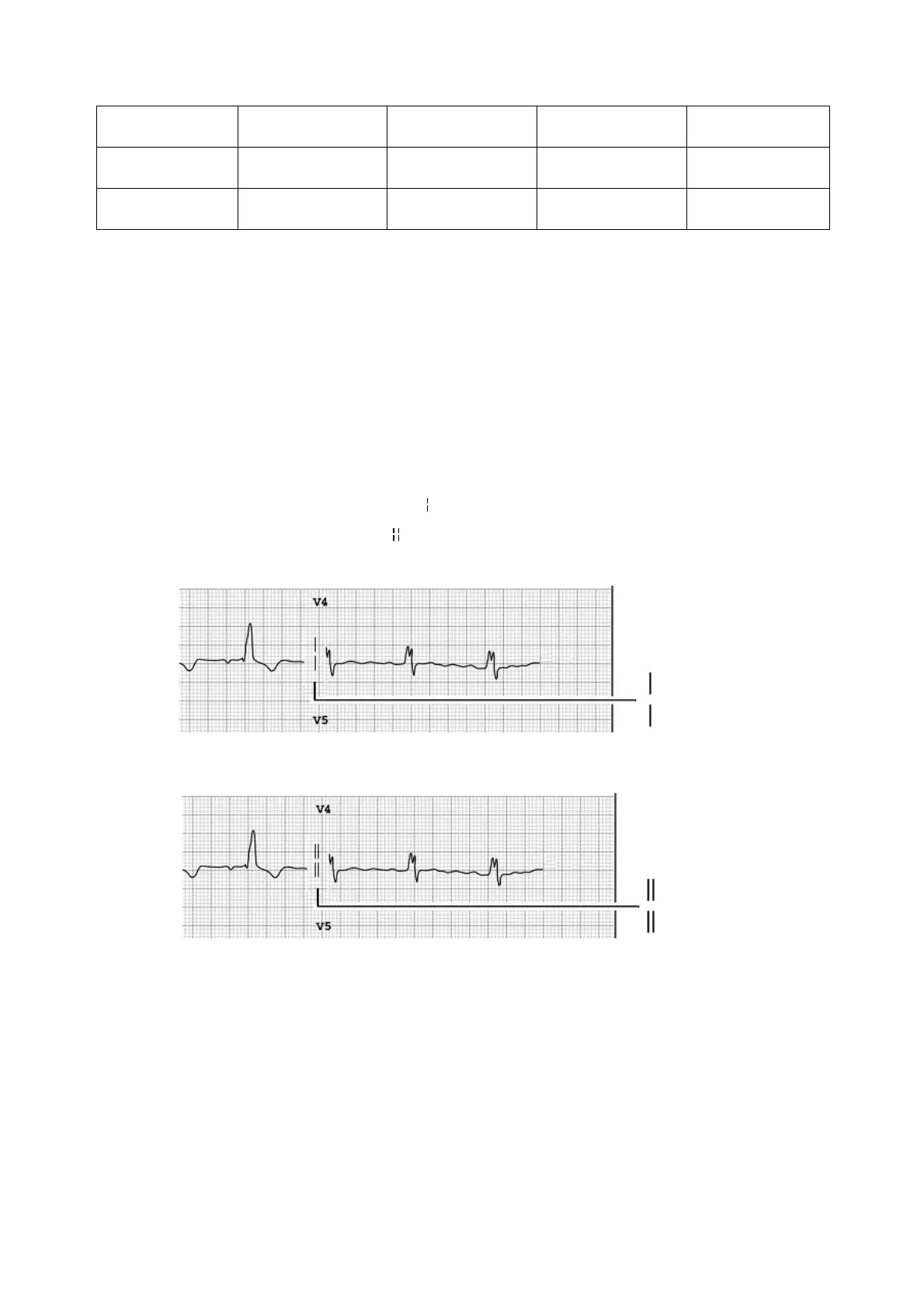
(8) SAMPLE ORDER : Simultaneous and Sequential
In the sequential sampling of each group, “
” shows in the place of printing lead waveform; and in the
Simultaneous sampling of each group, “
” shows in the place of the printing lead waveform. As shown in
the following figure:
Sequential Sampling of Each Group
Simultaneous Sampling of Each Group
(9) LEADS STATUS MAP: Auto,on and off
Note: LEADS STATUS MAP is a reference to the conductivity of ECG leads. WHITE color to
well connected, BLACK color to the failure connect.
5.6.3Print Settings
Press the MENU key to enter the “Setting” menu, select the “Print” as shown in the following figure:



 To Next Page